RESTRICTED USE ONLY FARGO Electronics, Inc.
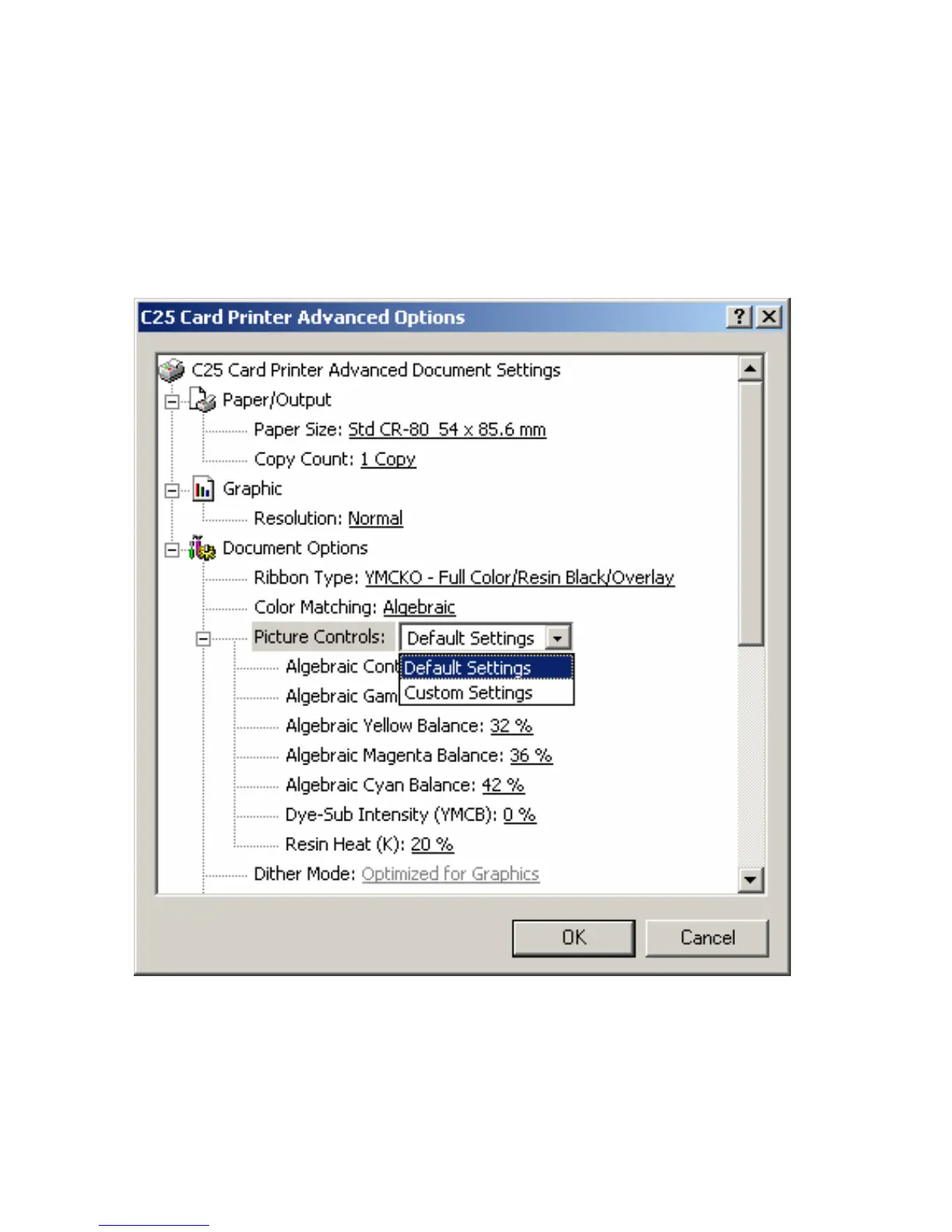
Using the Picture Controls
Use the Custom Settings option under Picture Controls to control the Contrast and Gamma
of the printed image, as well as the individual color balance of Yellow Balance, Magenta
Balance, and Cyan Balance. (Note: In most cases, the default settings of these options will
suffice.)
Persona® C25 Card Printer User Guide (Rev. 4.0)
88












 To Next Page