RESTRICTED USE ONLY FARGO Electronics, Inc.
Using the Image Placement controls
Step Procedure
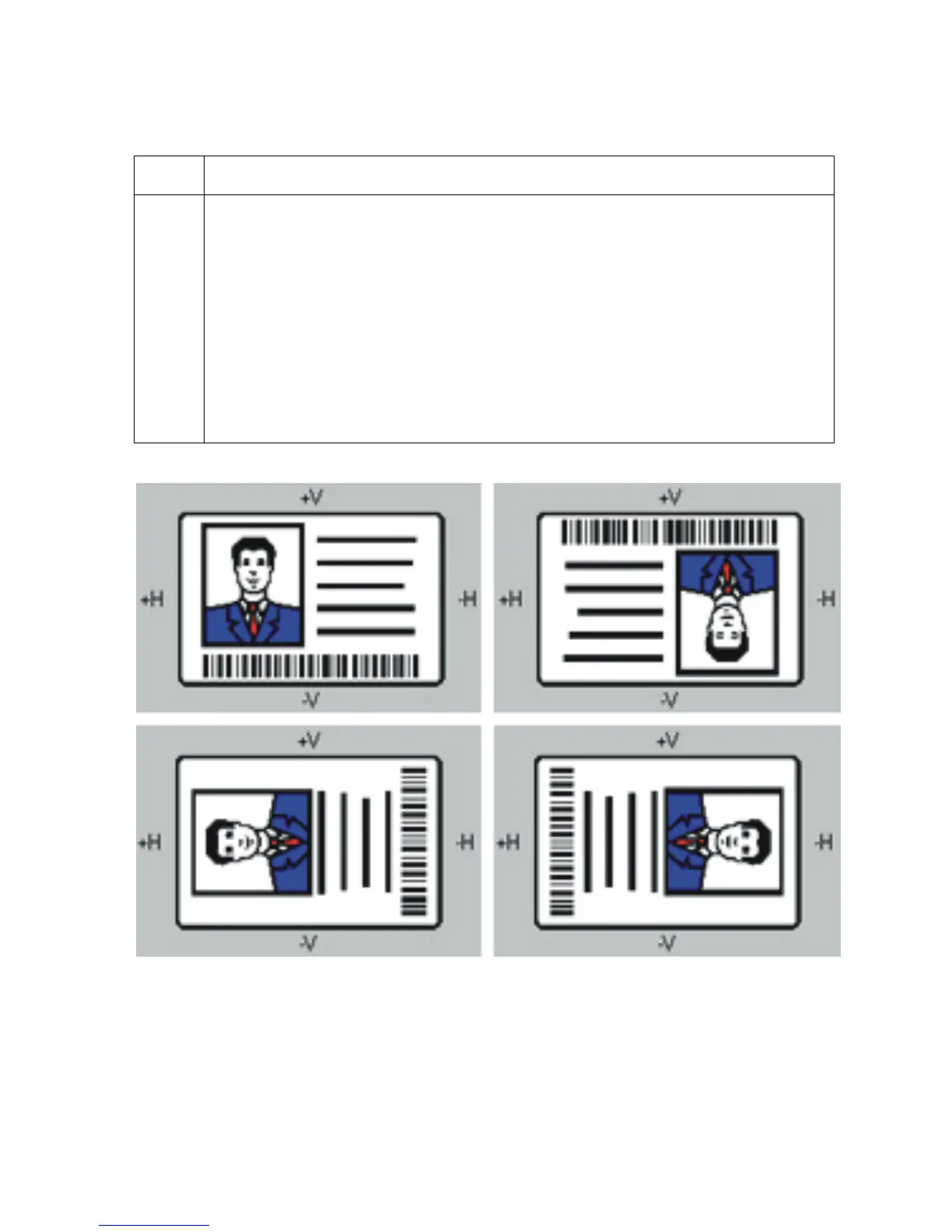
1 Click on the Vertical and Horizontal adjustment arrows to adjust the Image
Position values.
• When adjusting these values, keep in mind that cards always remain in the
same position while moving through the Printer, regardless of image
orientation.
• To illustrate this, the card illustration shown in the Image Position box will flip
and rotate according to the Portrait, Landscape, or Rotate 180 Degrees
selection.
• The outline around the illustration will always remain in the same Landscape
orientation.
Persona® C25 Card Printer User Guide (Rev. 4.0)
126












 To Next Page