RESTRICTED USE ONLY FARGO Electronics, Inc.
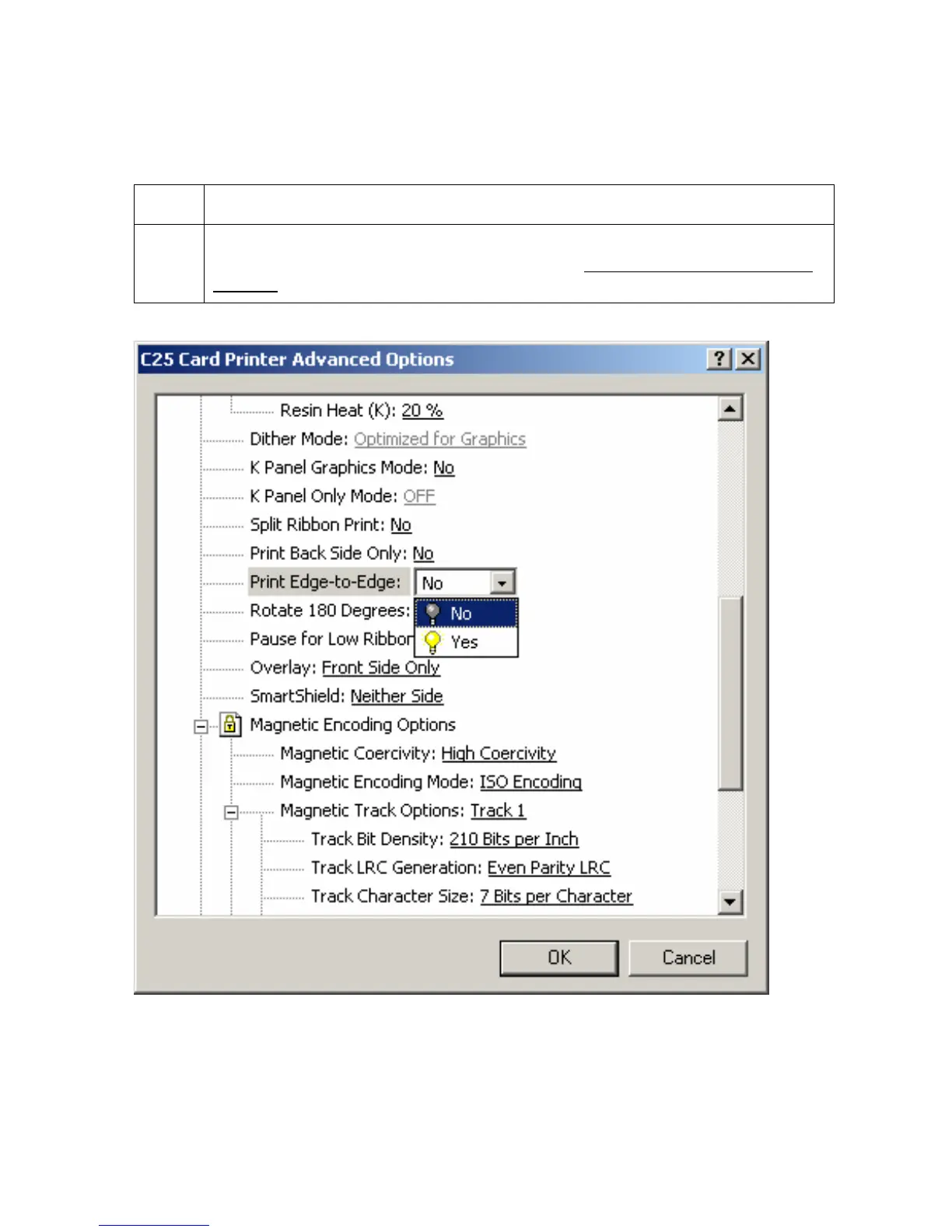
Selecting the Print Edge-to-Edge option
Use this option for Edge-to-Edge type printing.
Step Procedure
1 Select this option to adjust the maximum printable area on a card, which results
in printed cards with virtually no border. See the
Adjusting the RP3 Card Offset
Location procedure on page 68.
Persona® C25 Card Printer User Guide (Rev. 4.0)
96












 To Next Page