RESTRICTED USE ONLY FARGO Electronics, Inc.
Maintaining the Cleaning Rollers (continued)
Step Procedure
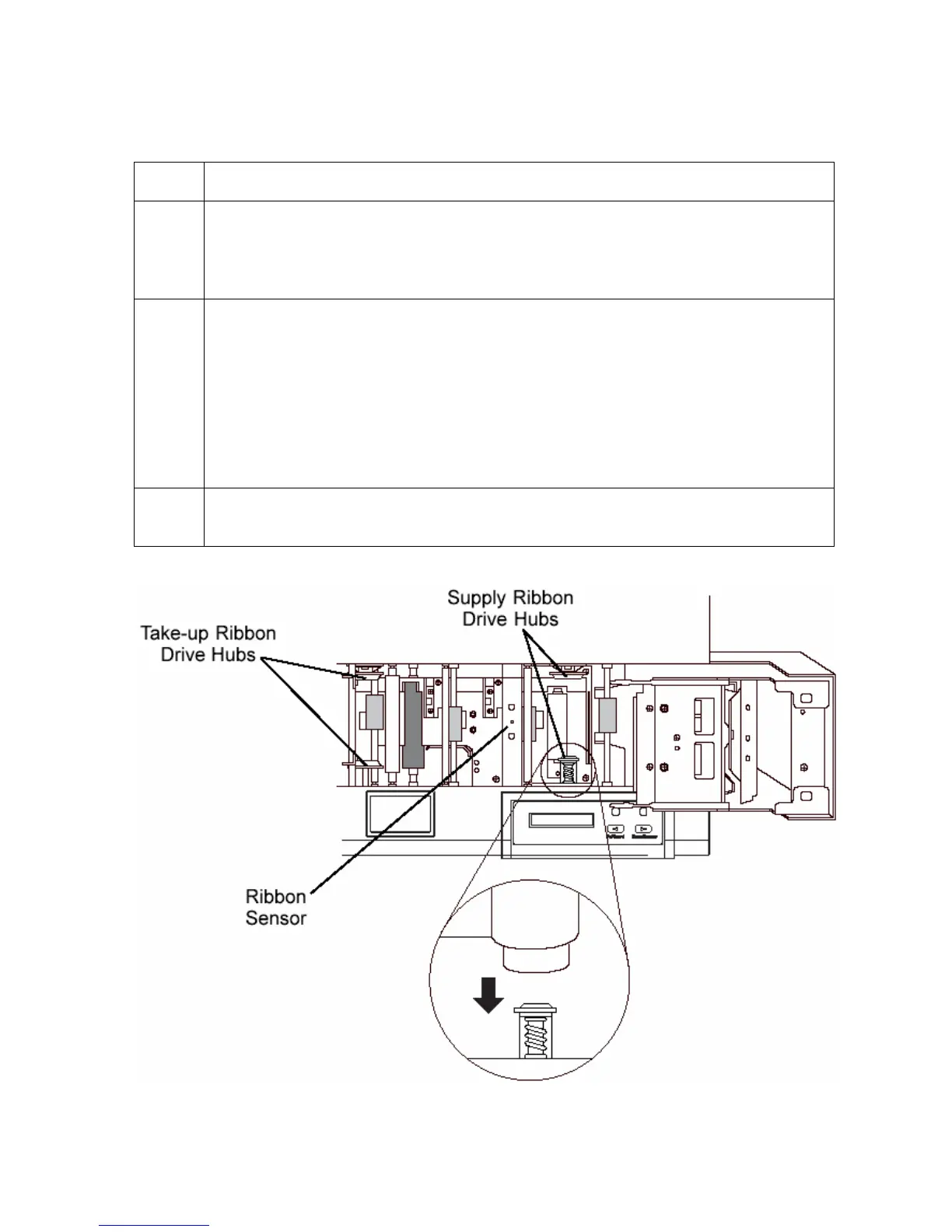
4 Reach down in between the empty Ribbon Drive Hubs and lift the Cleaning
Roller Assembly straight up and out of the Printer. (Note: It may help to push in
the spring loaded Ribbon Drive Hub when removing or inserting the Cleaning
Roller Assembly.)
5 Once the Cleaning Roller Assembly is removed, clean the Rollers using one of
the adhesive-backed Cleaning Cards from the Printer Cleaning Kit.
• With the card’s adhesive backing paper removed, slide the card in between
the two Rollers until all dust particles are removed from both Rollers.
• If you do not have a Cleaning Card, use a piece of standard clear adhesive
tape.
• Use the stick side of the tape to life dust from the Rollers.
6 Once all dust is removed from the Rollers, place the Roller Assembly back into
the Printer, replace the Ribbon, and close the Printer’s cover.
Persona® C25 Card Printer User Guide (Rev. 4.0)
136












 To Next Page