RESTRICTED USE ONLY FARGO Electronics, Inc.
Calibrating the Color Ribbon Sensor (continued)
Steps Procedure
8 Return the DIP switches to the normal OFF position.
9 a. Run the self-test procedure. See the Performing the Standard Self Test
procedure on page 57.
b. If the Printer functions properly, re-attach the back cover to the Printer.
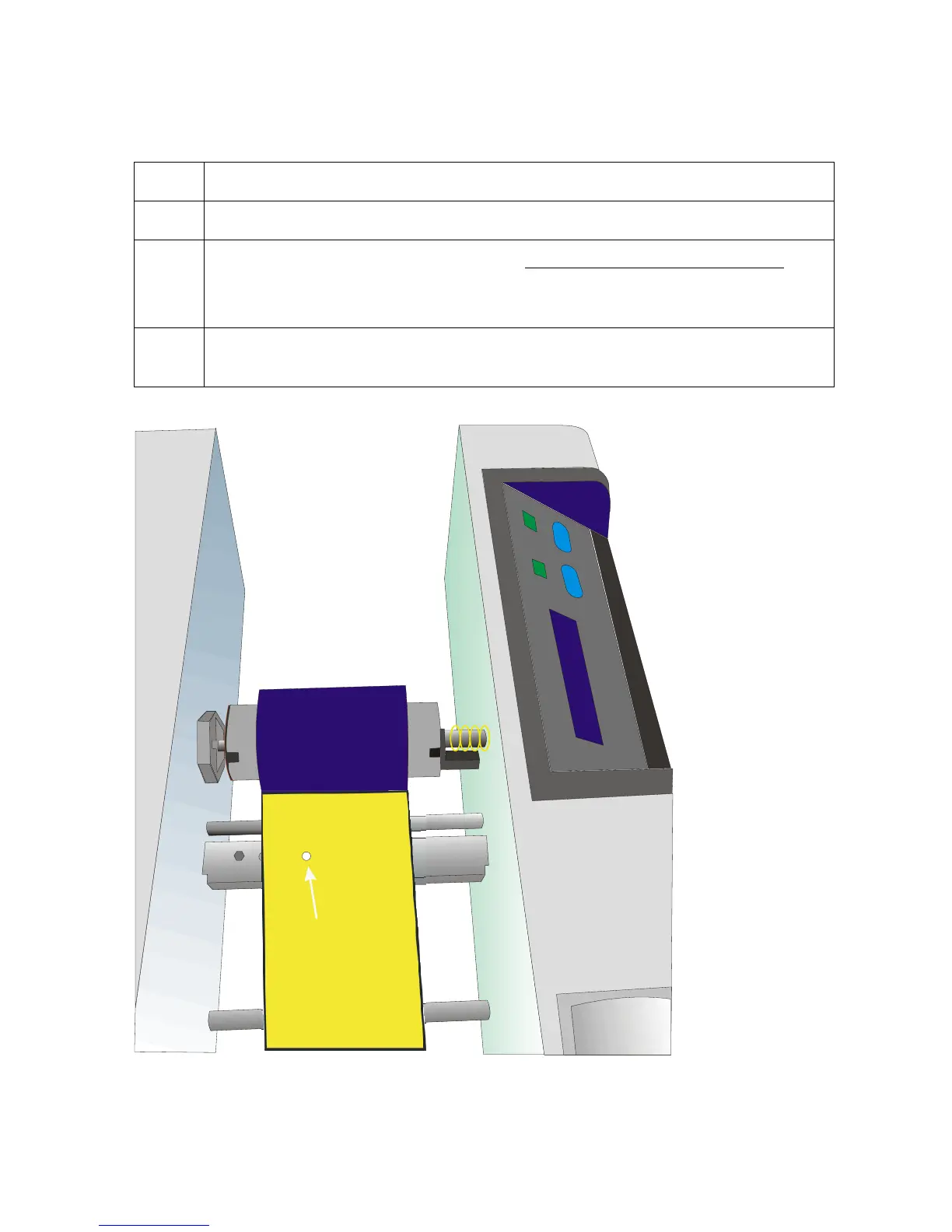
10 Align the Clear or the Yellow panel over the LED portion of the Ribbon Sensor
and close the Top cover, as shown below.
LED portion of
Ribbon Sensor
Persona® C25 Card Printer User Guide (Rev. 4.0)
78












 To Next Page