186
Note: For more detailed information please refer to the PLC manual.
Connecting PLC to HMI
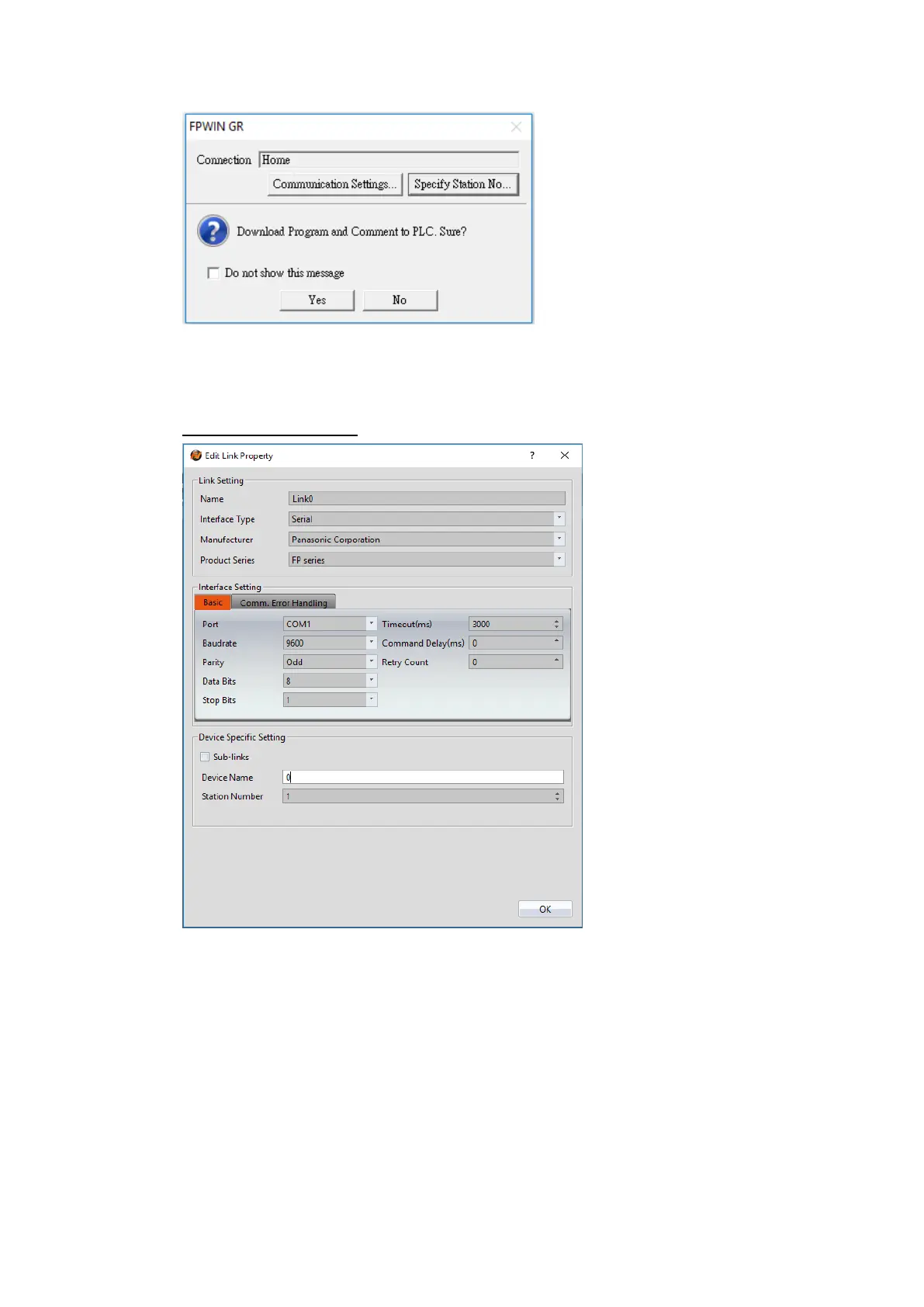
Within the Link configuration window in FvDesigner:
Under Interface Type select Serial
Under Manufacturer select Panasonic Corporation
Under Product Series select FP Series
Select COM1 for the port
Select 1 for the station number
Verify the other settings are consistent with the settings on the PLC.



 To Next Page