Machine description
4812164601_C.pdf 2023-01-05
Function description
No Designation Symbol FunctionNo Designation Symbol Function
5. Throttle control
In forward position, the engine idles.
In backward position, the engine runs at full speed.
5. Throttle control
In forward position, the engine idles.
In backward position, the engine runs at full speed.
8. Seat switch Remain seated at all times when operating the roller. If the
operator stands up during operation, a buzzer sounds. After 4
seconds the brakes are activated and the engine stops.
8. Seat switch Remain seated at all times when operating the roller. If the
operator stands up during operation, a buzzer sounds. After 4
seconds the brakes are activated and the engine stops.
9. Fuse and relay
holder (on control
column)
Contains fuses for the electrical system. See under the heading
‘Electrical system’ for a description of fuse functions.
9. Fuse and relay
holder (on control
column)
Contains fuses for the electrical system. See under the heading
‘Electrical system’ for a description of fuse functions.
10. Instrument cover Lowered over the instrument plate to protect the instruments from
the weather and sabotage. Lockable
10. Instrument cover Lowered over the instrument plate to protect the instruments from
the weather and sabotage. Lockable
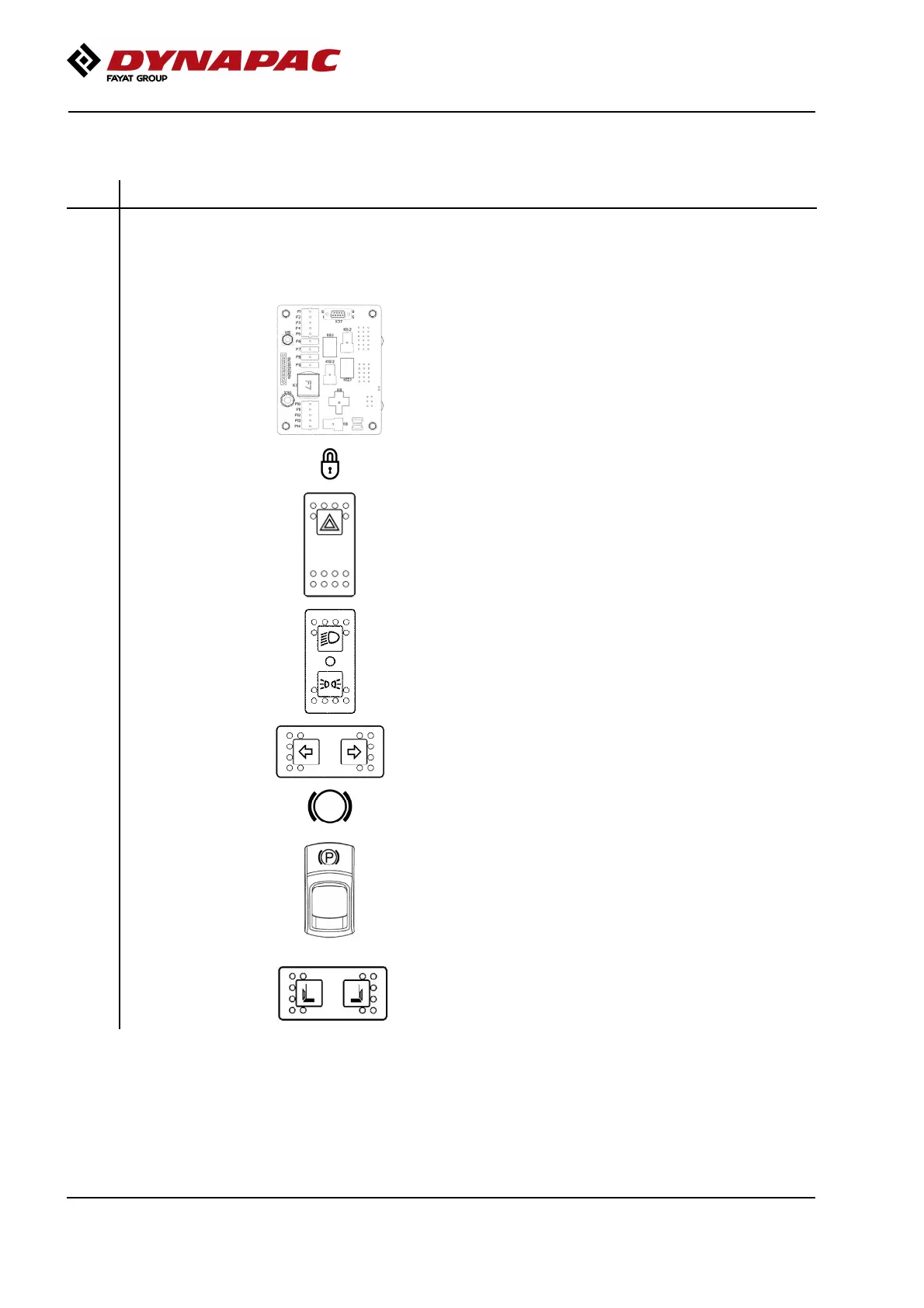
12. Hazard warning
lights, switch
(Optional)
Where depressed, the hazard warning lights are on12. Hazard warning
lights, switch
(Optional)
Where depressed, the hazard warning lights are on
13. Driving lights, switch
(Optional)
Upper position = Traffic lighting goes on
Intermediate position = Lighting switched off
Lower position = Parking light goes on
13. Driving lights, switch
(Optional)
Upper position = Traffic lighting goes on
Intermediate position = Lighting switched off
Lower position = Parking light goes on
14. Direction indicators,
switch (Optional)
When depressed to the left, the left direction indicators are on
etc. In the middle position the function is shut off.
14. Direction indicators,
switch (Optional)
When depressed to the left, the left direction indicators are on
etc. In the middle position the function is shut off.
15. Emergency stop When pressed, the emergency stop is activated. The engine
switches off and the brakes are activated. Brace yourself for a
sudden stop.
15. Emergency stop When pressed, the emergency stop is activated. The engine
switches off and the brakes are activated. Brace yourself for a
sudden stop.
16. Parking brake
On/Off, switch
To activate the brakes, press the top of the switch to change the
position of the lever.
To disengage the brakes, press down the red part at the same
time as the switch, and change the position of the lever.
NOTE: When starting the machine, the parking brake must be
activated.
Always use the parking brake when the machine is
stationary on a sloping surface.
16. Parking brake
On/Off, switch
To activate the brakes, press the top of the switch to change the
position of the lever.
To disengage the brakes, press down the red part at the same
time as the switch, and change the position of the lever.
NOTE: When starting the machine, the parking brake must be
activated.
Always use the parking brake when the machine is
stationary on a sloping surface.
19. Edge cutter,
Right / Left
(CC1300/C VI -
CC1400/C VI)
Activate right or left edge cutter.
Pressing right activates the right edge cutter.
Pressing left activates the left edge cutter.
19. Edge cutter,
Right / Left
(CC1300/C VI -
CC1400/C VI)
Activate right or left edge cutter.
Pressing right activates the right edge cutter.
Pressing left activates the left edge cutter.
42



 To Next Page