Operation
4812164601_C.pdf2023-01-05
Braking
Normal braking
Switch off vibration using button1 on the control lever.
32
31
2
6
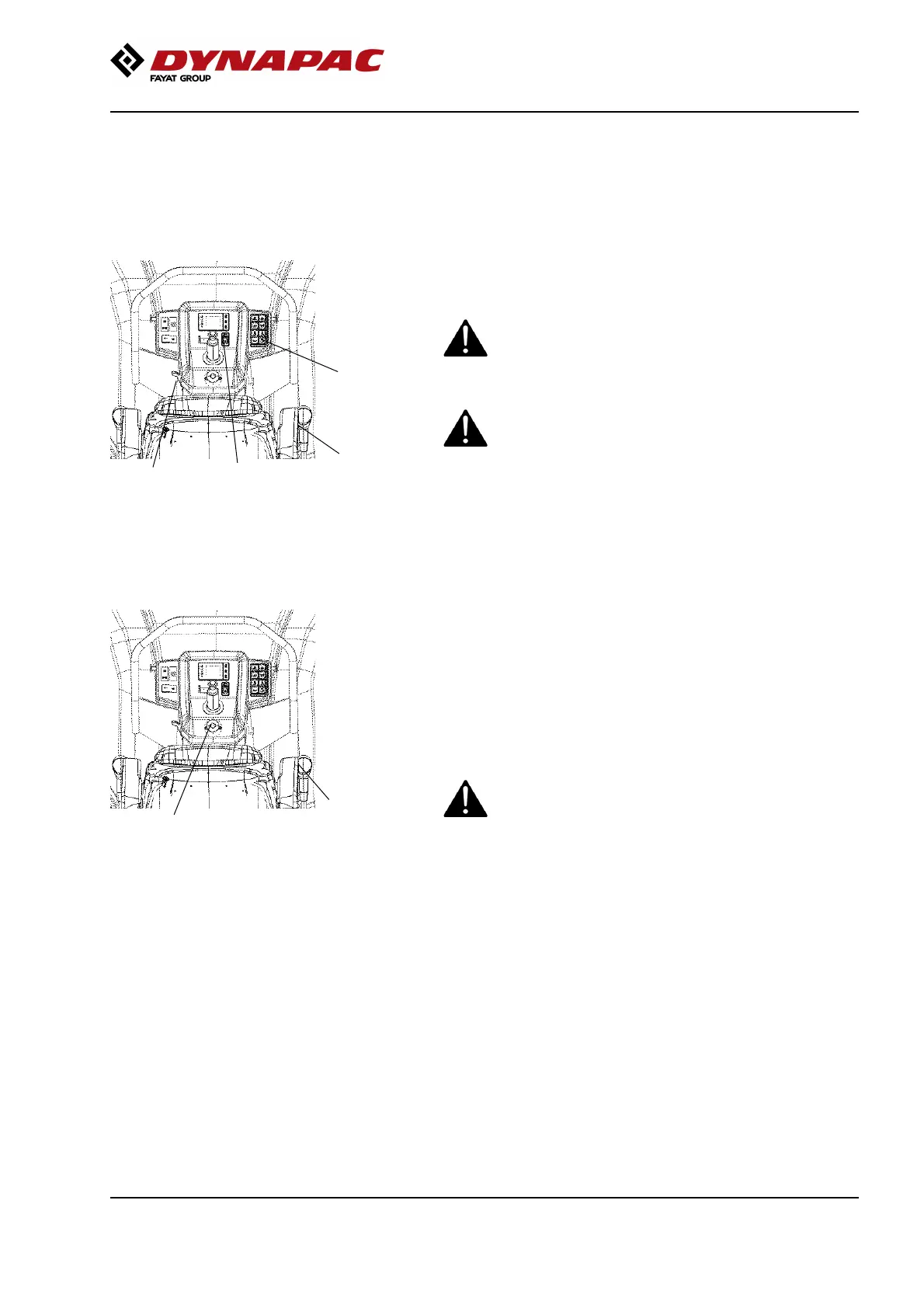
Fig. Controls panel
2. Throttle control (D1703/V2203-M-E3B)
6. Forward/Reverse lever
31. Parking brake
32. Engine speed selector
(D1803/V2403-CR-E4B/V2403-CR-E5B))
Move the forward/reverse lever (6) to the neutral
position to stop the roller.
When starting and driving a machine that is cold,
remember that the hydraulic fluid is also cold and
that braking distances can be longer than normal
until the machine reaches the working temperature.
When starting and driving a machine that is cold,
remember that the hydraulic fluid is also cold and
that braking distances can be longer than normal
until the machine reaches the working temperature.
Never leave the operator platform without
activating the parking brake (31).
Never leave the operator platform without
activating the parking brake (31).
Emergency braking
6
3
Fig. Control panel
3. Emergency stop
6. Forward/Reverse lever
Braking is normally activated using the
forward/reverse lever (6). The hydrostatic transmission
brakes the roller when the lever is moved to the
neutral position.
There is a brake on each drum motor that acts a
secondary brake when in motion, and as a parking
brake when stationary.
To brake in an emergency situation, push in the
emergency stop (3), hold the steering wheel firmly
and be prepared for a sudden stop. The diesel
engine stops.
To brake in an emergency situation, push in the
emergency stop (3), hold the steering wheel firmly
and be prepared for a sudden stop. The diesel
engine stops.
After emergency braking, reset the forward/reverse
lever (6) to neutral position, pull out the emergency
stop and activate the parking brake.
Restart the engine.
79



 To Next Page