Operation
4812164601_C.pdf2023-01-05
5
6
7
8
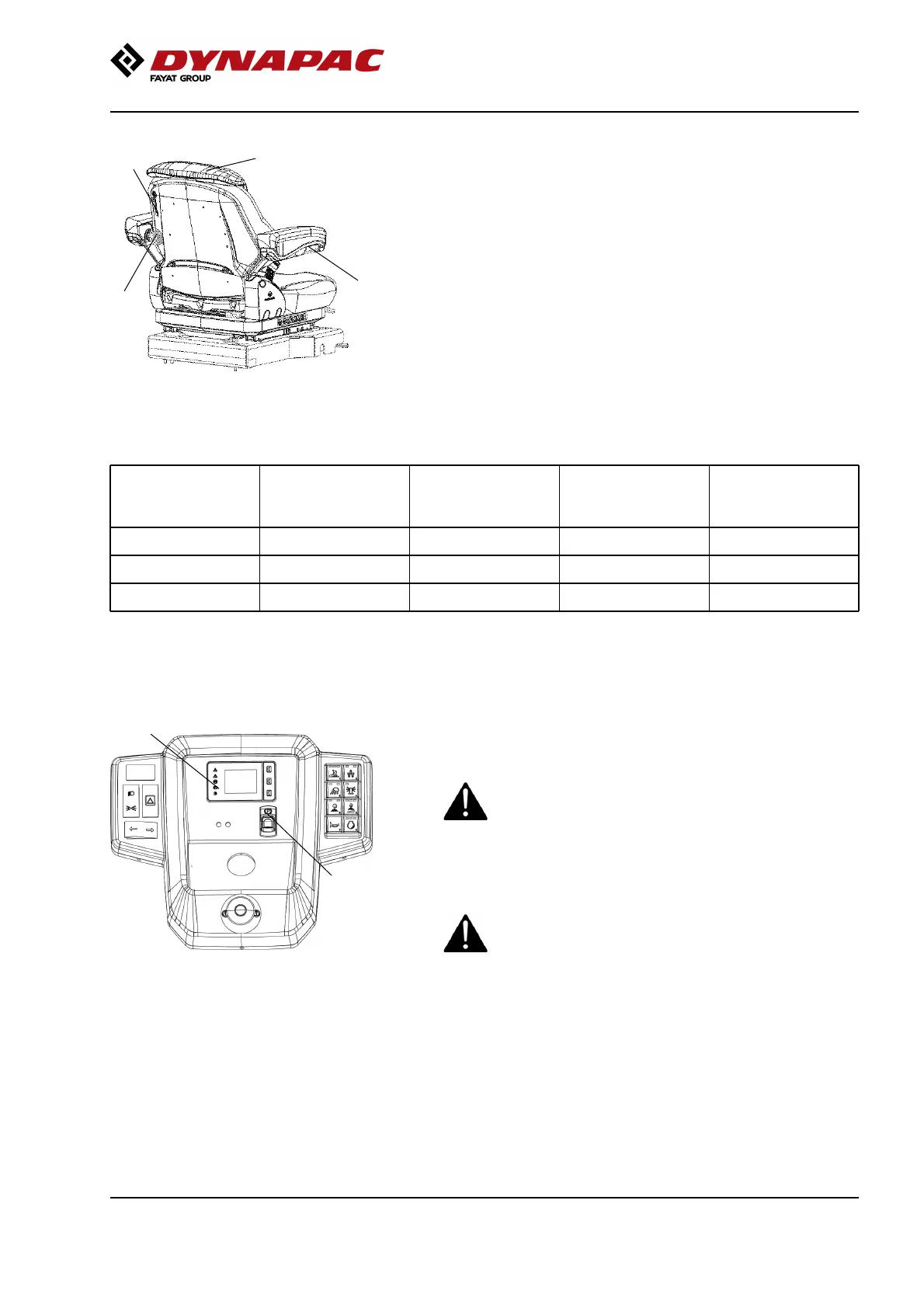
Fig. Driver seat (MSG65)
5. Lumbar support adjustment
6. Backrest extension
7. Armrest, adjustable
8. Seat heating
Lumbar
support
adjustment (5)
Backrest
extension (6)
Armrest,
adjustable (7)
Seat heating (8)Lumbar
support
adjustment (5)
Backrest
extension (6)
Armrest,
adjustable (7)
Seat heating (8)
Standard seatStandard seat
Comfort seatComfort seat
Luxury comfort seat
x x x x
Luxury comfort seat
x x x x
6
9
Fig. Instrument panel
6. Parking brake
9. Brake warning lamp
Parking brake - Check
Make sure that the parking brake (6) is activated.
The roller can start to roll if the parking brake is
not applied.
Make sure that the parking brake (6) is activated.
The roller can start to roll if the parking brake is
not applied.
Check the function of the parking brake by
activating the parking brake when the roller is
moving very slowly forwards/backwards. (Check
in both directions). Hold the steering wheel and
brace yourself for a sudden stop when the brakes
are activated. The engine does not switch off.
Check the function of the parking brake by
activating the parking brake when the roller is
moving very slowly forwards/backwards. (Check
in both directions). Hold the steering wheel and
brace yourself for a sudden stop when the brakes
are activated. The engine does not switch off.
69









 To Next Page