Machine description
4812164601_C.pdf2023-01-05
Working mode - Chip spreader
The different working modes are selected with the help
of the button on the panel.
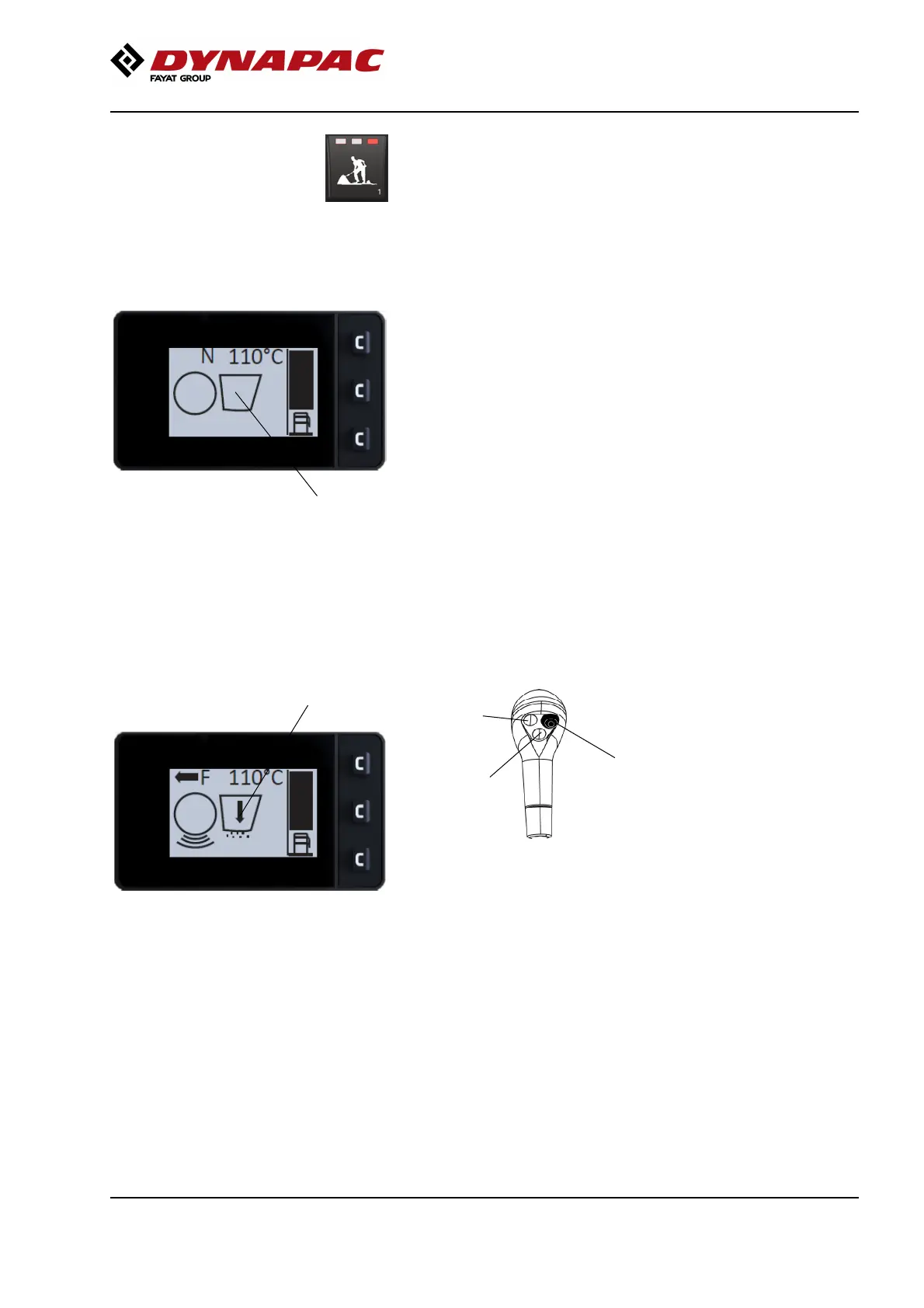
In Working mode, Chip spreader a symbol is shown
for the drum (front drum) and the symbol for the chip
spreader (3).
3
Fig. Working mode, Chip spreader (Off)
The chip spreader on and off is performed with button
3 on the control level.
Maneuvering can only take place when Working
mode - Chip spreader is selected on the membrane
panel’s working mode button.
High amplitude and disabled parking brake must also
be selected. The round parts below the drum indicated
the selected amplitude.
The appearance of the chip spreader symbol changes
depending on whether it is active or inactive.
Fig. Working mode, Chip spreader (On)
3
Button function, Working mode, Chip spreader
3
Fig. Forward/Reverse lever right
1. Vibration, front drum (on/off)
2. Spreader, on/off
3. Edge cutter, up
1
2
59













 To Next Page