2. Commissioning
2−25
Festo P.BE−CPX−FB13−EN en 0811c
1
3
2
4
1
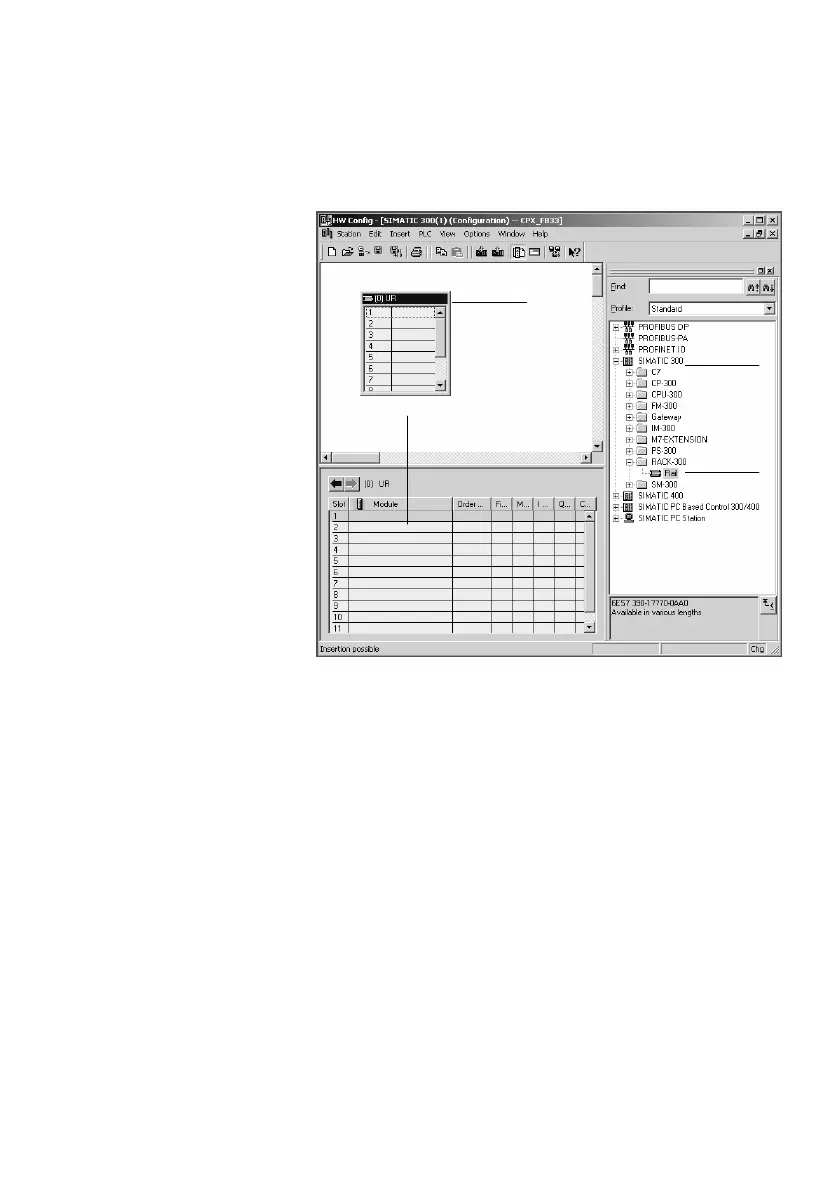
Select controller system
2 Insert rack rail
3 Set up controller system in the rack rail window
Fig.2/5: Setting up the controller system (PLC/Master) −
inserting rack rail (Rail)
6. Add your CPU and a PROFIBUS system to the hardware
configuration:
Drag the corresponding catalogue element (symbol)
into the Rack Rail window ( 3 or 4 in Fig.2/5).
Row 1/slot 1 is reserved and
cannot be used for the
configuration.



 To Next Page