Flexball Italiana S.r.l. 35
8. Configuration of the CANBus network: end of line termination
resistor and address setting of command stations and actuators
According to the number and to the position on the CANBus communication net, command stations and
actuators must be properly configured to guarantee the correct functioning of the system. End of line
termination resistor must be enabled, in case the device is placed at the end of the CANBus network.
8.1. Configuration of the command station
This operation allows to setup the command station in relation to its position on the CANBus net. Each
command station must have a different address number and if the command station is connected at the end of
the CANBus net, the end line dip-switch must be enable (ON).
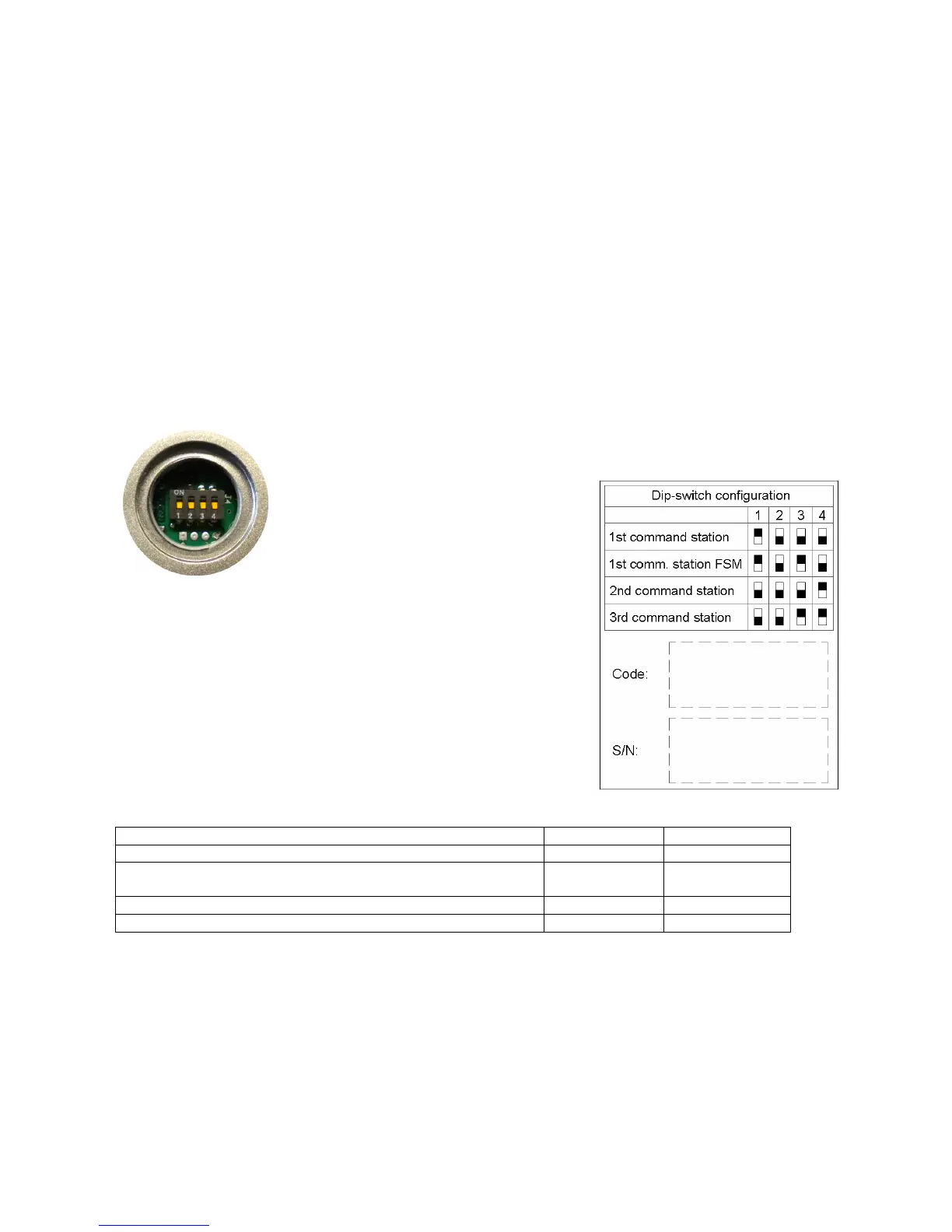
Under the base of the command station there is a plastic cap. Unscrewing it, you can
access to the dip-switches.
Operation:
• unscrew the plastic cap;
• set the dip-switch position according
to the following table;
• screw again the cap.
Dip-switch 1: OFF end-line resistance disabled
ON end-line resistance enabled
Dip-switch 2: available for future developments
Dip-switch 3 and 4: identify the command station
Dip- switch 3 Dip- switch 4
Command station position A OFF OFF
Command station Fast Start-up Mode (this is alternative to
command station position A)
ON OFF
Command station position B OFF ON
Command station position C ON ON
► Important 1: if there are more command stations connected to the same CANBus network, each command
station must have a unique address/position. This unique position of the command station is defined by the
configuration of the dip-switches.
► Important 2: “command station A” and “command station Fast Start-up Mode” cannot co-exist in the same
system: either you have a “Fast Start-up Mode” or “Command station in position A”.
► Important 3: To configure the dip-switches of each command station, please refer to the installation
schemes reported from section 7.1. to section 7.5.



 To Next Page