Flexball Italiana S.r.l. 50
12. Setting of the strokes of push-pull cables
In case of systems with mechanical interface, first of all you have to set the strokes of the push-pull cables. The
procedure is the following:
1. first press at the same time key “1” and “2” and, keeping pressed both keys “1” and “2”, then turn
on the actuator;
2. on the display it will appear the first parameter to be set. Each parameter identifies a specific position
of the push-pull cable; depending on the application, there are many different positions/strokes to be
set.
3. pressing the key “3” the parameter on the display starts to flash and with the keys “1” and “2” it is now
possible to move the push-pull cable; move up and down with keys “1” and “2” to reach the optimal
position of the cable;
4. when you have defined the right position or cable stroke, press key “3” to store this parameter; now
the display has stopped flashing
5. to set the other parameters, scroll the menu using the keys “1” and “2” and when you have found the
parameter that you want to change, follow the positioning procedure as described at point 3.
when you have set all parameters, switch off the actuator. At next power up, all the modifications will
be automatically validated.
12.1. Setting of the stroke of the accelerator cable
For throttle position setting, proceed in the following way:
a. select the parameter (either UL or UH) as described in the procedure above;
b. disconnect the pin of the fork (or the ball joint) from the throttle lever on the engine side;
c. move manually the throttle lever (potentiometer) on the engine in the minimum or maximum position,
according to the parameter that you are setting. Hold the throttle lever (potentiometer)in that position
manually;
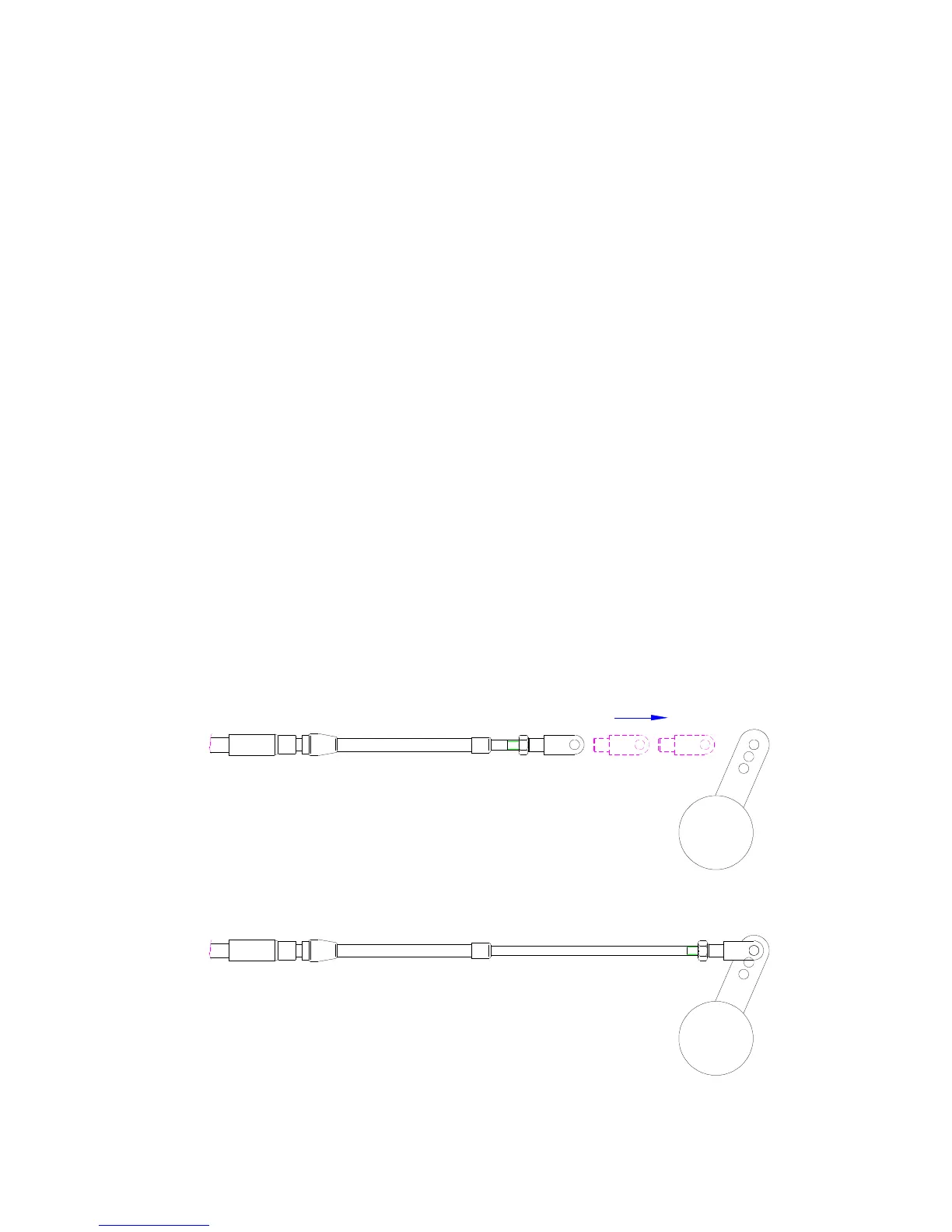
d. move the push-pull cable pressing keys “1” and “2” as described in point 3 until the centre of the fork
will be aligned with the hole on the throttle lever (potentiometer);
e. When the hole on the fork (or the ball joint) is aligned with the hole on the throttle lever (potentiometer),
store the position with key “3”.



 To Next Page