Juno System: User Guide
18
Chapter 2: Getting Started with Juno
To run the basic features of Juno, use the instrument as a guest. To use advanced features,
log in as an administrator. (See Using Advanced Features of Juno on page 36.)
NOTE Ensure that you have installed the Juno system software v3.1 or later if you are using
the Juno 96.96 Genotyping IFC. Install software v3.5 or later if you are using the Juno 96.96
Genotyping IFC or an IFC for the Targeted DNA Sequencing Library application. Install
software v3.11.1 or later if you are using the 24.192 Dynamic Array™ IFC for Gene Expression.
To get the latest system software, go to fluidigm.com/software.
Start the Juno System
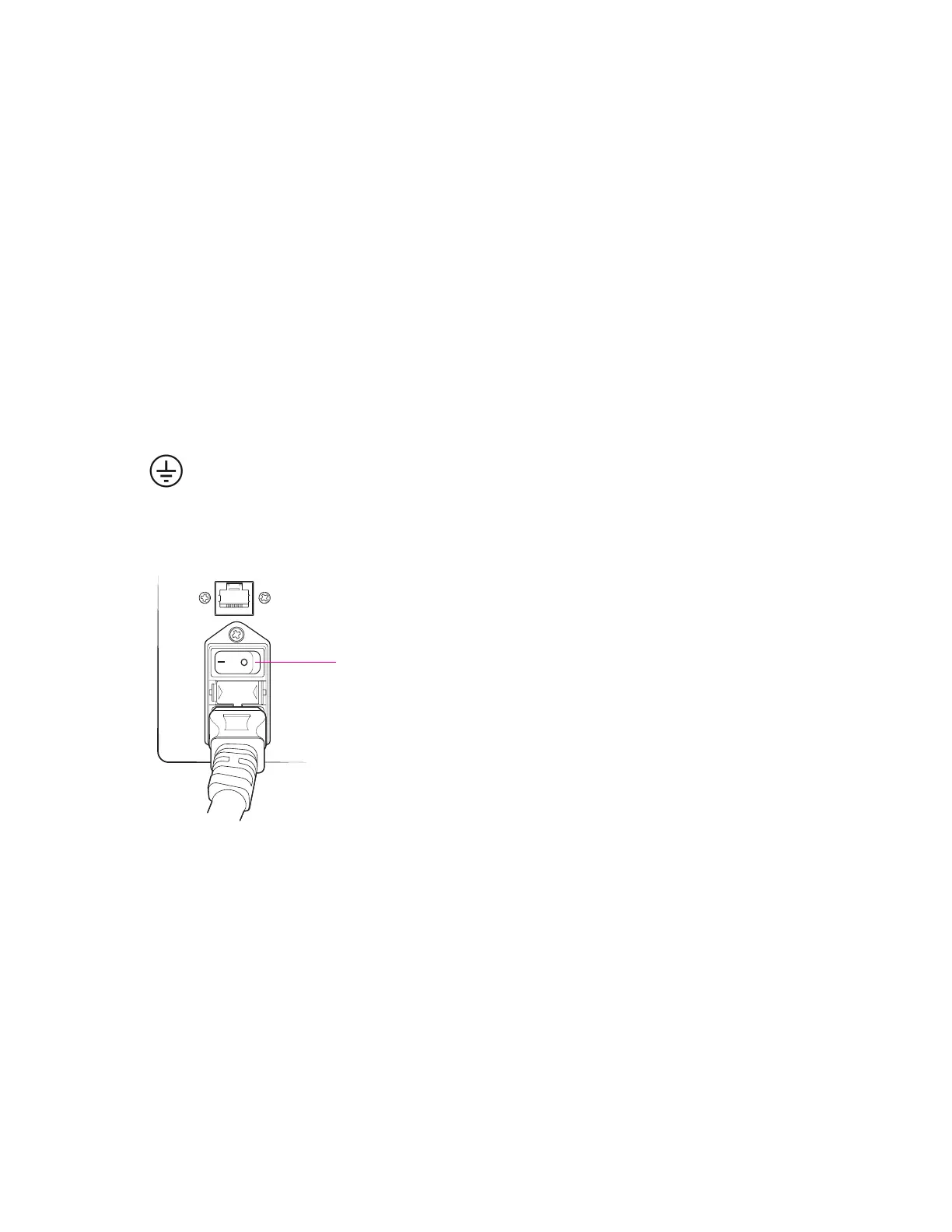
1 Plug the power cable into the power socket. Connect to the network.
The instrument has a connection to protective earth through the power cord
provided by Fluidigm. Ensure that the electrical receptacle provides an earth
ground before connecting the power cord.
2 Power on the toggle switch on the back of the Juno system:
NOTE Switching the back power button on or off turns on or off all components of the
system. In contrast, pushing the front power button for ~2 seconds wakes up the
instrument if it is in sleep mode and prompts the system to display the system shutdown
menu. (See Shut Down the System and Then the Instrument on page 34.)



 To Next Page