Juno System: User Guide
Appendix B: Preventive Maintenance, Decontamination, and Disposal
Preventive Maintenance
55
NOTE If you have aborted the Clean Instrument protocol, you must install the
appropriate interface plate for the IFC to be run.
14 After the instrument installs the interface plate, remove the ejected Interface Plate
Loading Fixture from the tray and store the fixture in the interface plate storage
container.
15 Tap CLOSE.
16 Tap BACK to return to the Tools screen.
Clean the Touchscreen
Wipe down the touchscreen with a lint-free cloth as needed.
IMPORTANT
• Do not spray cleaning solution directly on the touchscreen, as it may penetrate the seams
around the screen and cause damage. Spray cleaning solution on a lint-free cloth and then
gently wipe instrument surface.
• Do not use bleach to clean the instrument as it is corrosive to metal.
• Before using a cleaning or decontamination method other than those recommended by
Fluidigm, verify with Fluidigm technical support that the proposed method will not damage
the equipment.
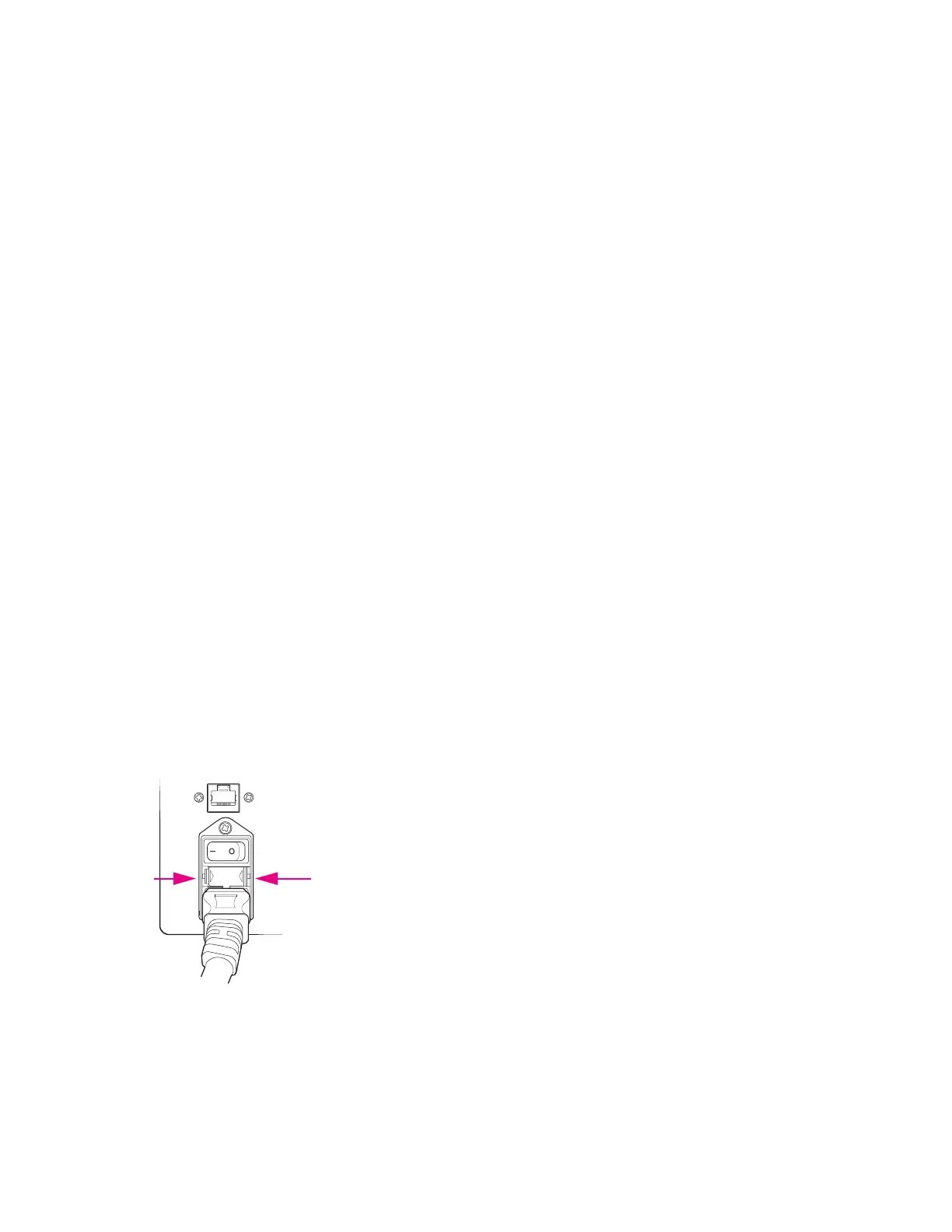
Replace the Fuses
No fuse replacement is required during installation. If either of the power fuses is found to be
faulty, replace both fuses:
1 Toggle the main power switch on the rear of the instrument OFF, and unplug the
instrument from the wall outlet.
2 Remove the fuse holder from the inlet power switch by pushing and releasing the fuse
holder blocks.
3 Replace both fuses (8 A, 250 V type, time-lag T fuse), and reinstall the fuse holder.
Follow the arrow marks in the fuse holder to match the casing.
4 Plug the instrument into the wall outlet, and toggle the main power switch ON.



 To Next Page