Juno System: User Guide
Chapter 2: Getting Started with Juno
Shut Down the System and Then the Instrument
34
5 Unplug the USB drive from the instrument.
Shut Down the System and Then the Instrument
Perform the system shutdown procedure to safely shut down the computer system before
turning OFF the instrument power.
1 Press and hold the power and standby indicator on the lower right front of the instrument
for ≥2 seconds until the System screen displays. (See Air Options on page 16.)
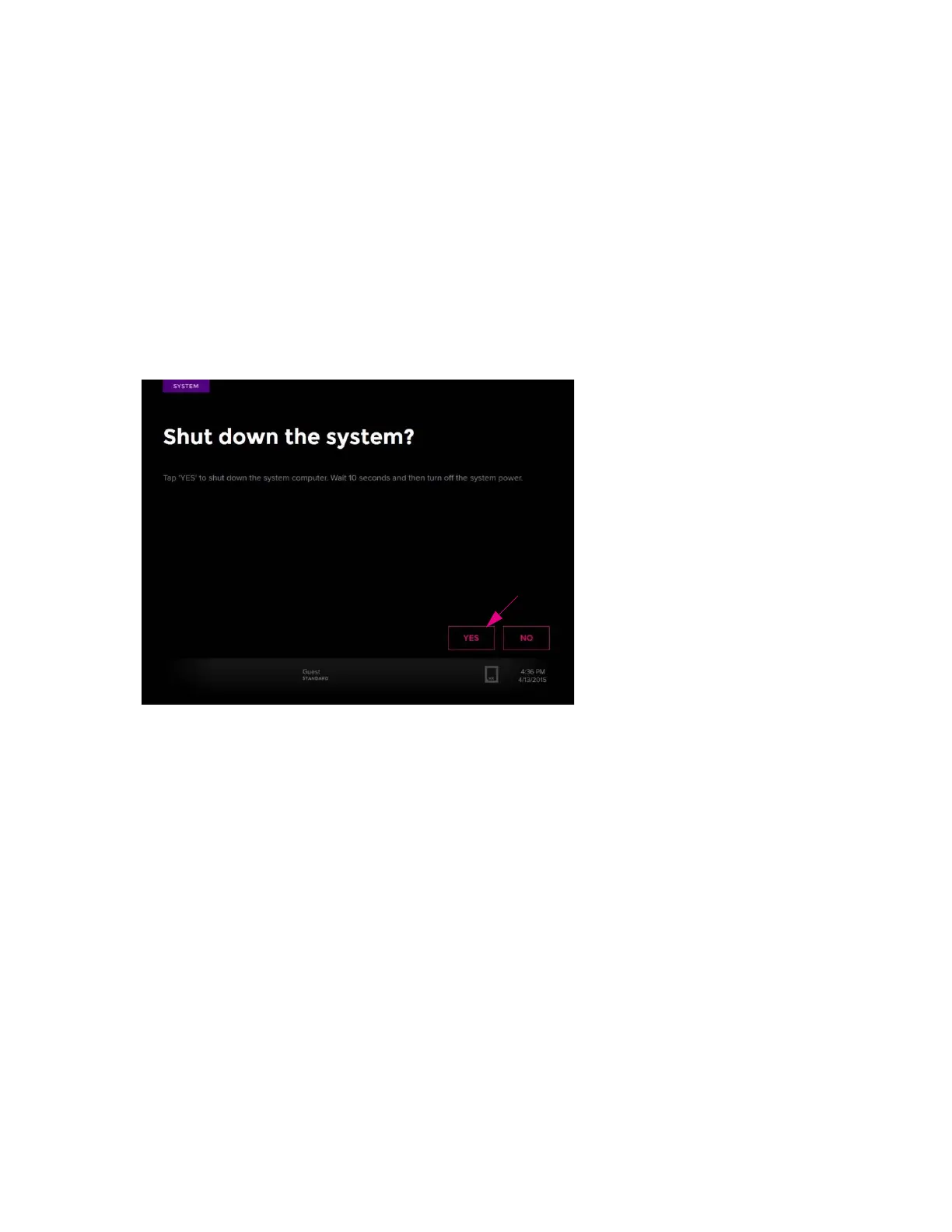
2 Tap YES to proceed with system shut down. When the system powers down, the
computer shuts down:
NOTE
• If the system is busy, a screen displays to wait until a script completes running before
trying to power down the system again.
• If you must power down the system due to an unrecoverable error, record the error
code and tap SHUTDOWN. The computer shuts down (the screen goes dark). Report
the error code to Fluidigm technical support.
3 Wait 10 seconds (the screen goes dark). The computer shuts down only.
4 Toggle the power switch on the back of the instrument to OFF. This shuts down all
components of the system.



 To Next Page