Juno System: User Guide
Chapter3:Using Advanced Features ofJuno
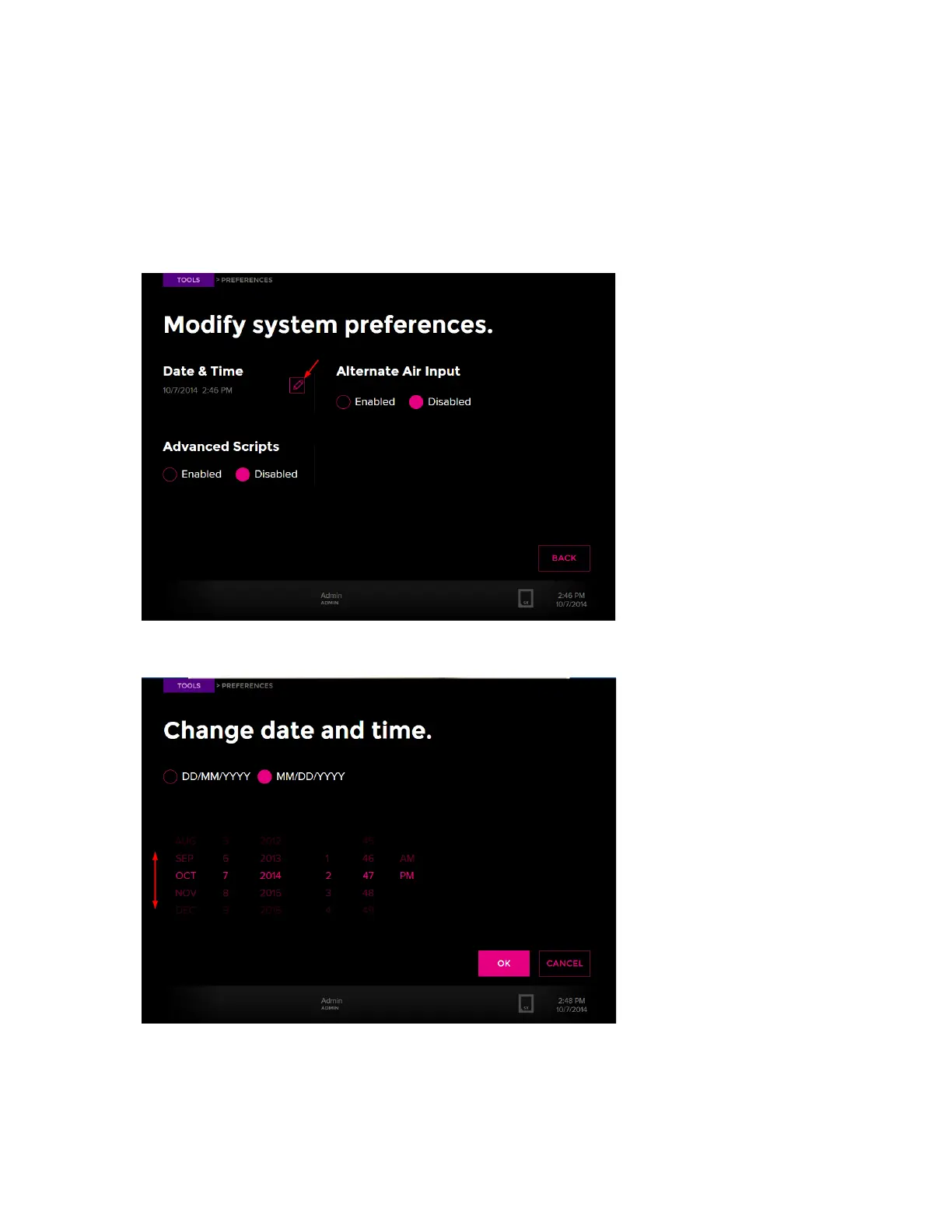
Change the Date and Time
44
Change the Date and Time
1 Ensure that you have logged in to the system as administrator. (See Log In on page 36.)
2 On the Tools screen, tap Preferences. On the Preferences screen, the current date and
time display.
3 To edit the date and time, tap the edit button:
4 Slide a value up or down to adjust the date and time, then tap OK.
:



 To Next Page