Juno System: User Guide
Chapter 2: Getting Started with Juno
Start a Run
29
Install an Interface Plate
Every IFC requires an interface plate. If there is no interface plate installed or you have
tapped OPEN before installing an interface plate, follow this procedure to install one. If the
IFC requires a different interface plate, see Switch an Interface Plate on page 26.
1 On the Start screen, tap TOOLS. If you tapped OPEN before installing an interface plate,
skip to step 3.
2 On the Tools screen, tap Interface Plate.
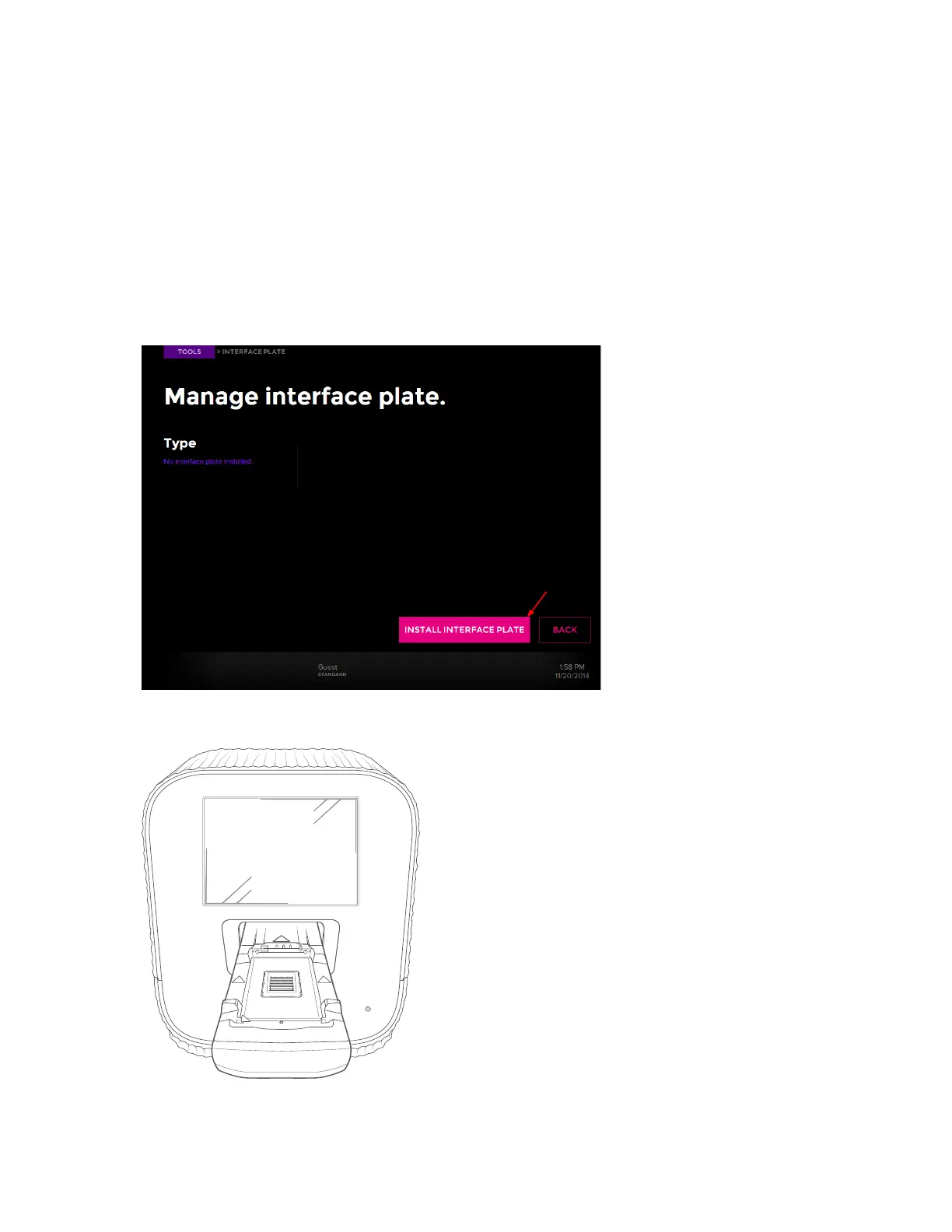
3 Tap INSTALL INTERFACE PLATE:
The instrument ejects the tray:



 To Next Page