Juno System: User Guide
Chapter 2: Getting Started with Juno
Start a Run
28
9 Remove the interface plate to be installed from its storage container and ensure that it is
clean. (See Clean an Interface Plate on page 51.)
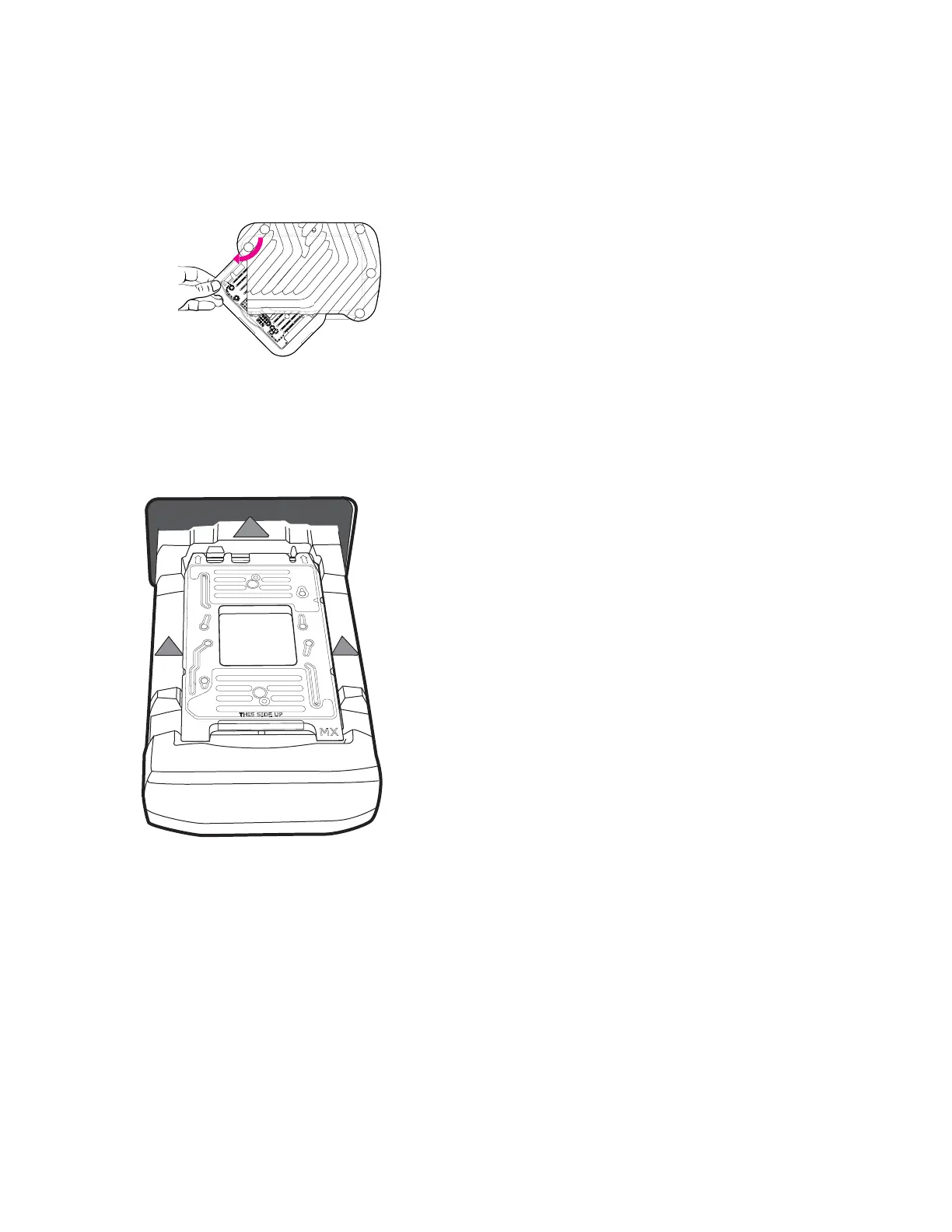
• Swivel-style storage container: Pull the tray at the notch to swing out the tray with the
correct interface plate.
• Box-style storage container: Take the interface plate out of the labeled drawer.
10 Seat the interface plate securely on top of the loading fixture. (The MX Interface Plate is
an example.) Insert the interface plate in the direction of the arrows with THIS SIDE UP
facing up:
11 On the Interface Plate screen, tap INSTALL. The instrument installs the interface plate
and ejects the loading fixture.
IMPORTANT If the instrument does not detect the Interface Plate Loading Fixture
barcode, enter the barcode on the Enter Loading Fixture Barcode screen, then click
LOAD. If the instrument still does not detect the Interface Plate Loading Fixture, remove
the interface plate and re-install the fixture (repeat steps 6–11).
12 Remove the loading fixture and store it in its storage container.
13 Tap CLOSE.



 To Next Page