Juno System: User Guide
Chapter3:Using Advanced Features ofJuno
Modify Scripts
41
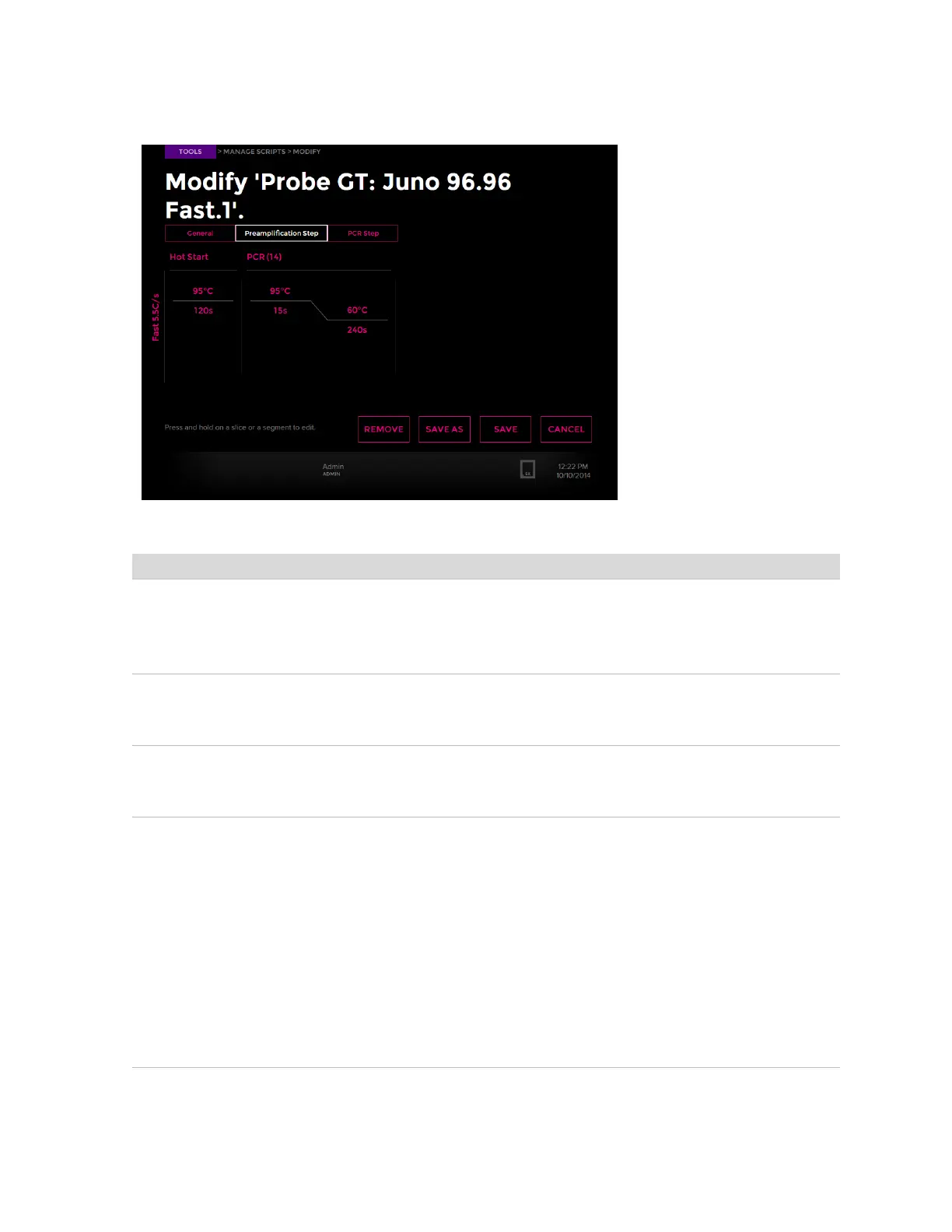
2 Tap a PCR protocol, such as Preamplification Step or PCR Step:
3 Change the properties as follows:
4 Tap SAVE to overwrite the script or SAVE AS to create a new script. Tap OK.
Property Steps to Change
Segment name and repeats (for
example: Hot Start)
1 Tap and hold the segment name.
2 Tap an edit button.
3 Enter a new name or number of repeats.
4 Tap OK.
Slice (for example: temperature
and duration)
1 Tap a temperature or duration.
2 Enter a new temperature in degrees Celsius or a new duration in seconds.
3 Tap OK.
Ramp rate 1 Tap the ramp rate on the left vertical axis.
2 Select a new ramp rate.
3 Tap OK.
Segments and slices 1 Tap and hold the name of the segment or slice.
2 Tap
•INSERT LEFT or INSERT RIGHT to add a segment or slice to the left or
right of the right-clicked segment or slice. Tap BACK.
•REMOVE to delete a segment or slice that you right-clicked, then tap
YES.
3 If necessary, slide the protocol to the left or right to view added segments
and slices.
4 Change the segment name and repeats. See Segment name and repeats
(for example: Hot Start) in this table.
5 Change the slice temperature and duration. See Slice (for example:
temperature and duration) in this table.



 To Next Page