123
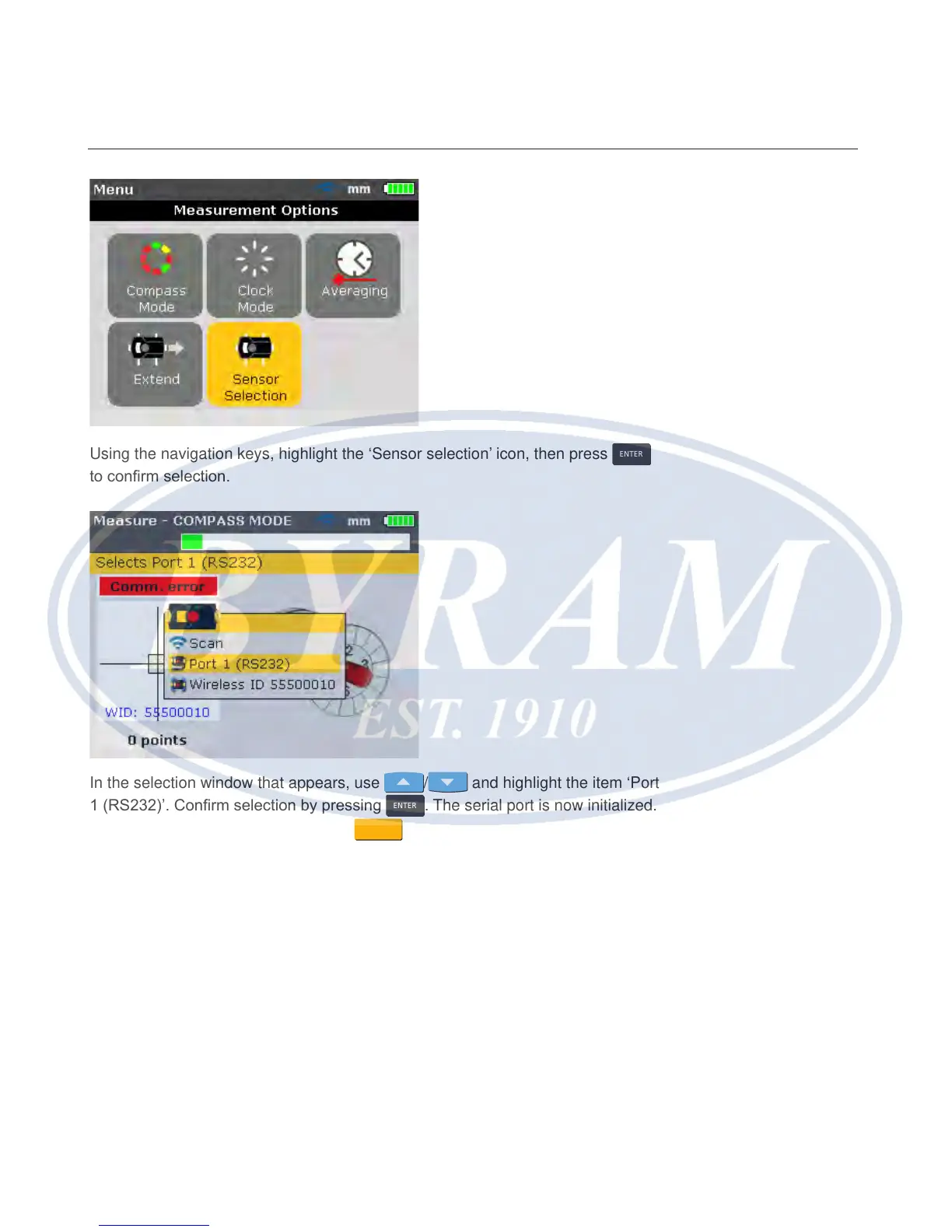
Using the navigation keys, highlight the ‘Sensor selection’ icon, then press
ENTER
to conrm selection.
In the selection window that appears, use
/ and highlight the item ‘Port
1 (RS232)’. Conrm selection by pressing
ENTER
. The serial port is now initialized.
With the sensor dust cap tted, press
MEASURE
to activate the laser. The red
indicator LED of the sensor should blink to indicate beam emission. If not, ensure
that the sensor cable has been properly connected; otherwise, contact FLUKE.
Note
Both sensor and wireless module cables may be replaced in the same manner
as described in this chapter.
Appendix
Testing cable connection



 To Next Page