25
5. Conguration and data management
Conguration
The conguration menu is used to congure the Product’s settings, the regional
settings, default settings, printer, licence available applications, and display
specic system details.
The conguration menu may be accessed at any time and from any screen.
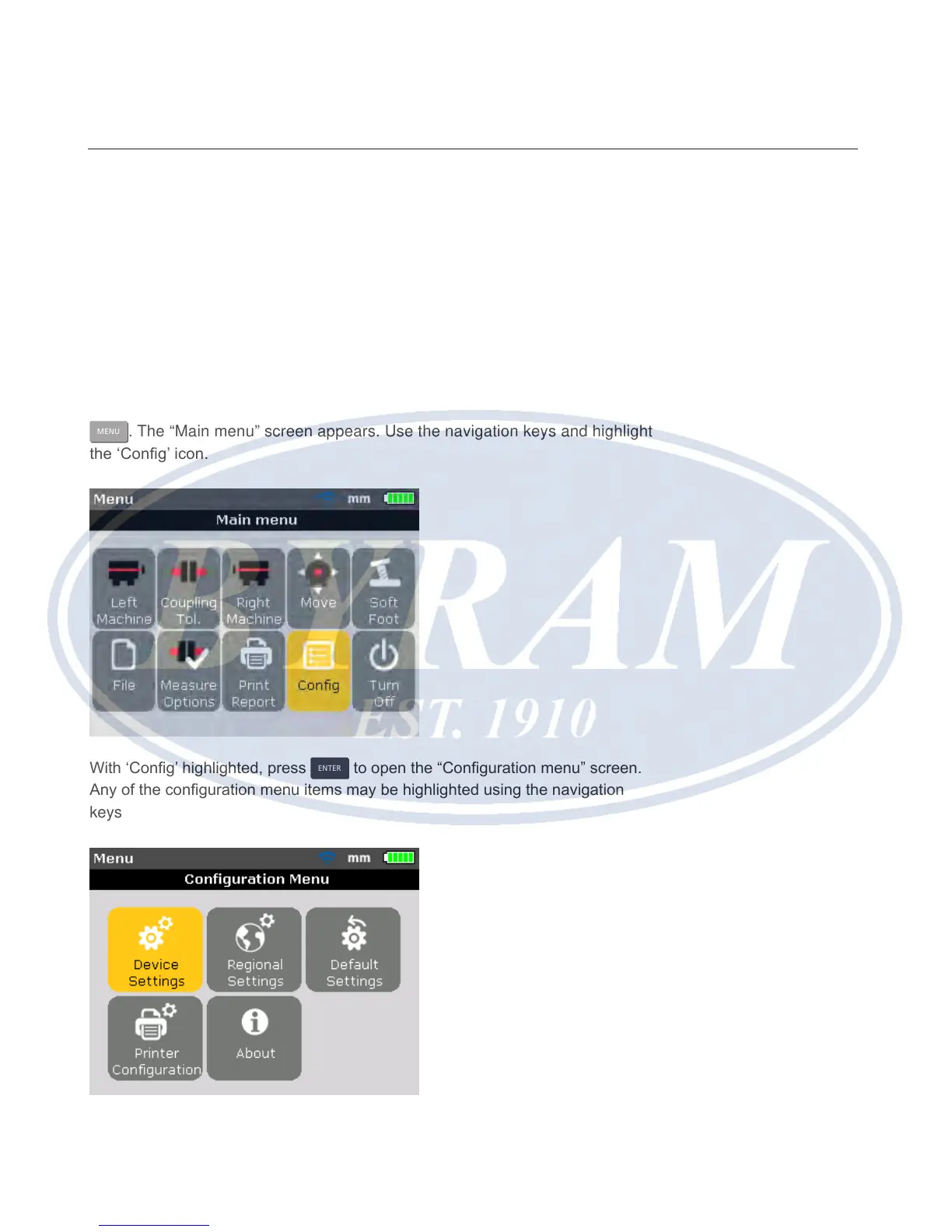
With the Product switched on, access “Conguration menu” screen by pressing
MENU
. The “Main menu” screen appears. Use the navigation keys and highlight
the ‘Cong’ icon.
With ‘Cong’ highlighted, press
ENTER
to open the “Conguration menu” screen.
Any of the conguration menu items may be highlighted using the navigation
keys
Configuration and data management
Configuration



 To Next Page