85
The Product provides the option of printing reports in the following three formats:
● Complete report – this option prints a complete report that includes machine
graphics and measurement results in both numerical and graphical format.
● Text report – this option generates reports in text format only.
● Graphical report – reports printed using this option display only graphical
representation.
Use
/ to highlight the desired format.
The report format selected in the previous example is a complete report. This
includes both graphics and text.
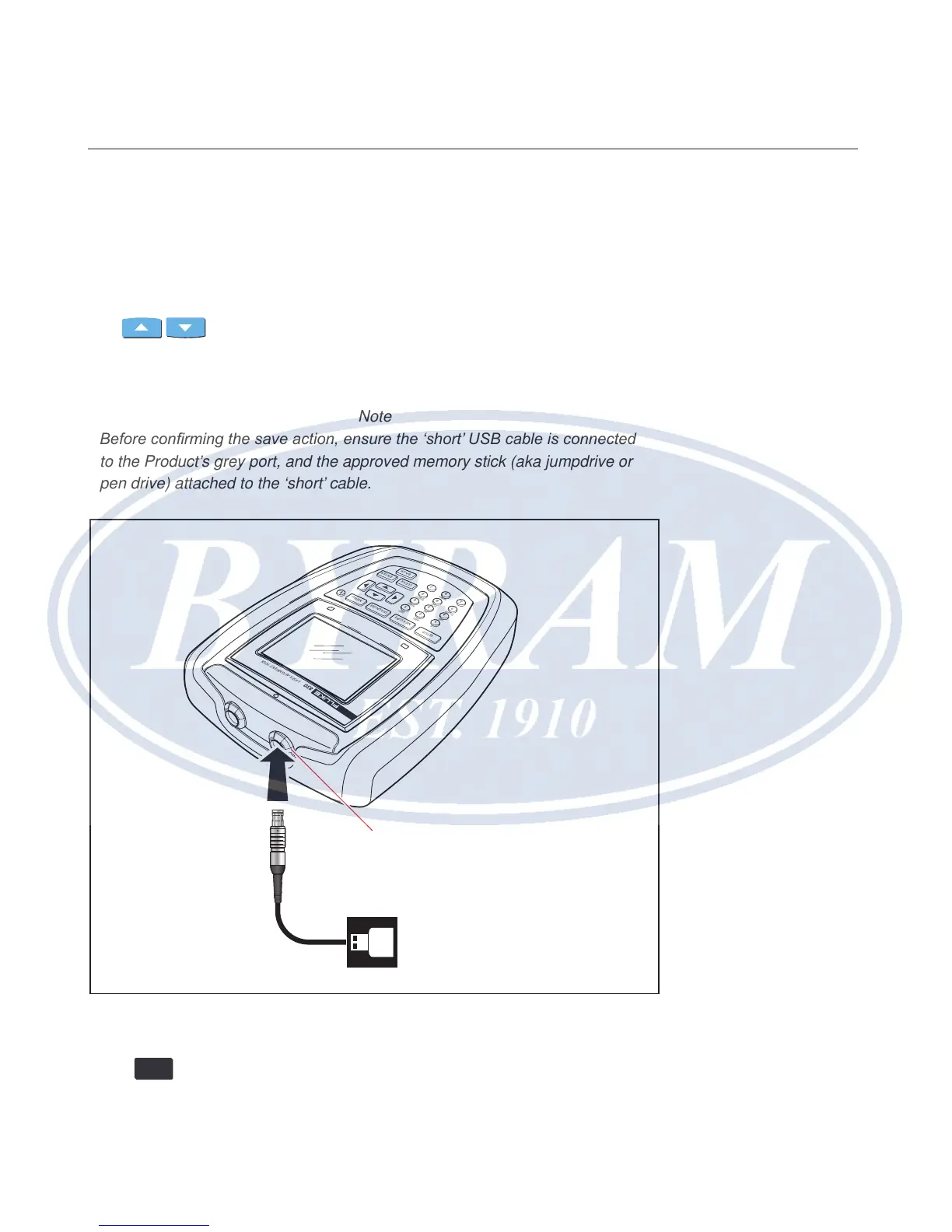
Note
Before conrming the save action, ensure the ‘short’ USB cable is connected
to the Product’s grey port, and the approved memory stick (aka jumpdrive or
pen drive) attached to the ‘short’ cable.
Figure 7-11. Saving measurement report as PDF on a memory stick
Press
ENTER
to print a report of the selected measurement le.
SETUP
MEASURE
DIAGNOSE
MENU
CLEAR
ENTER
BACK
1
2
ABC
3
DEF
4
GHI
5
JKL
6
MNO
7
PQRS
8
TUV
9
WXYZ
+
-
0
space
.
/
.
830
LASER A LIGNMEN T TOOL
Grey USB port
Short USB cable
Horizontal shaft alignment
Printing reports



 To Next Page