830
Users Manual
44
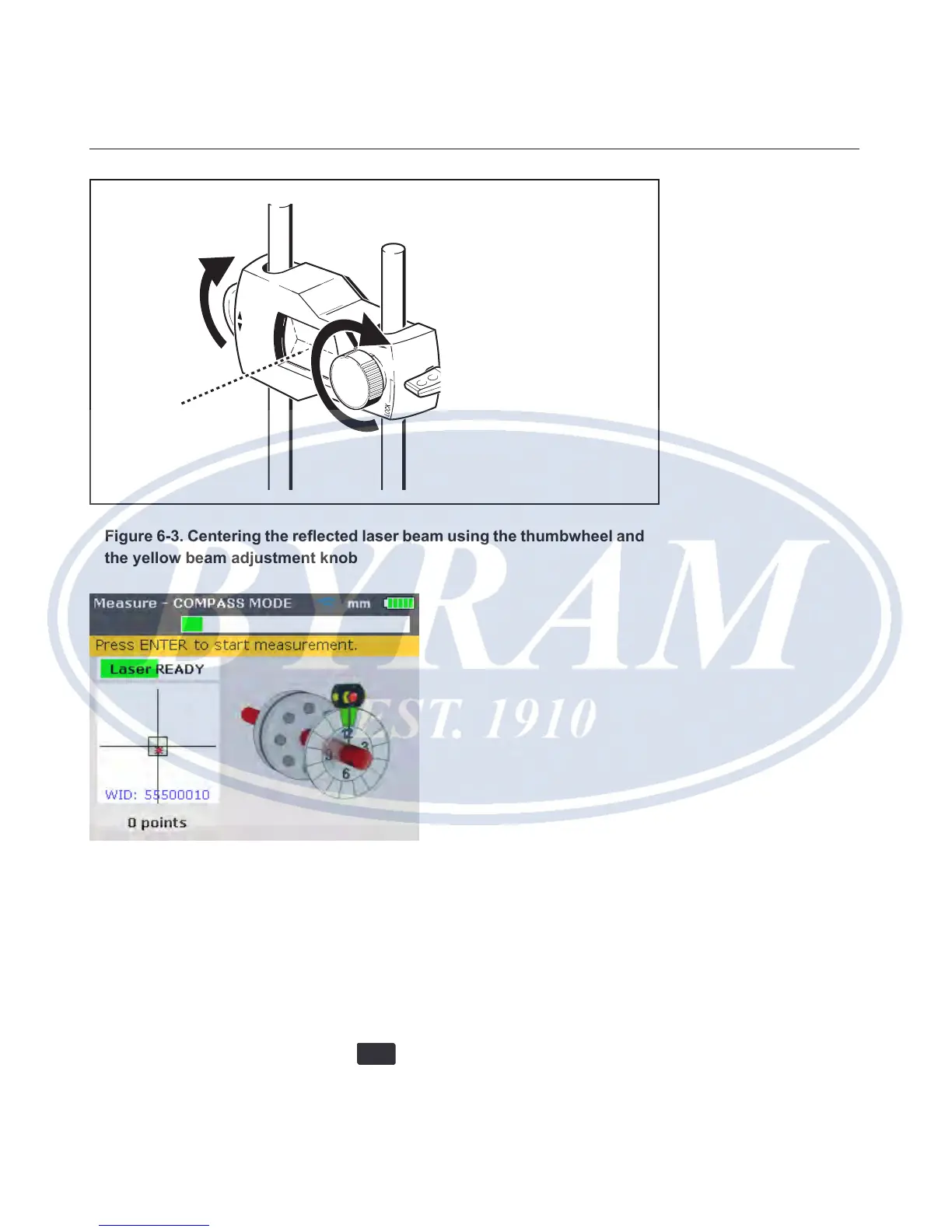
Figure 6-3. Centering the reected laser beam using the thumbwheel and
the yellow beam adjustment knob
Note
When making the above adjustments, observe the product’s alignment condi-
tion LED and the dot on the display screen. When the LED turns yellow, this
is an indication that the reected beam position is OK and measurement can
proceed. When the LED turns green, the dot is centered in the target square.
After centering the laser dot, rotate shaft to the rst measurement position.
Measurement can only be taken when the sector in which the shaft has been
positioned is highlighted green. Press
ENTER
to take the measurement point.
The sector is then highlighted orange, an indication that measurement has been
taken in that particular sector.



 To Next Page