43
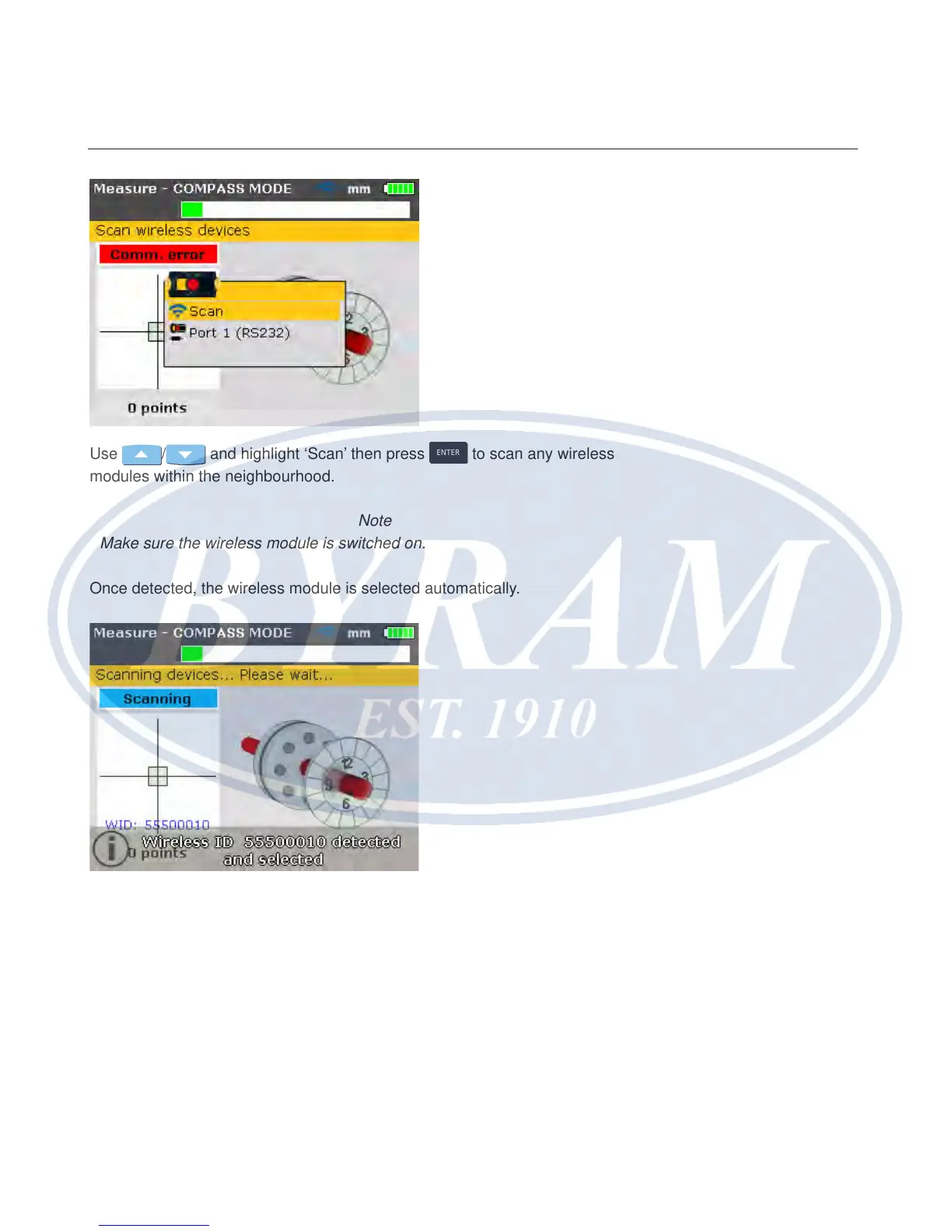
Use / and highlight ‘Scan’ then press
ENTER
to scan any wireless
modules within the neighbourhood.
Note
Make sure the wireless module is switched on.
Once detected, the wireless module is selected automatically.
Adjust bracket if necessary to center beam horizontally onto the prism. Tighten
bracket. Slide the prism on the support posts to center beam vertically onto the
prism dust cap. When centered, remove the prism dust cap.
Use the yellow knob to make horizontal adjustments of the reected laser beam,
and the thumbwheel to make vertical adjustments to position the dot at the center
of the target square or as near the center as possible.
Getting started
Wireless measurement



 To Next Page