81
Saving data and printing
Before switching off the instrument, dimensions, measurements, diagnosis
and all settings can be saved for analysis, future use or record purposes in the
instrument’s non-volatile memory. Full le names with up to 32 alphanumeric
characters are possible.
Note
The length of the le name is limited depending on whether upper or lower
case letters have been used.
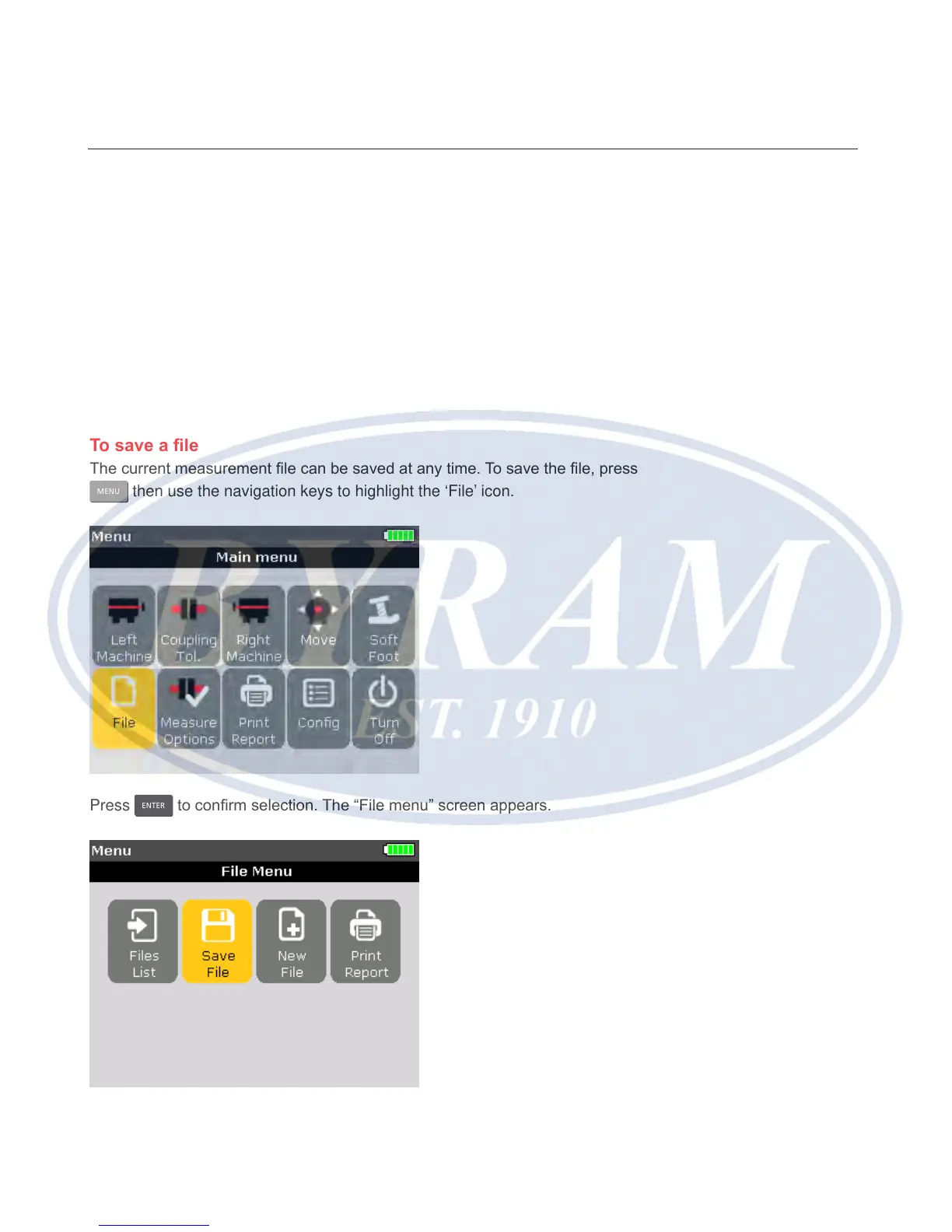
To save a le
The current measurement le can be saved at any time. To save the le, press
MENU
then use the navigation keys to highlight the ‘File’ icon.
Press
ENTER
to conrm selection. The “File menu” screen appears.
Horizontal shaft alignment
Saving data and printing



 To Next Page