101
8. Alignment options
Measurement modes
The Product’s default measurement modes are Compass mode (for horizontal
mounted machines) and Clock mode (for vertical mounted machines).
Both measurement modes may be accessed via the menu.
Note
The respective default mode is automatically present when the “Measure”
screen is accessed after entering all necessary machine dimensions.
Press
MENU
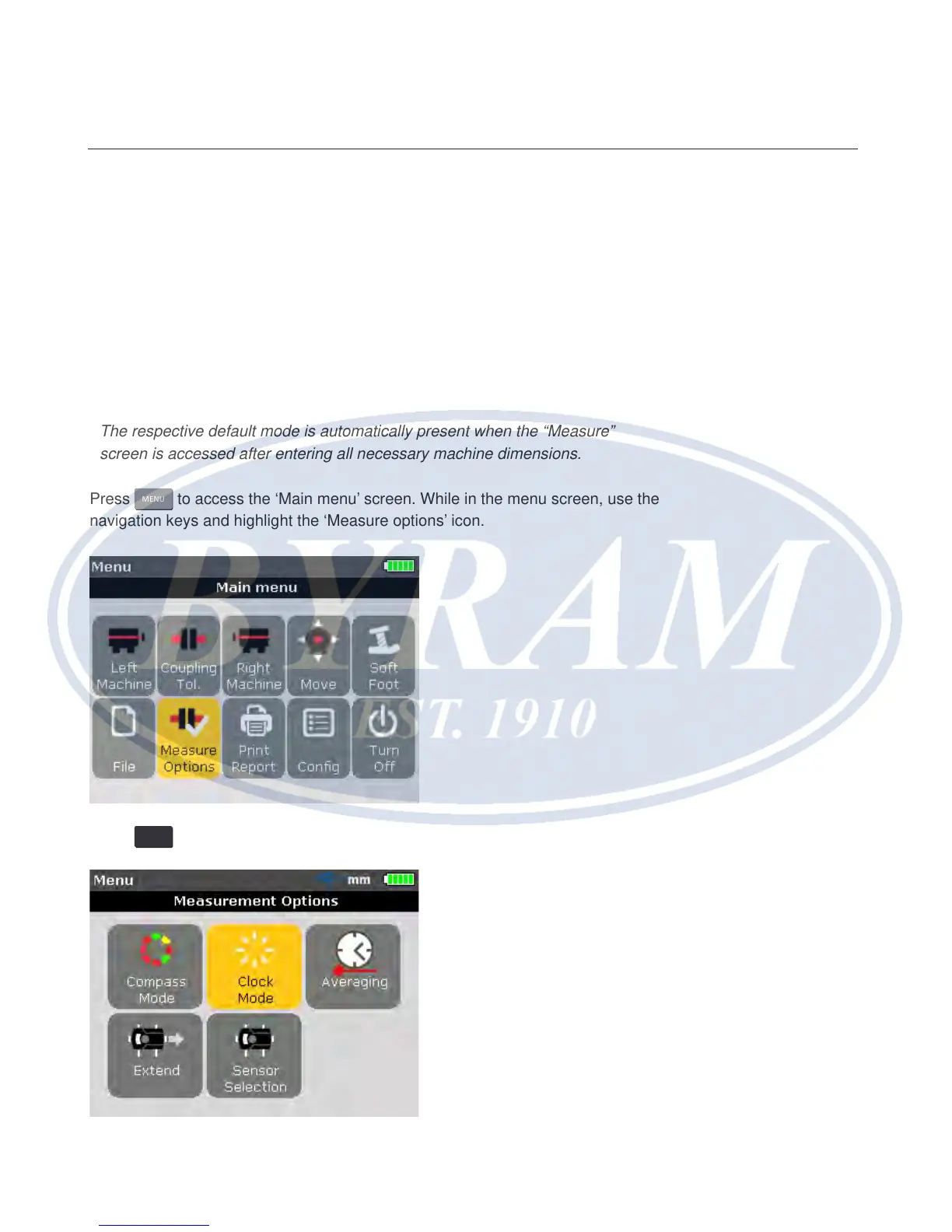
to access the ‘Main menu’ screen. While in the menu screen, use the
navigation keys and highlight the ‘Measure options’ icon.
Press
ENTER
to conrm selection and enter the “Measurement options” screen.
Alignment options
Measurement modes



 To Next Page