830
Users Manual
14
The Product at a glance
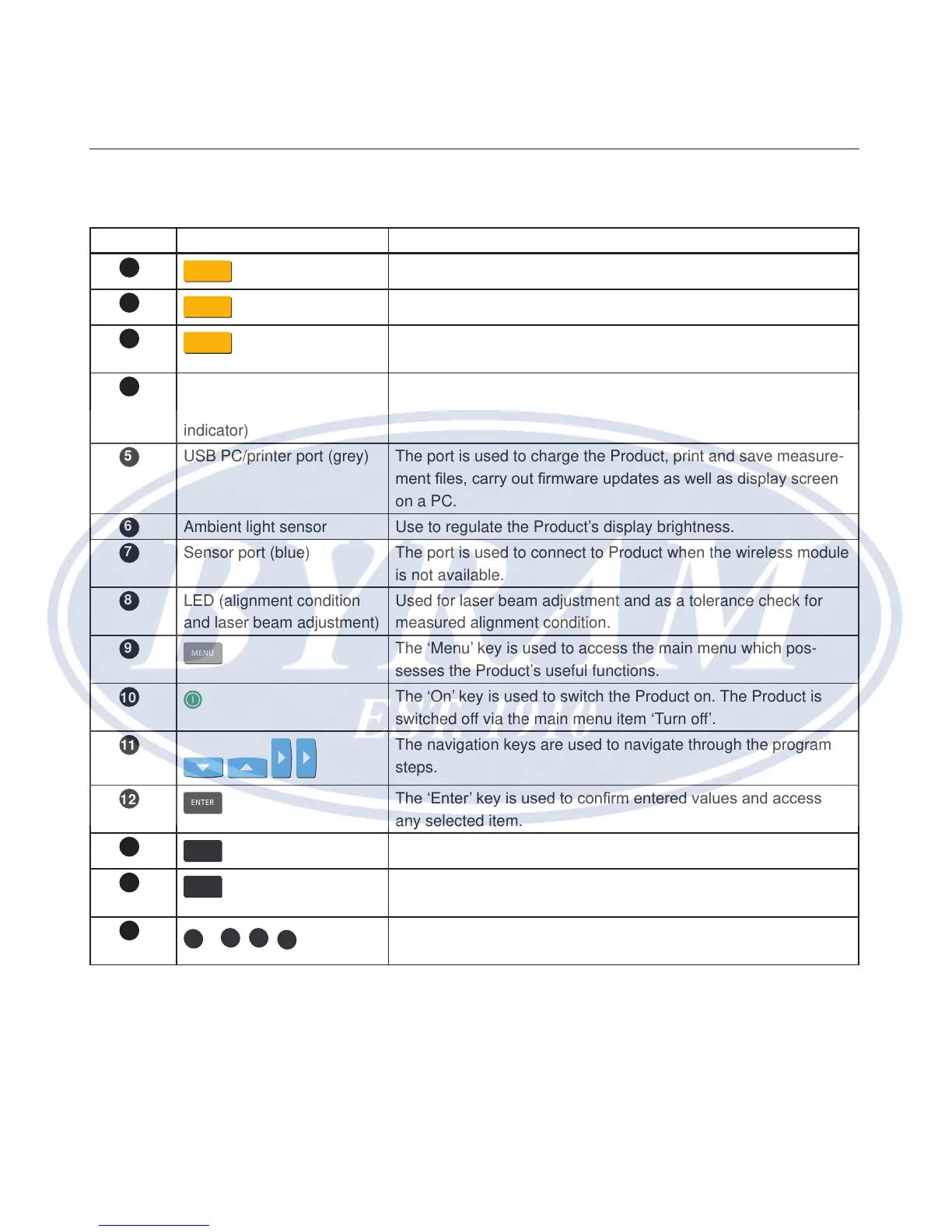
Table 4-1. The Product keyboard and display at a glance
Item Element Function
SETUP
The ‘Setup’ key opens the machine dimensions screen.
MEASURE
The ‘Measure’ key is used to start the measure process.
DIAGNOSE
The ‘Diagnose’ key is used to display measured and corrective
alignment results.
LED (battery status/
wireless communication
indicator)
Shows the battery and wireless communication statuses.
USB PC/printer port (grey) The port is used to charge the Product, print and save measure-
ment les, carry out rmware updates as well as display screen
on a PC.
Ambient light sensor Use to regulate the Product’s display brightness.
Sensor port (blue) The port is used to connect to Product when the wireless module
is not available.
LED (alignment condition
and laser beam adjustment)
Used for laser beam adjustment and as a tolerance check for
measured alignment condition.
MENU
The ‘Menu’ key is used to access the main menu which pos-
sesses the Product’s useful functions.
The ‘On’ key is used to switch the Product on. The Product is
switched off via the main menu item ‘Turn off’.
The navigation keys are used to navigate through the program
steps.
ENTER
The ‘Enter’ key is used to conrm entered values and access
any selected item.
BACK
The ‘Back’ key is used to return to previously selected screen.
CLEAR
The ‘Clear’ key is used to delete information entered inadvert-
ently.
0
–
9
,
+
-
,
/
.
*
The data entry keys are used to enter machine dimensions and
le name.
1
2
3
4
5
6
7
8
9
10
11
12
13
14
15



 To Next Page