59
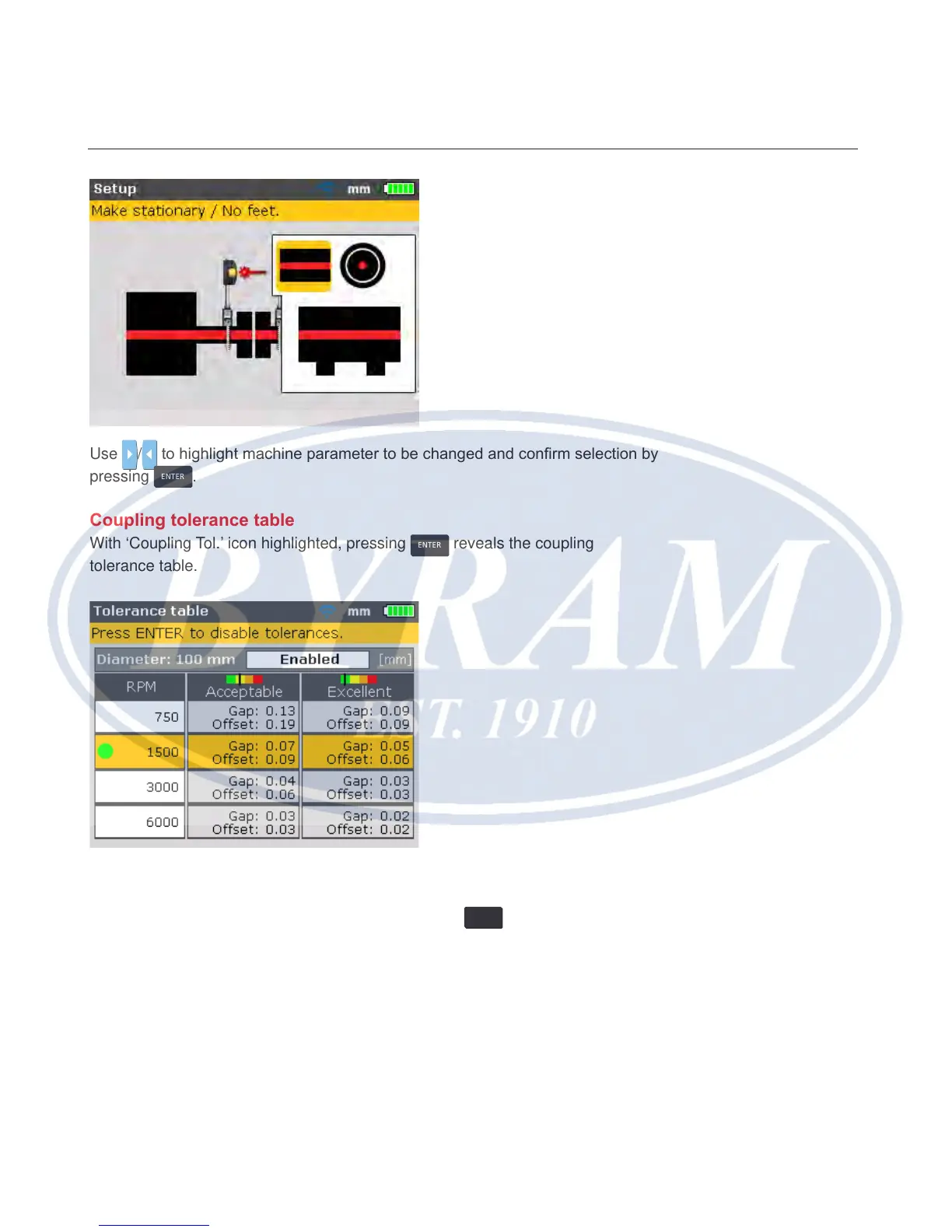
Use / to highlight machine parameter to be changed and conrm selection by
pressing
ENTER
.
Coupling tolerance table
With ‘Coupling Tol.’ icon highlighted, pressing
ENTER
reveals the coupling
tolerance table.
The highlighted RPM is the value entered in the “Set-up” screen. A different RPM
value may be set from the “Tolerance table” screen. Use the navigation keys and
highlight the desired machine RPM value, then press
ENTER
. A hint requesting
conrmation of RPM change appears on the display.
Horizontal shaft alignment
Coupling tolerance table



 To Next Page