MANTIS User's Guide | Chapter 7: Software Overview
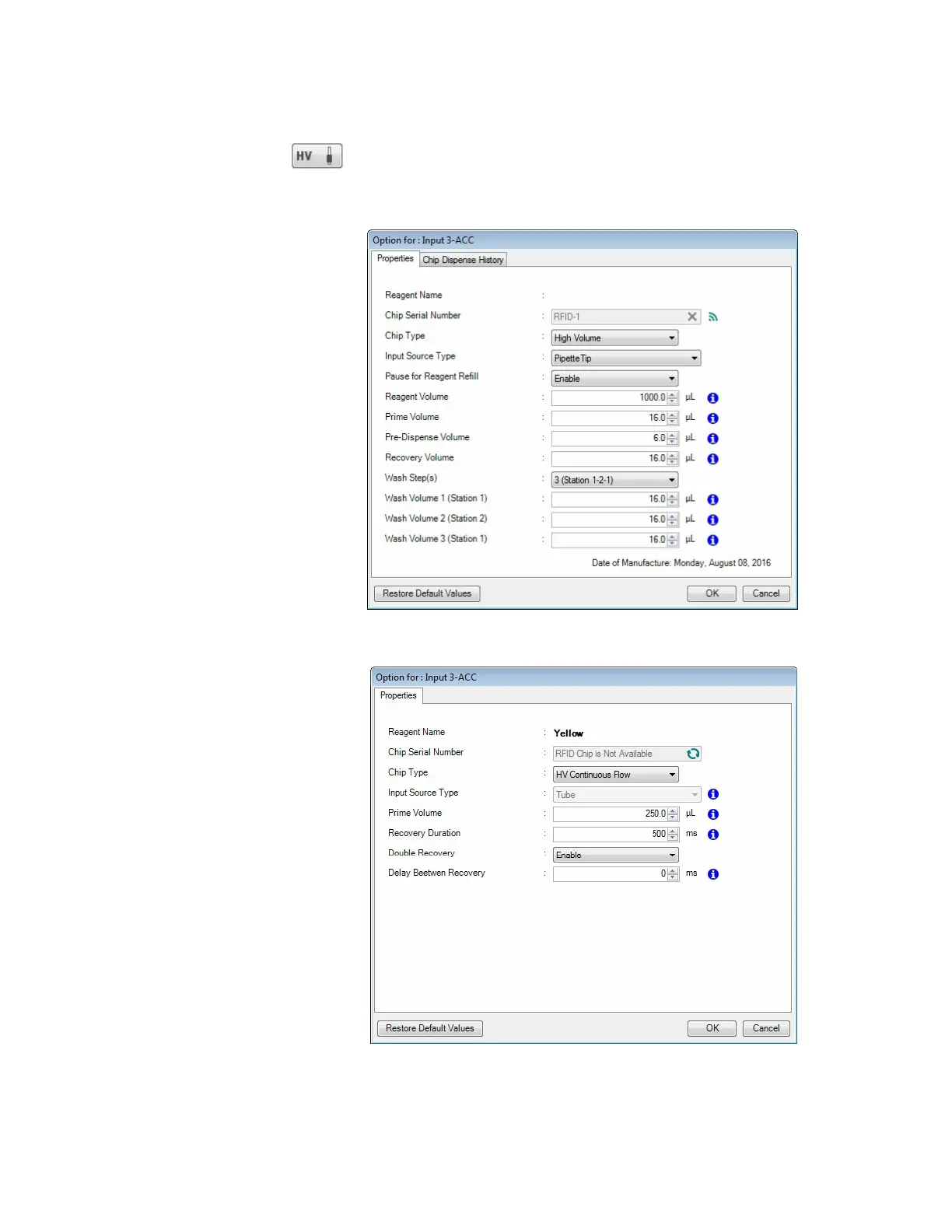
Input Button
Clicking the Input button enables you to change the input source
type (tube or pipette tip), chip type (Low Volume, High Volume,
Low Volume PFE, High Volume PFE, or High Volume Continuous
Flow), and configure the prime volume, wash volume, and
recovery volume, and pre-dispense volume.
HV with the Pipette Input Source
HV Continuous Flow Options



 To Next Page