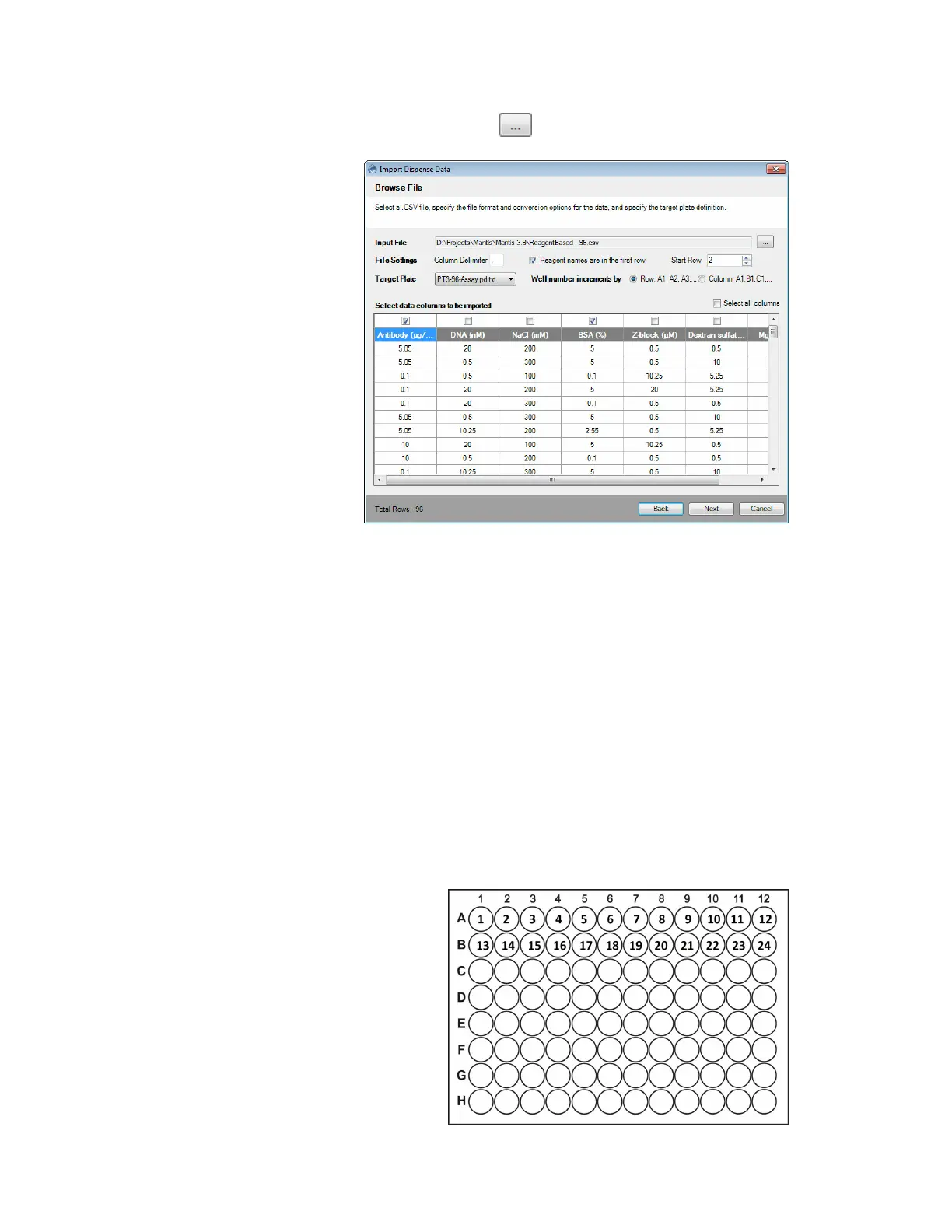
3. Click the Browse button next to the Input File box and locate the file you
want to import.
4. In the File Settings option:
● The Column Delimiter determines the separator between values in the .CSV
file. Type the separator used in your file.
● If your reagent names are in the first row, select the Reagent Names are in
the first row box. If not, deselect the option.
● Select or type the row number you want to start with in the Start Row box.
5. In the Target Plate option:
● Select the plate type you want to use for dispense from the plate list.
● Determine the well numbering convention by selecting either the Well
number increments by Row: A1, A2, A3 or by Column A1, B1, C1 option.
q Well increments by Row: A1, A2, A3 means that the wells in your plate
design are numbered left-to-right in rows. For example, wells A1 through
A12 are numbered 1 to 12 and are represented by the first 12 data rows of
your .CSV file. Wells B1 through B12 are numbered 13 to 24 and so on.
MANTIS User's Guide | Chapter 9: Dispensing With the MANTIS
Modifying the File Settings
Well number incrementing by Row



 To Next Page