Using the Date Book
46 Wrist PDA User Guide
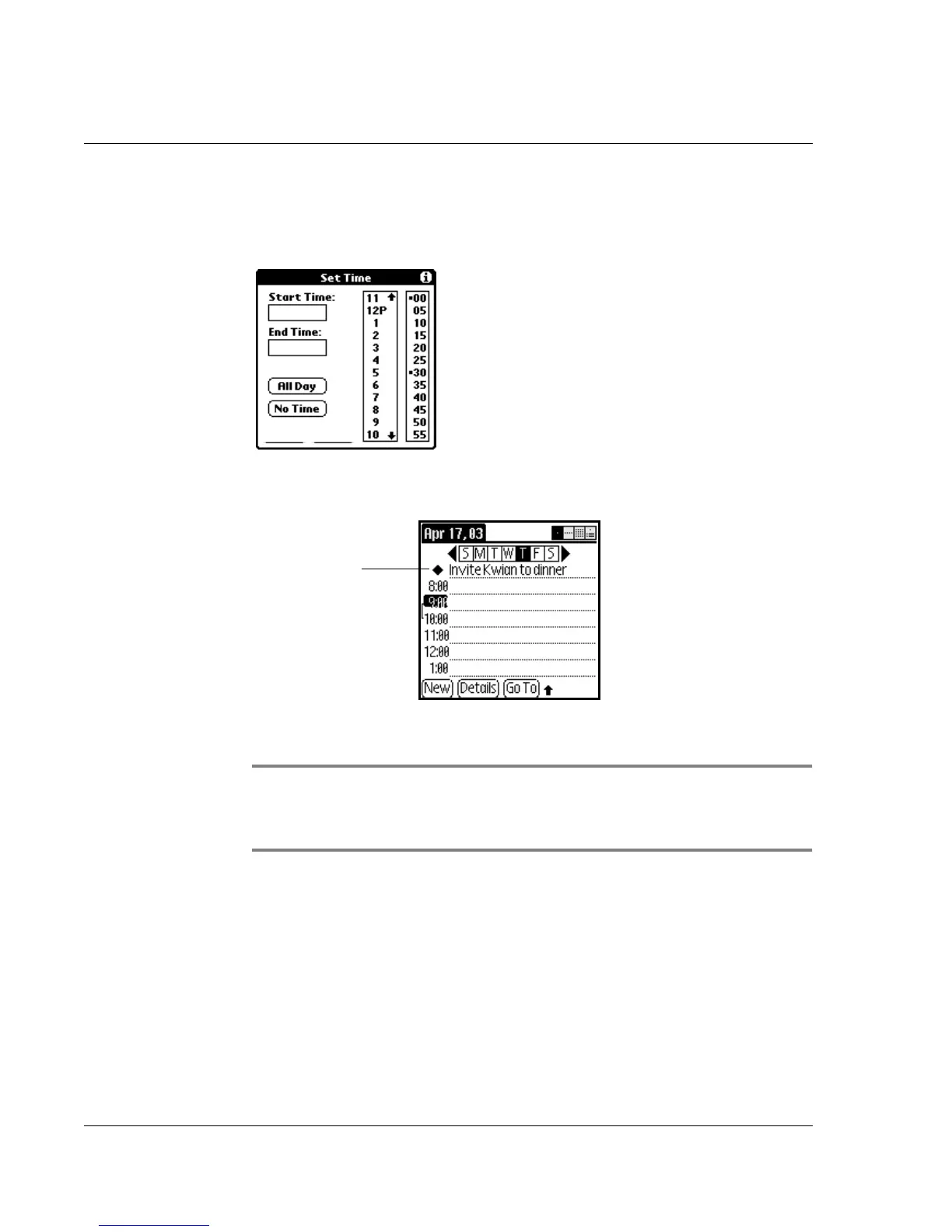
2. Tap New.
3. In the Set Time dialog box, tap No Time.
4. Enter a description of the event.
5. Tap a blank area on the screen to deselect the untimed event.
NOTE: If you create a timed event and later want to make it an
untimed event, tap directly on the event time on the Date Book
screen; then tap No Time.
Scheduling repeating or continuous events
The Repeat function lets you schedule events that recur at regular
intervals or extend over a period of consecutive days. Repeating
events include a birthday and a weekly guitar lesson that falls on
the same day of the week and the same time of day. Continuous
events might include a business trip or a vacation.
New
untimed
event














 To Next Page