36 RUBY 10 Advanced Features and Functions
2. Close the camera arm until it flush against the top of the device.
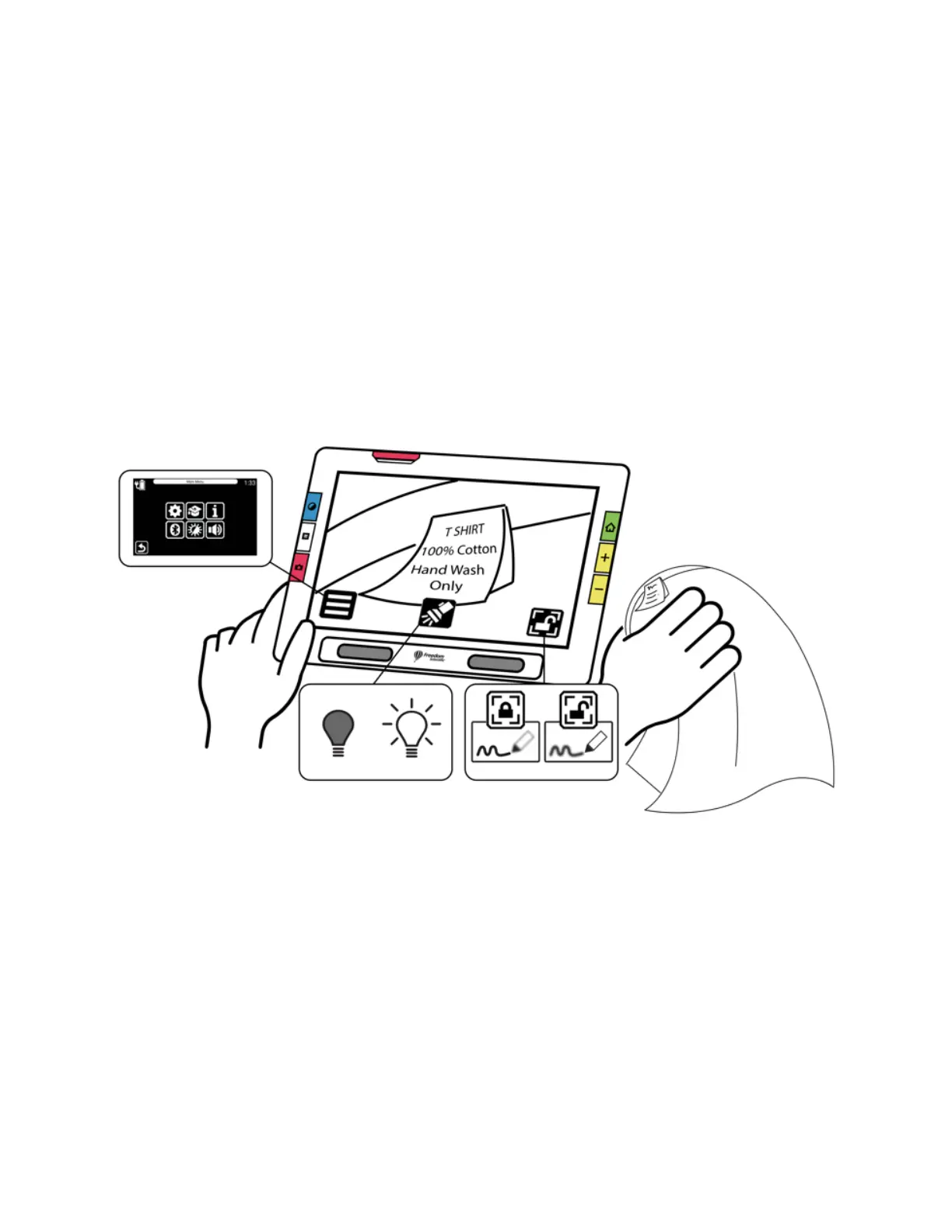
3. Point the camera at what you want to view.
4. Optionally, enhance the image using the yellow Zoom In/Out buttons or
blue Color Mode button.
5. Optionally, tap the screen to display buttons at the bottom of the screen.
Using these buttons, you can display the Main Menu, turn on/off the
light, or enable/disable focus lock.
6. Optionally, press the red Capture button to take a snapshot. Press the
green Live View button to return to the Live view.



 To Next Page