RUBY 10 Advanced Features and Functions 69
Connecting RUBY 10 to Other Devices
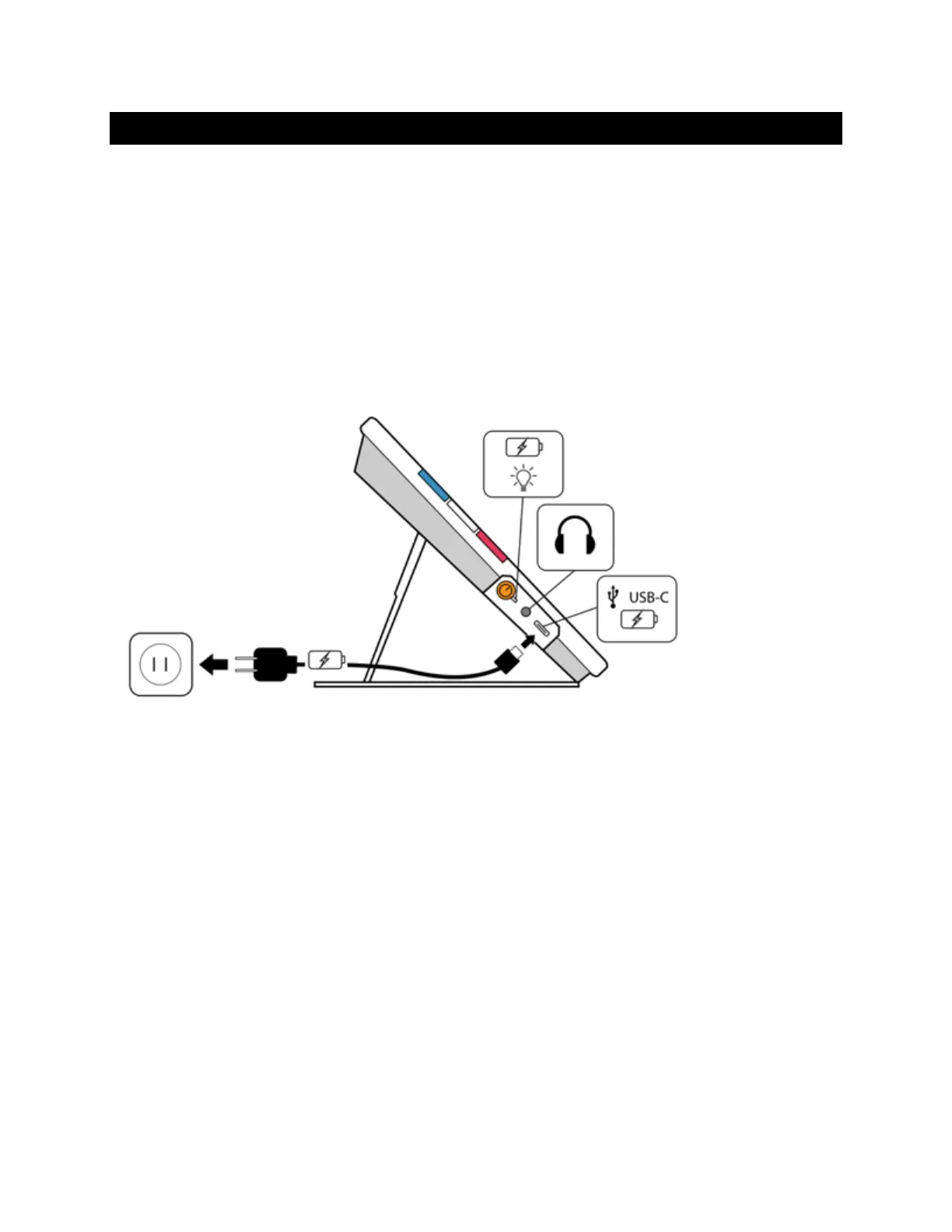
RUBY 10 offers an audio jack, a USB-C connection, Miracast, and
Bluetooth to connect with a variety of devices, including headphones, a
speaker, an HDMI TV or monitor, a computer, or a cell phone.
Audio Jack Connections
RUBY 10 has an audio jack, where you can plug in headphones or a
speaker. The round jack is to the right of the orange Power button.
USB-C Cable Connections
RUBY 10 has a USB C-port, which can be used with the USB-C cable that
came in the box to:
Charge the device.
Connect the device to a computer to transfer files or perform updates.
You also can connect the device to an HDMI TV to mirror RUBY 10 content
using a USB-C to HDMI active cable.



 To Next Page