Before using the terminal
32
◆
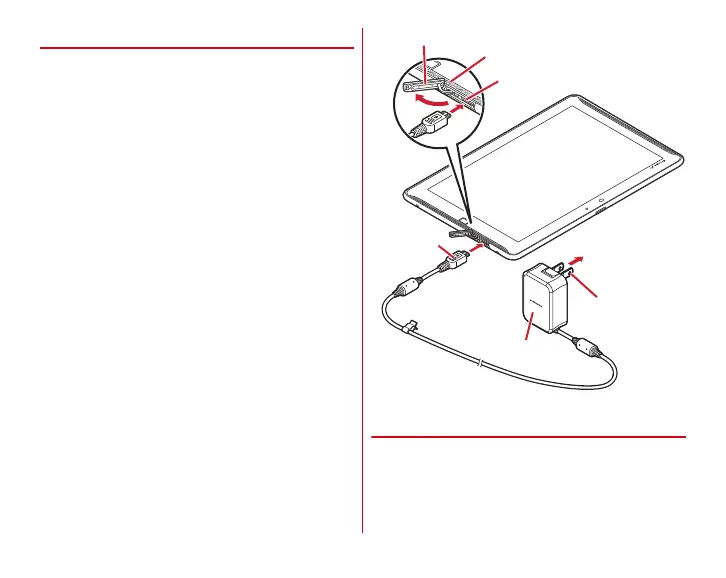
Charging with AC adapter
To charge with an optional AC Adapter 04, operate as follows.
a
Open the jack cap on the terminal
→
P23
b
Insert the microUSB plug of the AC adapter into the
external connection jack of the terminal horizontally with
B-engraved side facing up
c
Insert the AC adapter's power plug into an outlet
・
Indicator LED lights in red while charging, and turns off
when charging is complete.
d
When charging is complete, remove the AC adapter's
power plug from the outlet
e
Remove the microUSB plug from the terminal and then
close the jack cap of the terminal
→
P23
◆
Charging with a PC
You can charge the terminal with a PC using an optional PC
connection USB cable T01 or Micro USB Cable 01.
・
When a screen of new hardware detection or operation
selection appears on the PC, select [
キャンセル
(Cancel)].
External connection jack
Indicator LED
AC adapter
To A C
100
V
outlet
Power plug
Jack cap
microUSB
plug















 To Next Page