Working with the Tab let PC
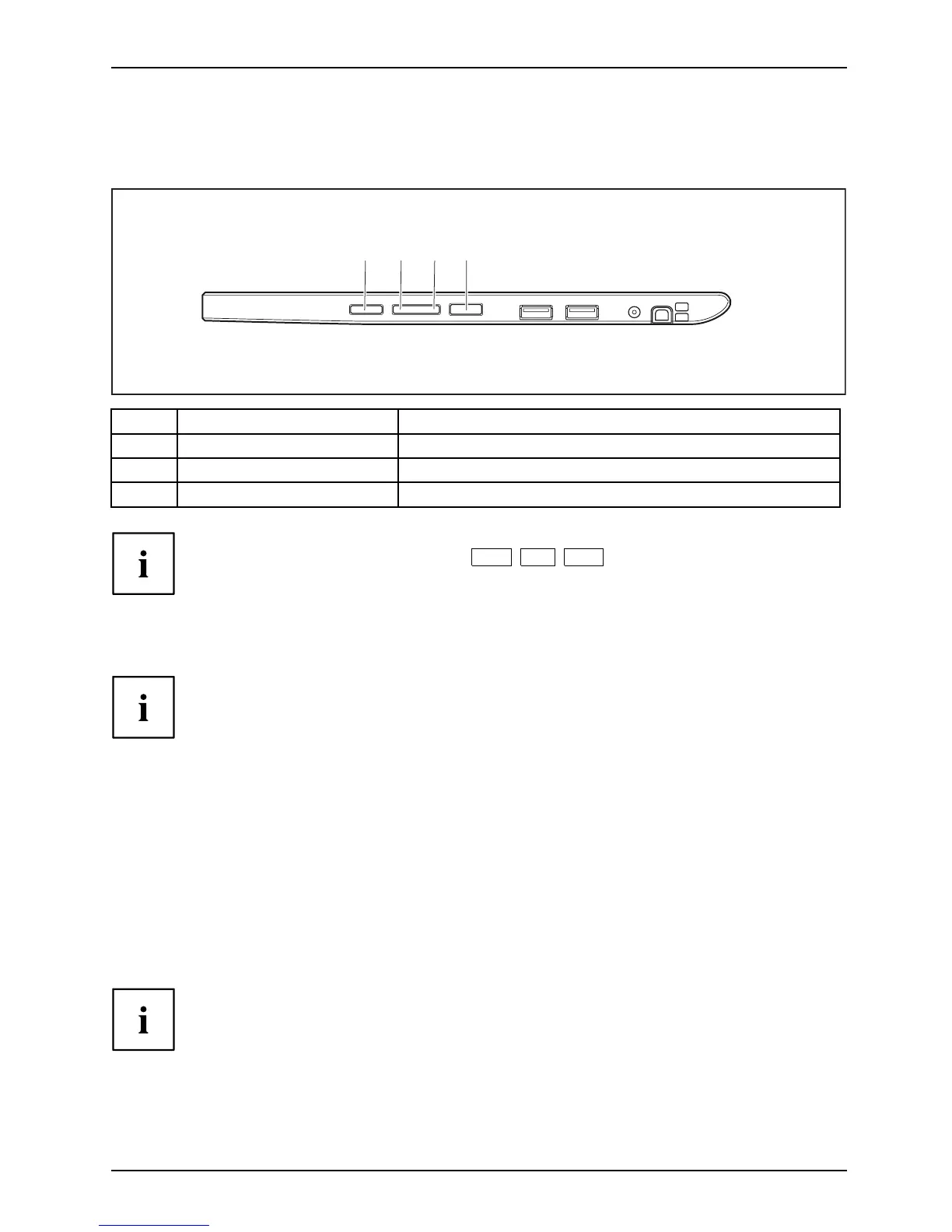
Tablet buttons
In addition to th e ON/OFF button (4), your Tablet PC is fitted with three tablet buttons.
1 2
4
3
No. Description Functions
1
Shortcut button Start function manager or screen shot function
2 Volume Down button Decrease volume
3 Volume Up button Increase volume
If the Windows but
ton on the Tablet PC is pressed in combination with the ON/OFF button
(4), this is equi
valent to pressing the
Ctrl
+
Alt
+
Del
key combination on a keyboard.
Webcam
Webcam
Your device has two webcams: one on the front of the device and one on the rear.
The webcam has its own status indicator. The indicator lights up when the webcam is active.
Depending on the software use d, you can use your webcam to take pictures,
record video clips or take part in web chats.
• The picture quality depends on the lighting conditions and the software being used.
• You can only operate the webcam with a particular app lication (e.g. an Internet telephony
program or a video conferencing program which supports a webcam).
• When using the webcam the support of the Tablet PC must not wobble.
• The webcam automatically adjusts itself to the current light level. For this reason,
the touchscreen may flicker while the light level is adjusted.
Further information on use of the webcam and additional settings for your web cam
can be found in the help function of the program using the webcam.
Fujitsu 35



 To Next Page
 Loading...











