1. BASIC OPERATION
1-4
1.4 How to Step through the Data Screen
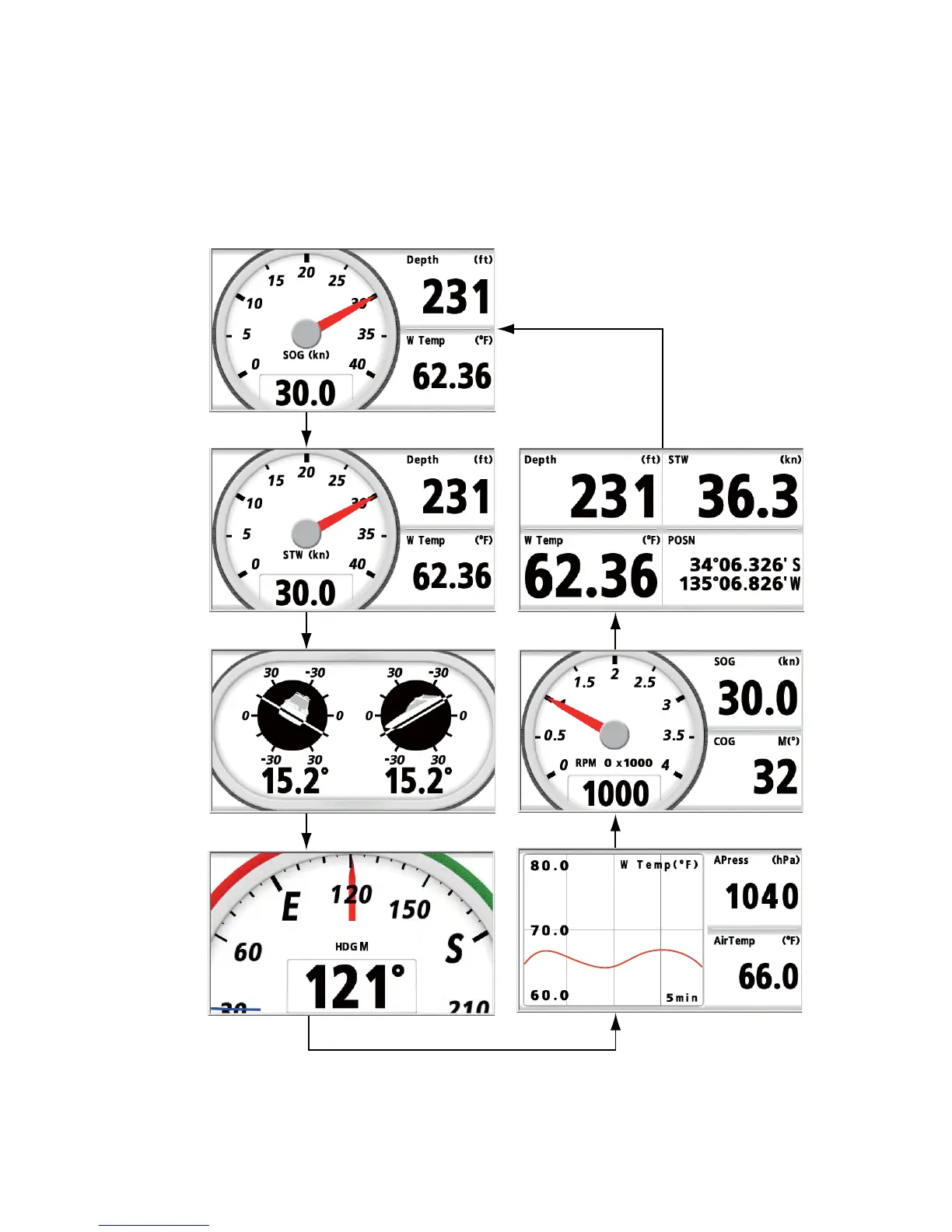
You can step through the seven data screens with the DISP key. When you press the
DISP key momentarily, the screen changes in the sequence of Display1 → Display2
→ Display3 → Display4 → Display5 → Display6 → Display7 → Display1 → ... The de-
fault screens are as shown below. For details, see sections 2.2 and 2.3.
DISP key (short press)
DISP key (short press)
DISP key (short press)
DISP key (short press)
DISP key (short press)
DISP key (short press)
DISP key
(short press)
Display1
Display2
Display3
Display4
Display5
Display6
Display7
The screen changes in reverse order
with DISP key (long press).



 To Next Page