9. INSTALLATION
9-7
9.4 Adjustments
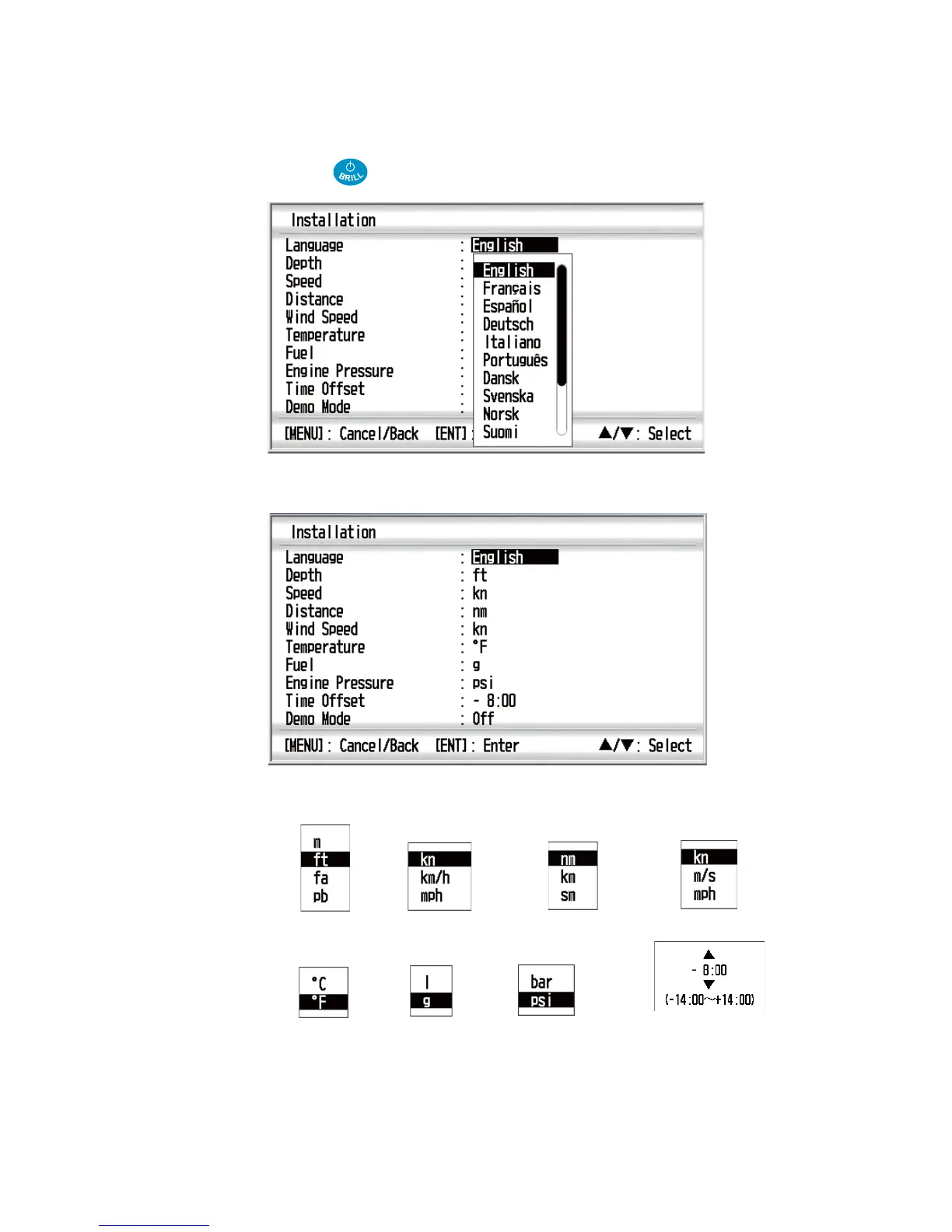
After you install the remote display, initialize the remote display as follows:
1. Press the key to turn on the power.
2. Press the ENT key with the cursor on [English]. The menu for units of measure-
ment appears.
3. Use the Cursorpad (S or T) to select the menu item desired and press the ENT
key.
4. Use the Cursorpad (S or T) to select an option and press the ENT key.
5. Press the MENU key to close the menu.
Depth Speed
Distance Wind Speed
Temperature
Fuel Engine Pressure
Time Offset*
*: Set the difference between UTC (Universal time coordinated)
and local time.



 To Next Page