8. MAINTENANCE, TROUBLESHOOTING
8-2
8.2 Troubleshooting
This section provides simple troubleshooting procedures which the user can follow to
restore normal operation. If you cannot restore normal operation, do not check inside
the unit. Have a qualified technician check the equipment.
8.3 Test
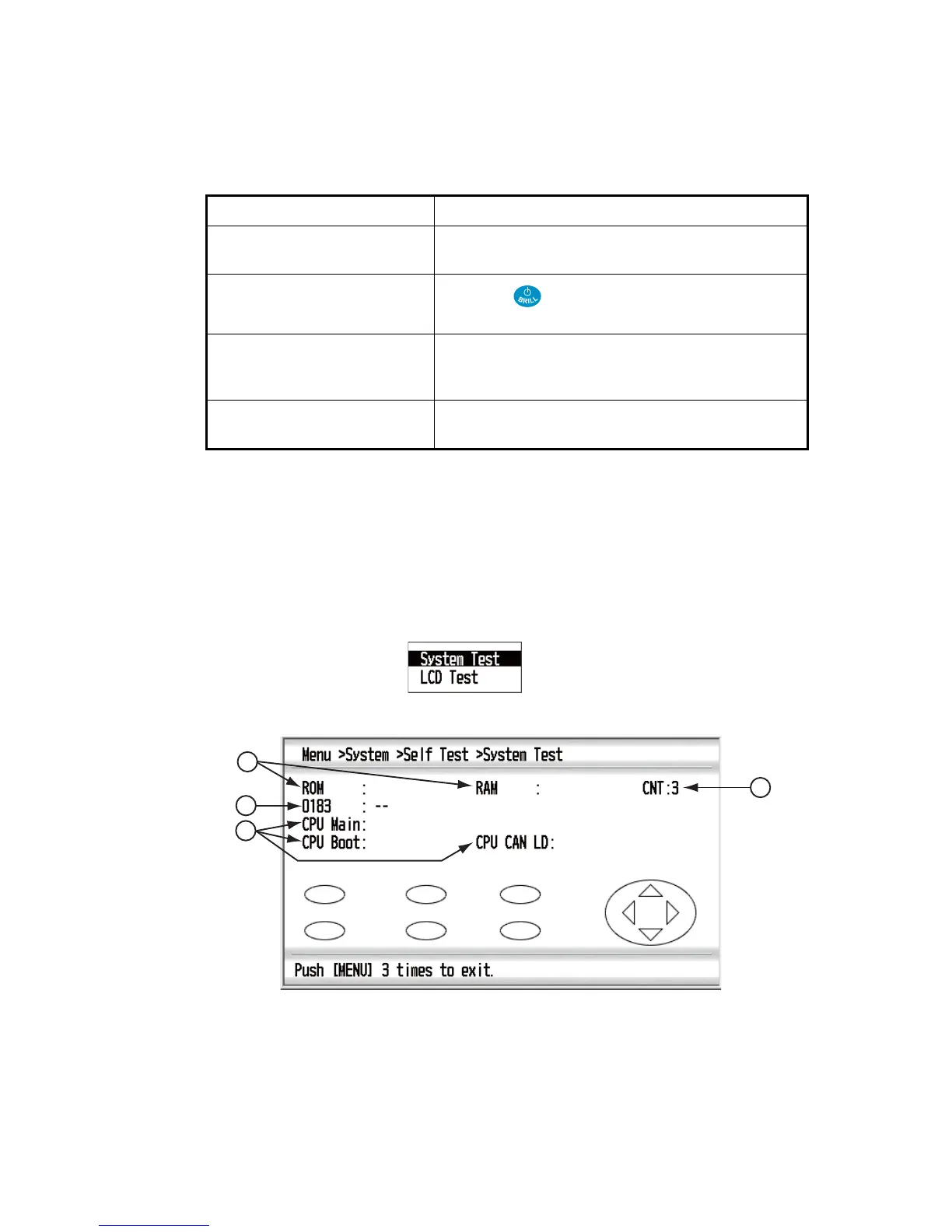
The test checks the system for correct operation.
1. Press the ME NU key to open the menu.
2. Use the Cursorpad (S or T) to select [System] and press the ENT key.
3. Use the Cursorpad (S or T) to select [Self Test] and press the ENT key.
4. Use the Cursorpad (S or T) to select [System Test] and press the ENT key.
Symptom Remedy
You cannot turn on the power. • Check that the power cable is firmly fastened.
• Check for damaged power cable and connector.
No picture appears.
Press the key several times to adjust the screen
brilliance.
There is no response when a
key is pressed.
Turn off and on the power then operate the key. If you
do not get a response, the key is damaged. Contact
your dealer for instructions.
No data appears. Check that the connectors of sensors are firmly fas-
tened.
OK
OK
2651010-
XX.XX
2651011-
XX.XX
2651012-
XX.XX
1
4
3
2
XX.XX
: Program version number



 To Next Page