4. ALARMS
4-5
4. Use the Cursorpad (X) to move the cursor to the right and press the ENT key.
5. Use the Cursorpad to set the value and press the ENT key. The circle with radius
setting value is alarm zone.
S, T: Change the figure.
W, X: Move the cursor for digit.
6. Press the DISP key to close the menu and display the data screen.
4.3.2 XTE (Cross-Track Error) alarm
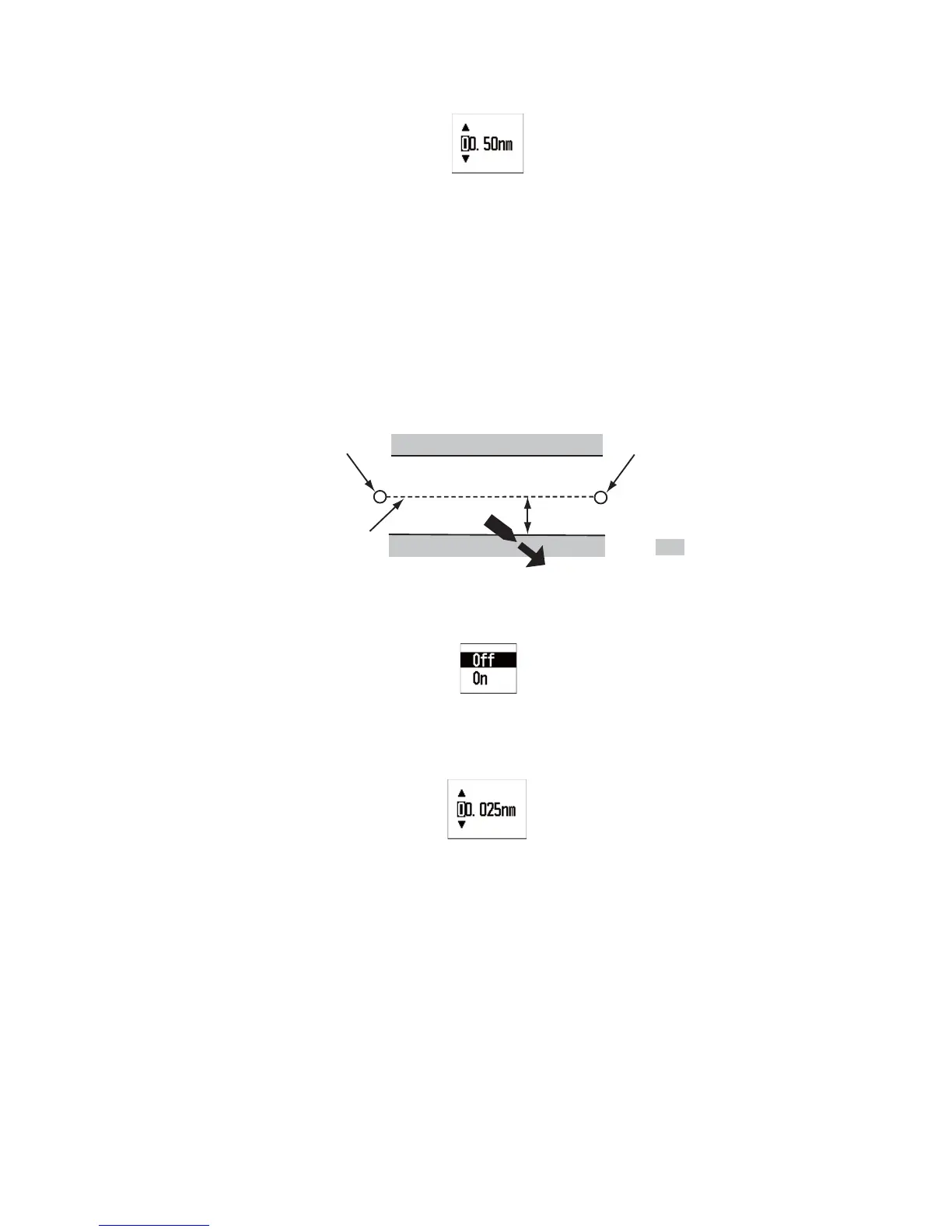
The XTE alarm alerts you when your ship is off its intended course (the line from the
start point to the destination waypoint). This function is available when the start point
and the destination waypoint are set on the navigation equipment connected.
1. Open the [Alarms] menu.
2. Use the Cursorpad (S or T) to select [XTE] and press the ENT key.
3. Use the Cursorpad (S or T) to select [On] and press the ENT key. When you do
not set the XTE alarm, select [Off] and go to step 6.
4. Use the Cursorpad (X) to move the cursor to the right and press the ENT key.
5. Use the Cursorpad to set the value and press the ENT key.
6. Press the DISP key to close the menu and display the data screen.
4.3.3 Speed (SOG/STW) alarm
The speed (SOG/STW) alarm alerts you when your ship’s speed is lower or higher
than the speed setting, is inside or outside of the speed range setting, or is equal to
the speed setting.
1. Open the [Alarms] menu.
Start point
Destination waypoint
: Alarm zone
Alarm setting
Intended course



 To Next Page