3-1
3. CUSTOM SCREEN
You can arrange the data to display and show the data in the order desired. Availability
of data depends on the sensors connected.
3.1 How to Customize the Screen
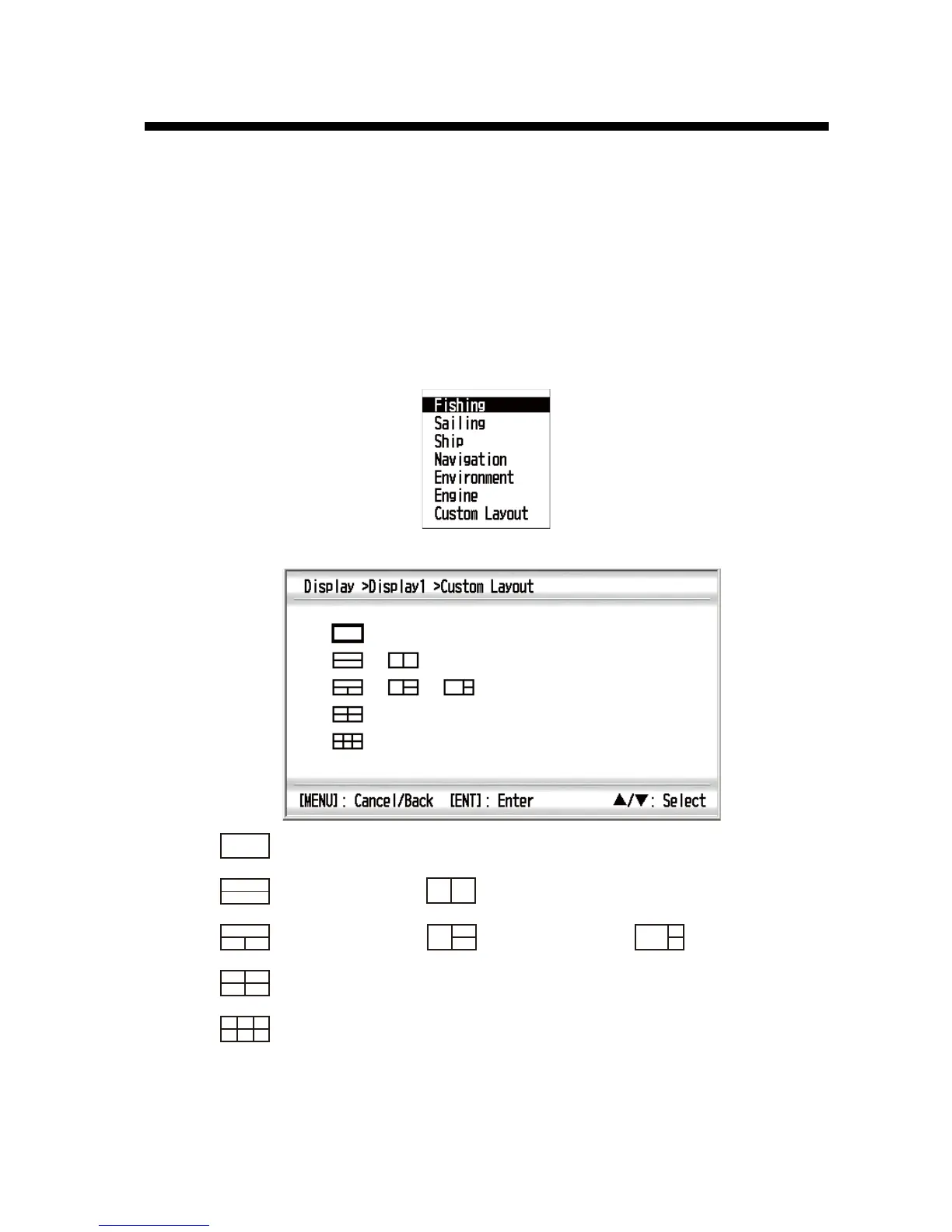
1. Press the MENU key to open the menu.
2. Use the Cursorpad (S or T) to select [Display] and press the ENT key.
3. Use the Cursorpad (S or T) to select [Display1 (2, 3, 4, 5, 6 or 7)] and press the
ENT key.
4. Use the Cursorpad (S or T) to select [Custom Layout] and press the ENT key.
No-split
Horizontal
two-way split
Four-way split
Vertical
two-way split
Horizontal/vertical
three-way split 1
Six-way split
Horizontal/vertical
three-way split 2
Horizontal/vertical
three-way split 3



 To Next Page