3. CUSTOM SCREEN
3-2
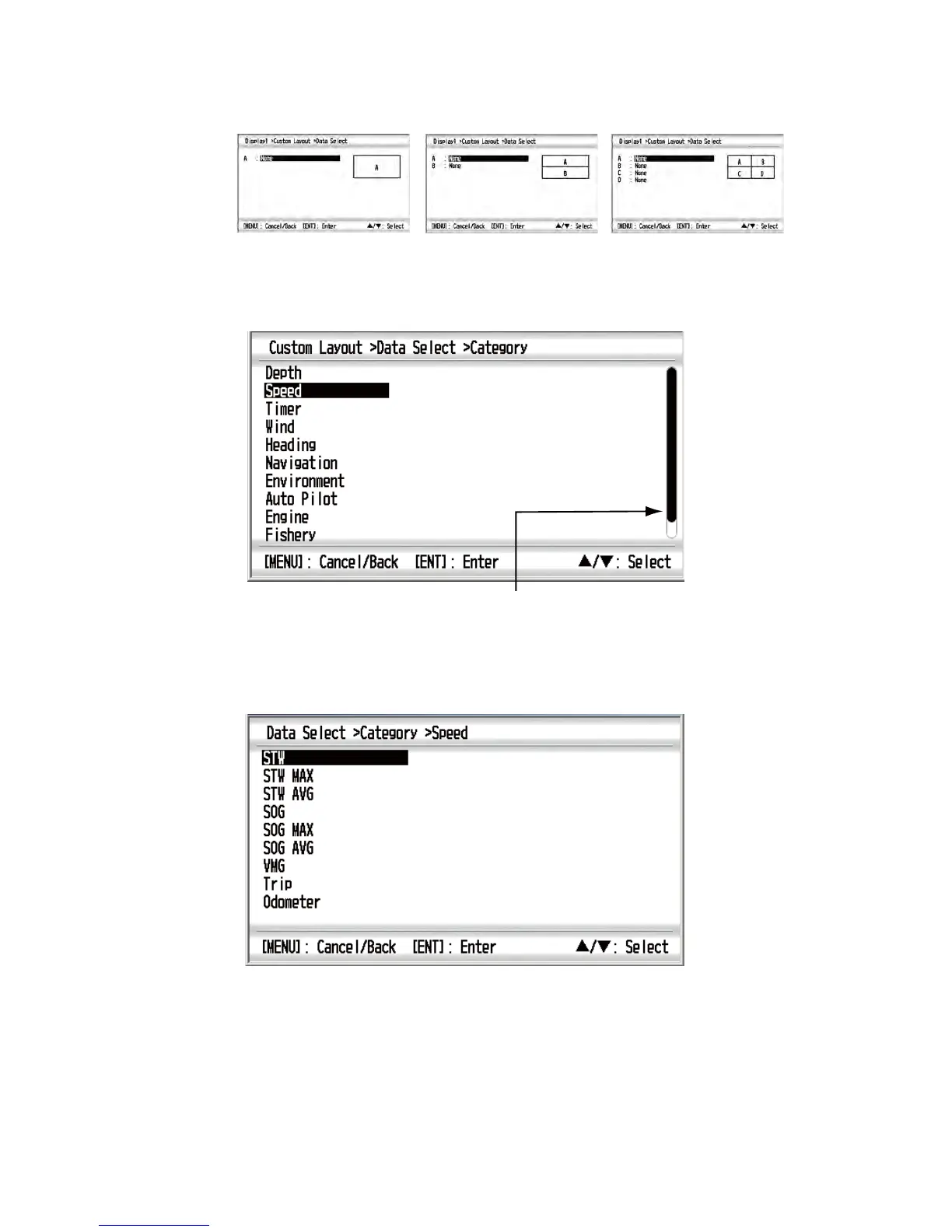
5. Use the Cursorpad to select the screen division and press the ENT key. The op-
tion screen depends on the selected screen division.
Examples of option screen
6. Press the ENT key again with the cursor on [A].
7. Use the Cursorpad (S or T) to select the category desired and press the ENT
key. The scroll bar indicates additional categories. You can scroll through the cat-
egories by using the Cursorpad (S or T).The category options screen, which de-
pends on the selected category, appears.
Category options (e.g. [Speed] category)
Note 1: If you selected [None], the data screen is blank.
Note 2: For details for each category, see the next section.
No-spilit
Horizontal two-way spilit
Four-way spilit
Scroll bar



 To Next Page