7. SYSTEM MENU
7-5
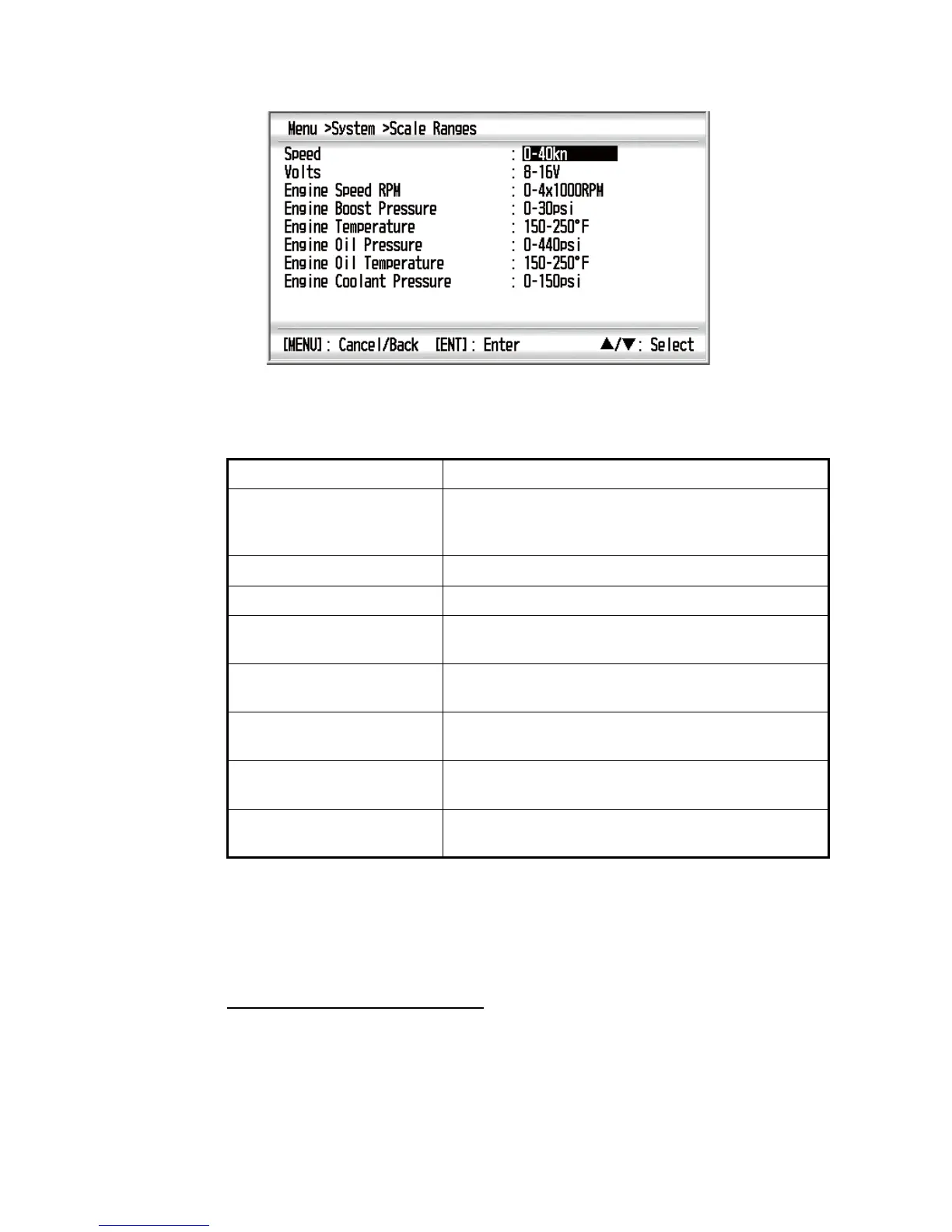
3. Use the Cursorpad (S or T) to select [Scale Ranges] and press the ENT key.
4. Use the Cursorpad (S or T) to select the menu item desired and press the ENT
key.
5. Use the Cursorpad (S or T) to select an option and press the ENT key.
6. Press the DISP key to close the menu and display the data screen.
7.5 Setting for Time and Date
Display format for time and date
You can select the display format for time and date.
1. Press the MENU key to open the menu.
2. Use the Cursorpad (S or T) to select [System] and press the ENT key.
Menu item Option
Speed kn: 0-20kn, 0-40kn, 0-80kn
km/h: 0-40km/h, 0-80km/h, 0-160km/h
mph: 0-20mph, 0-40mph, 0-80mph
Volts 8-16V, 16-32V
Engine Speed RPM 0-4x1000RPM, 0-6x1000RPM, 0-8x1000RPM
Engine Boost Pressure psi: 0-30psi, 0-70psi, 0-150psi, 0-360psi, 0-440psi
bar: 0-2bar, 0-5bar, 0-10bar, 0-25bar, 0-30bar
Engine Temperature °F: 150-250°F, 120-300°F
°C: 60-120°C, 50-150°C
Engine Oil Pressure psi: 0-30psi, 0-70psi, 0-150psi, 0-360psi, 0-440psi
bar: 0-2bar, 0-5bar, 0-10bar, 0-25bar, 0-30bar
Engine Oil Temperature °F: 150-250°F, 120-300°F
°C: 60-120°C, 50-150°C
Engine Coolant Pressure psi: 0-30psi, 0-70psi, 0-150psi, 0-360psi, 0-440psi
bar: 0-2bar, 0-5bar, 0-10bar, 0-25bar, 0-30bar



 To Next Page