3. CUSTOM SCREEN
3-12
3.6 Locked HDG/BRG
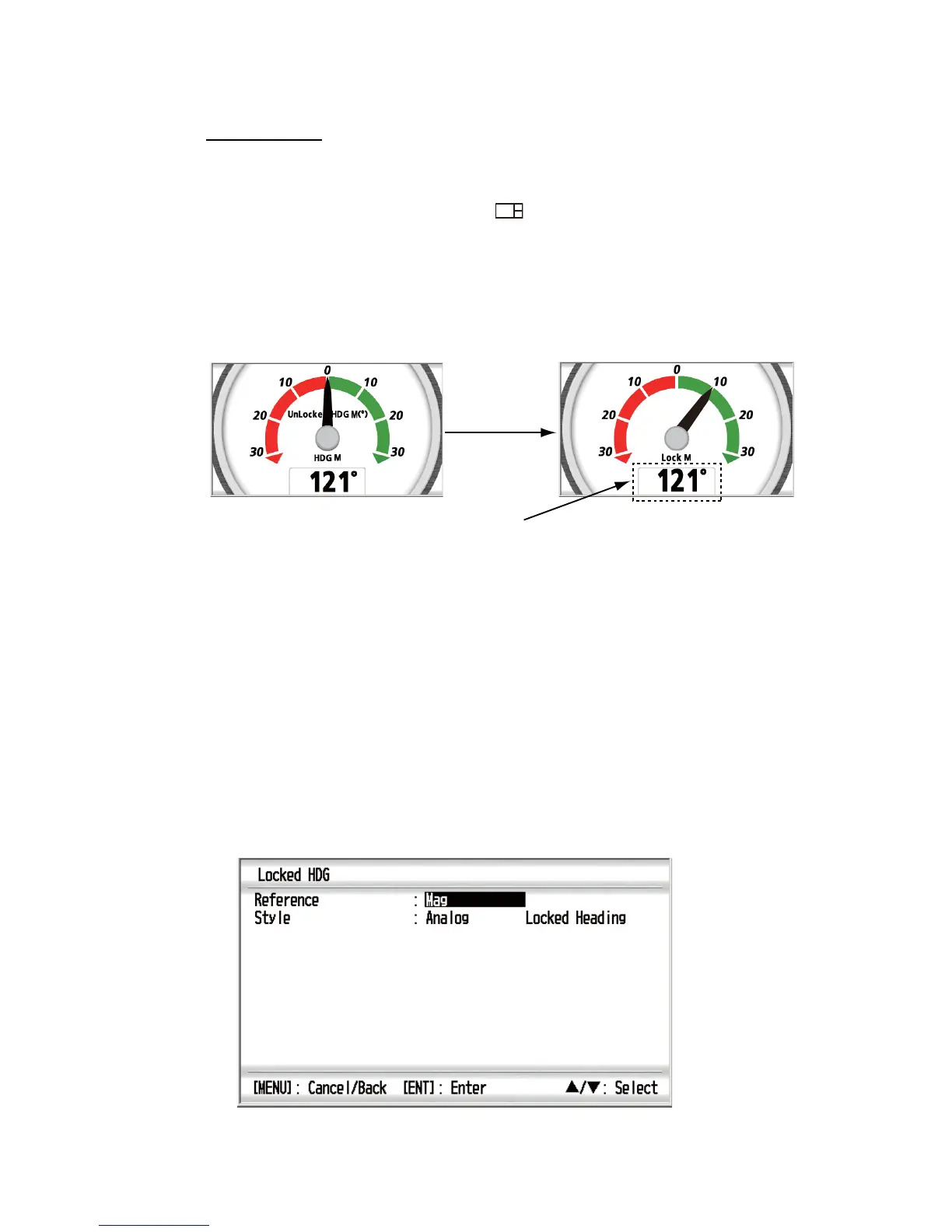
Analog screen
Lock the heading or bearing at desired angle and display the variation from the locked
heading or bearing in the analog meter. This function is available for no-split screen
and horizontal/vertical three-way split 3 ( ) screen. To display the locked heading
or locked bearing screen, select [Locked HDG] or [Locked BRG] on the [Heading] or
[Navigation] category (see sections 3.1 and 3.2).
Press the START/CLEAR key to lock the heading or bearing. The pointer shows the
variation of the ship’s heading or bearing. To unlock the heading or bearing, press the
START/CLEAR key.
E.g. [Locked HDG] - [Analog]
Note: The digital angle indication is not displayed on the horizontal/vertical three-way
split 3 screen.
The digital locked heading/bearing is the angle at the moment that the START/CLEAR
key is pressed. The pointer shows the difference between the locked heading/bearing
and the actual course.
To display the current heading or bearing at the bottom of the [Locked HDG] or
[Locked BRG] screen, do the following:
1. With the [Locked HDG] or [Locked BRG] screen displayed, press the ENT key.
2. Press the ENT key long.
E.g. [Locked HDG]
START/CLEAR
key
Unlocked HDG
Locked HDG
Locked heading (default)
Locked HDG M(
°
)



 To Next Page