8. MAINTENANCE, TROUBLESHOOTING
8-3
System Test items
5. Press each key or arrow one by one. A key's or arrow's on-screen location turns
to red if the key or arrow is normal. When you press a key or arrow again, red turns
to white.
6. Press the MENU key three times to escape from the system test.
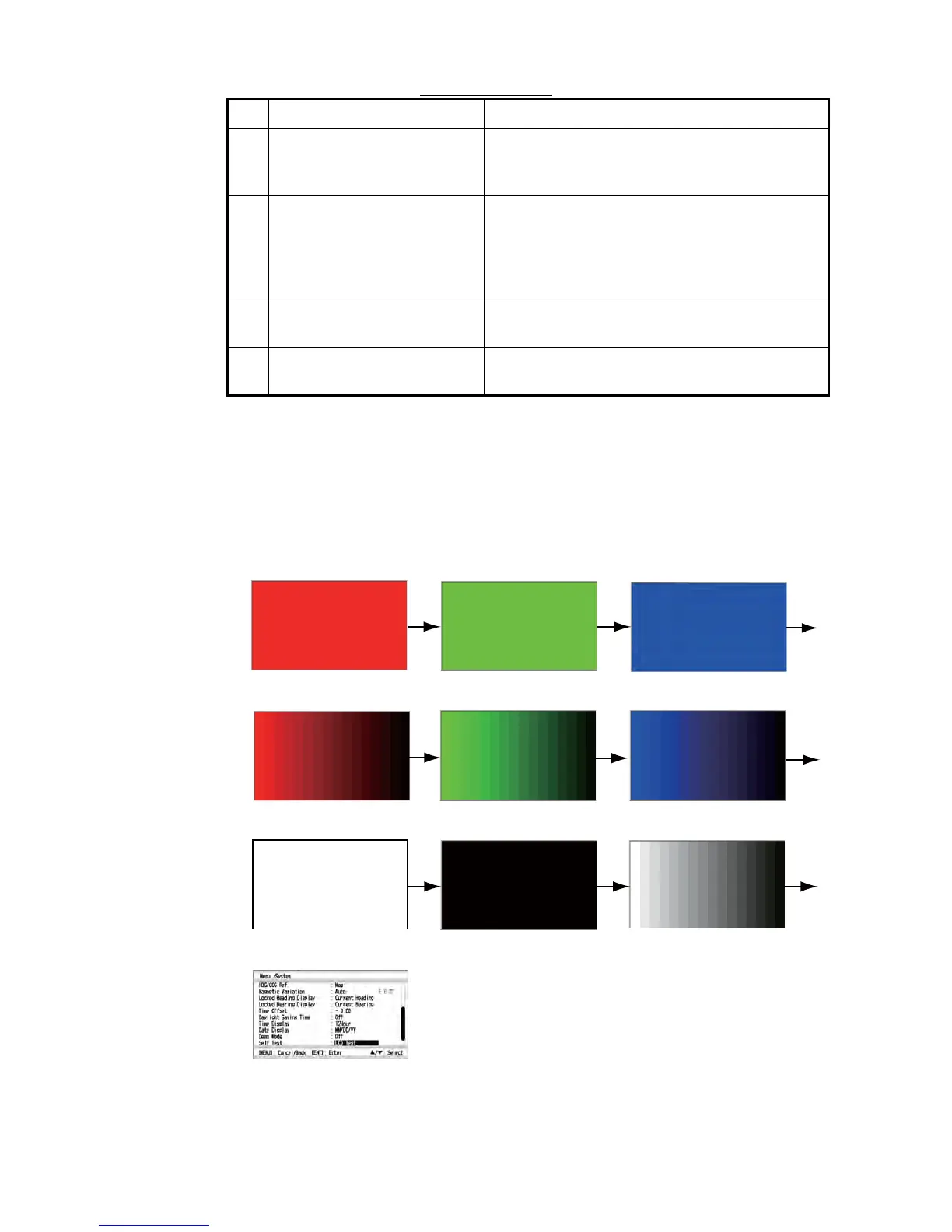
7. Use the Cursorpad (S or T) to select [LCD Test] and press the ENT key to exe-
cute the LCD test. The red pattern appears.
8. Press the EN T key continuously. The screen changes as follows.
9. Press the DISP key to close the menu and display the data screen.
No. Items Description
1 ROM, RAM The results of the ROM/RAM test are displayed
as "OK" or "NG" (No Good). If any NG is dis-
played, contact your dealer.
2 0183 The result of the port NMEA 0183 is displayed as
"OK" or "NG". Port NMEA 0183 requires a special
connector to test it. When a special connector is
not connected, "--" is shown. If any NG is dis-
played, contact your dealer.
3 Program version (CPU Main,
CPU Boot, CPU CAN LD)
Each program number and program version
number are displayed.
4 CNT The number of times for diagnostic test is dis-
played.
Red
Green Blue
16 tones of red
16 tones of green
16 tones of blue
White
Black
16 tones of gray
[System] menu



 To Next Page