7. SYSTEM MENU
7-3
6. Use the Cursorpad (S or T) to set the value and use the Cursorpad (X) to move
the cursor to the next digit. Repeat this step to set the value for other digits if nec-
essary. When the displayed data is smaller than the actual value, set the plus val-
ue. When the displayed data is larger than the actual value, set the minus value.
7. Press the ENT key to save the setting and close the setting window. To close the
window without saving, press the MENU key (instead of the ENT key).
8. Press the DISP key to close the menu and display the data screen.
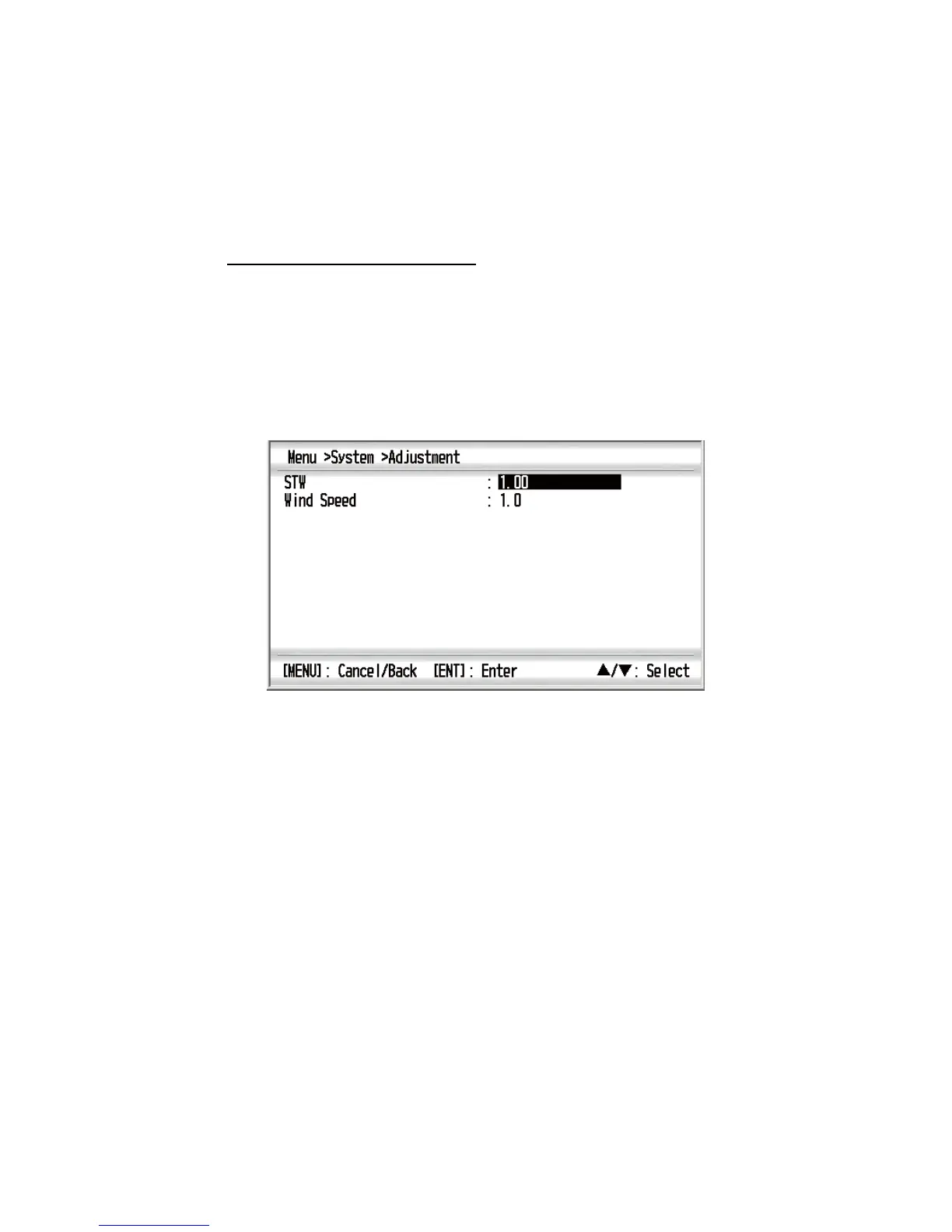
Offset for STW and wind speed
When there is an error of proportional rate for STW or wind speed data, you can set
the offset to eliminate an error. For example, enter 0.91 when the STW is always dis-
played at 10% faster than the actual speed.
1. Press the MENU key to open the menu.
2. Use the Cursorpad (S or T) to select [System] and press the ENT key.
3. Use the Cursorpad (S or T) to select [Adjustment] and press the ENT key.
4. Use the Cursorpad (S or T) to select [STW] or [Wind Speed] then press the ENT
key.
5. Use the Cursorpad (S or T) to set the value and use the Cursorpad (X) to move
the cursor to the next digit. Repeat this step to set the value for other digits if nec-
essary (setting range for [STW]: 0.30 - 2.50, setting range for [Wind Speed]: 0.3 -
2.5). When the displayed data is smaller than the actual value, set the value which
is larger than 1.0. When the displayed data is larger than the actual value, set the
value which is smaller than 1.0. The value “1” means no offset.
6. Press the ENT key to save the setting and close the setting window. To close the
window without saving, press the MENU key (instead of the ENT key).
7. Press the DISP key to close the menu and display the data screen.



 To Next Page