33
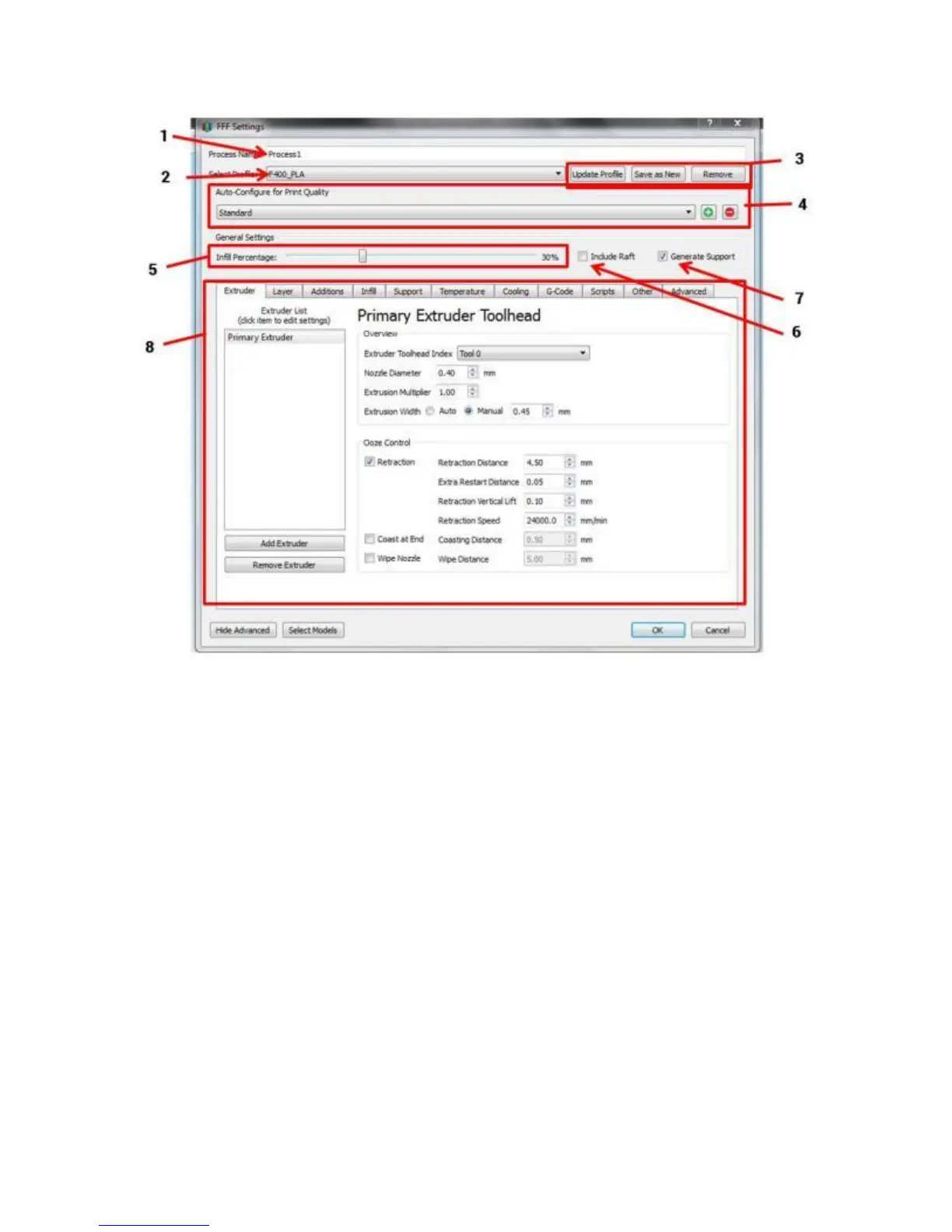
1. Process name (meaningless; you can ignore it)
2. Profile selection drop-down menu (select other profiles here)
3. Buttons to manipulate profiles; see below for more info
4. Quality presets (only applies to some profiles)
5. Sparse infill % slider
6. Raft toggle (leave this off 99% of the time; the F410 rarely needs rafts)
7. Support generation toggle (leave this on unless you know your part does not need support)
8. Advanced settings



 To Next Page