34
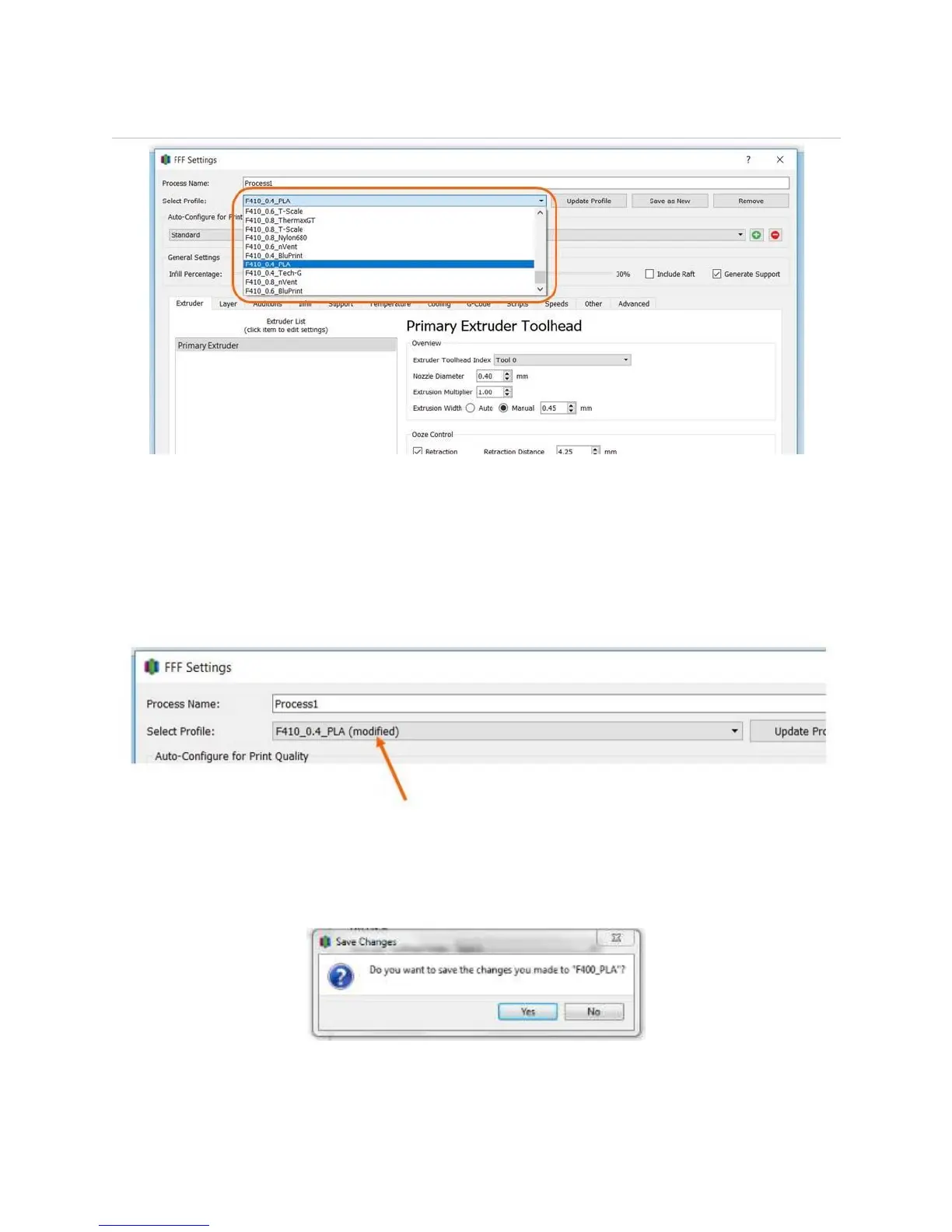
7.3.2 Selecting a Profile
Ensure the material preset you select matches the material you have loaded into your F410!
7.3.3 Making Changes to Profiles
You can make non-permanent and permanent changes to Profiles.
If you make a non-permanent change to a Profile (for example, turning support off), you will see the
word “modified” appear in the name in the “Select Profile” drop-down.
If you close and re-open Simplify, it will remember your changes.
To reset the profile to its original state, simply select another profile from the list. You will see the
following dialog box. Select “No”.
Now toggle back to the original profile. Any temporary changes you made will be gone.



 To Next Page