35
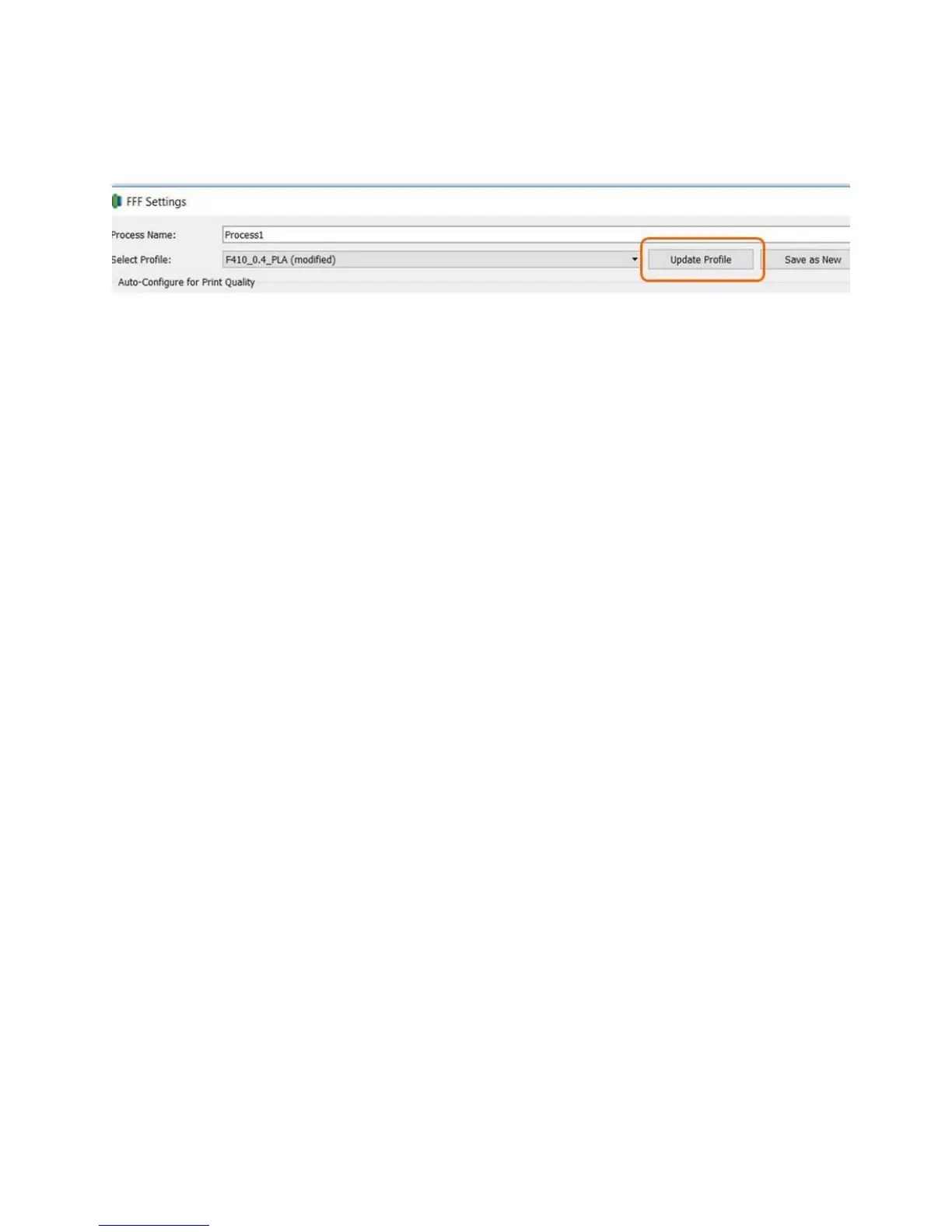
To make a permanent change to a profile, simply make your change and then click the “Update Profile”
button.
If you wish to save your changes as a new profile (recommended), you can click “Save as New” instead.
This will prompt you to name the new profile and will add a new entry to the drop-down list.
7.3.4 Commonly Adjusted Parameters
Most of our profiles do not have different quality levels specified. So in order to print at different layer
heights, speeds, etc you will need to make those changes yourself. Some of the commonly adjusted
parameters are:
Layer height; how tall each layer of plastic will be. Smaller layers look better (smaller stair-
steps) but will take longer
Infill; how dense the internal lattice inside the part is. Denser is stronger but will take longer.
Speed; how fast the print head moves. Faster will take less time, but at the loss of some
surface finish. This does not have as big an impact on print time as you might think – start with
using taller layers if you want to save time.
Support material settings (see section 7.5)
Layer Height
This is adjusted on the “Layer” tab. Values between 0.1 and 0.3 should work for most materials. If you
use small values such as 0.05 please be prepared to adjust other parameters such as speed in order to
achieve good results.



 To Next Page