74
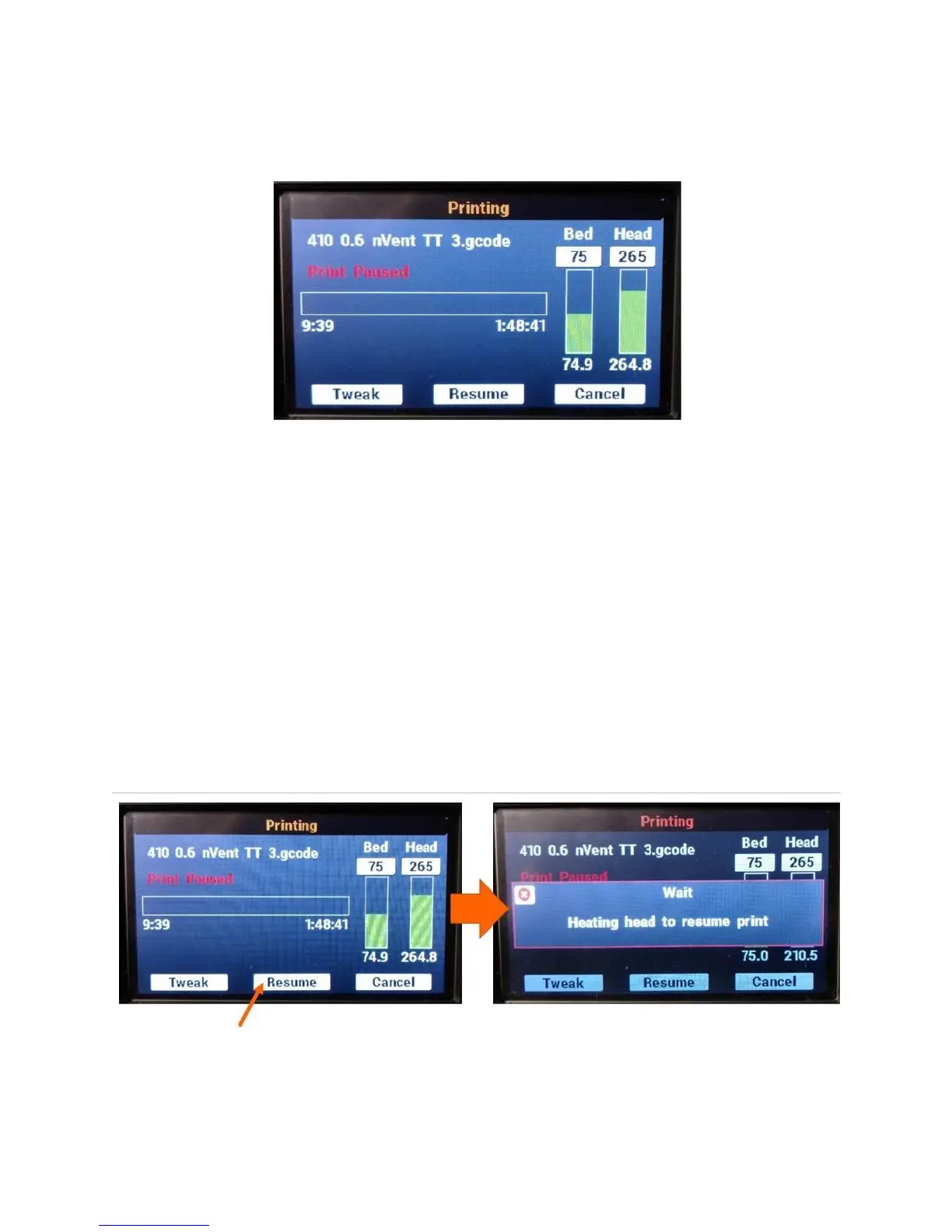
Once the queue is flushed, your F410 will move the head to the back-left corner and drop the bed
slightly. The print progress screen will update to show the print is paused.
The bed will stay energized and remain at printing temperatures, so that your print job does not
detach
The print head will be shut off and will begin to cool down (when you resume the print it will heat
up again). The set point will not be set to 0, but if you watch the screen you will see the
temperature start to drop.
Since the print head is allowed to cool, you can pause your F410 for extended periods if you need to.
However we recommend keeping pauses as short as possible, since the motors and bed are still
energized.
Note: DO NOT disable the motors while a print job is paused. This will cause the printer to lose track of
where it is in 3D space and you will not be able to successfully resume the print.
10.11.2 Resuming a Paused Print Job
When you are ready to resume your print, press the Resume button on the print progress screen.
Your F410 will begin re-heating the print head. Depending on how much the head has cooled, this may
take up to 5 minutes. Please be patient.



 To Next Page